
Our review
 Analysis by Lookingapps
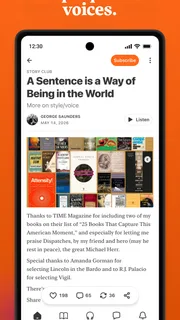
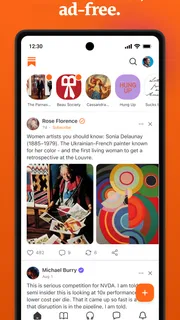
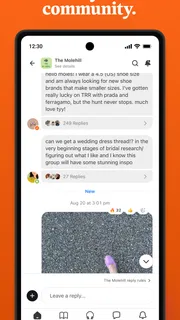
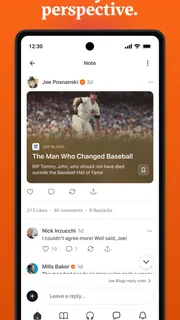
I see Substack as a reading app with a social edge: it brings independent writers, audio shows, and video into one place, while making it easy to follow the creators you care about. That mix is appealing, but it also changes what “trust” means here. You are not just choosing a news feed; you are deciding which publishers to hear from, what to read, and how much of your attention to give them. My main advice is to approach it as a deliberately curated inbox, not an automatic source of balanced news.
Who you are trusting when you open the app
Substack is a free News & Magazines app from Substack Inc., and it has grown into a substantial destination for people who prefer direct relationships with writers and other creators. It has over ten million installs, an average rating of 4.8 from around 341,000 ratings, and about 12,000 written reviews. Those figures suggest broad appeal, but they do not tell you whether any particular publication is accurate, careful, or a good fit for your interests.
That distinction matters. A traditional newspaper app usually puts a newsroom’s editorial identity and coverage choices at the center. Substack instead gives individual publishers a prominent role. I find that useful when I want a specialist’s perspective or a writer whose work I already value. The trade-off is that the quality and tone of what appears in my reading routine depend heavily on whom I choose to follow.
The app’s Teen content rating is worth keeping in mind if you are setting it up for a younger reader. It is a broad platform for material from different creators, rather than one publication with a single editorial voice. I would look at the individual writers and publications a teenager plans to follow, and discuss how to assess claims and opinion, instead of assuming the platform itself provides one consistent standard.
Substack is best suited to readers who enjoy choosing their own sources and are willing to make that choice actively. If you want a newsroom to select the day’s leading stories for you, a conventional news app may be a better starting point. If you already know whose work you want to read, the direct creator-focused approach can feel more personal and less crowded.
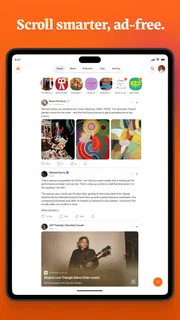
Build a feed around people, not just topics
One practical difference from a headline-first news reader is the way the experience can revolve around particular authors. I recommend beginning with a short list of writers whose work you already know, rather than following every promising publication you encounter at once. That gives you a clearer sense of what the app is adding to your day and makes it easier to notice when your feed has become repetitive or overly narrow.
A useful routine is to treat each follow as a choice about attention. Before subscribing to a new voice, ask whether you want its work regularly or merely want to read one interesting piece. That small distinction can prevent a feed from becoming a long stream of updates you feel obliged to catch up on. It also helps preserve the main strength of Substack: a collection shaped by your interests rather than by a generic list of trending stories.
More articles

Instagram Makes Everyday Moments Worth Sharing
A rare social app that can be a photo diary, a neighborhood window, and a lively conversation in the same session—though its best moments still require a little restraint.
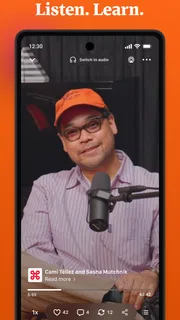
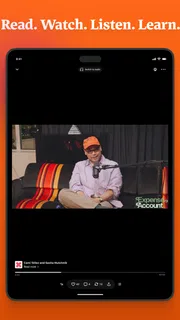
The app also brings together writing, podcasts, and video. I like the possibility of following one creator across formats, especially when a topic is easier to understand in a conversation than in a short post. But formats do not automatically make a source more reliable. A confident voice in a podcast or a polished video can still present opinion as fact, so I would use the format that suits the subject while judging the source separately.
Controls are useful only when you make choices
My cautious approach to trust starts with what I can actually control: which creators I follow, what I choose to open, and how much attention I give each item. I would not treat a personalized feed as a neutral survey of important events. It reflects the sources I have selected, which can be valuable for depth but can also leave gaps in coverage.
A concrete workflow I find sensible is to use Substack for writers I want to hear from directly, then check major or fast-moving news against established reporting elsewhere. This is not because every independent writer is unreliable; it is because a creator-led feed and a broad newsroom serve different purposes. The first can offer expertise, argument, and a recognizable voice. The second is often a better tool when I need a wider range of coverage quickly.
If a publication’s tone changes, its posts become more frequent than I want, or its work no longer feels useful, I would revisit whether I want to keep following it. A follow should not become a permanent endorsement. Keeping that decision reversible in your own habits is one of the simplest ways to stay in charge of the experience.
There is also a difference between reading a piece and adopting its framing. I try to pause when a post makes a strong claim, separate evidence from interpretation, and look for another source when the subject affects a practical decision. That habit is especially helpful on a platform where a writer’s individual perspective is part of the attraction.
Privacy questions deserve a careful, practical approach
Trust is not only about whether a writer is credible; it also includes what information an app may handle and what choices are visible to the user. I do not assume that a familiar, widely used app is automatically right for every privacy preference. Before signing in or changing account settings, I would read the current permission prompts and in-app explanations, and grant access only when I understand why it is being requested.
This is a particularly good moment to be deliberate if you are exploring audio or video. You may be using the app in a more personal setting, with headphones during a commute or while relaxing at home, and it can be easy to move from passive browsing to following many creators in one session. I recommend deciding what you want to keep in your routine before expanding it, rather than letting curiosity turn into an unmanageable stream of subscriptions.
For account-related choices, I would look in the app’s current settings and follow the controls presented there. I would also review any prompts shown when using a feature, rather than relying on assumptions about what is collected or shared. App behavior and policies can change, so checking the information visible at the time you use it is more reliable than treating a general impression as a guarantee.
That careful stance is not a reason to avoid the app. It is simply a useful way to handle any service that brings personal reading habits and creator relationships together. If you prefer not to create an account or do not want to manage a personalized set of sources, a standard news reader that presents a broader editorial feed may feel more straightforward.
Everyday use: a commute, a saved idea, and a second source
Picture a weekday commute. You open Substack to read a writer you follow, then listen to another creator’s discussion while walking. Later, a post makes a claim that could affect a decision at work. My advice would be to note the claim, find reporting or primary material from another source, and return to the original post for its argument. That routine lets you enjoy the app’s distinctive voices without treating a single feed as the whole picture.
Another useful case is a focused reading window at the end of the day. Pick one or two publications, read at a comfortable pace, and stop when you have what you came for. This can work better than opening the app whenever you have a spare moment, because creator-led feeds can encourage a feeling that there is always another post to catch up on. A clear stopping point makes the experience feel chosen rather than endless.
For research, Substack can be a good place to discover specialists and follow how their thinking develops over time. It is less suitable as the only research tool. I would use it to find questions, perspectives, and sources worth checking, then verify important factual claims independently. That division of labor plays to the app’s strengths without asking it to serve as a complete reference library.
Where the app fits among news alternatives
Compared with a standard newspaper app, Substack offers a more direct relationship with individual writers and a less unified editorial package. That can make reading feel intimate and specific, but it places more responsibility on me to choose sources and judge how much weight to give each one. A newspaper app is often more convenient when I want a quick scan across a publication’s coverage; Substack is more compelling when I want to keep up with particular people.
Compared with a general social feed, the creator-centered structure can make it easier to follow long-form work and recurring publications rather than only short reactions. Still, social habits can follow you into any app: checking frequently, collecting too many sources, and responding to confident opinions before considering them. The best protection is a deliberate follow list and a willingness to step back when the feed stops serving a clear purpose.
The current version is 3.10.1, and the app first arrived on October 3, 2022. It is free and requires Android 9 or later. Those details make it accessible to many Android users, but they do not settle whether its approach suits you. The more important question is whether you enjoy assembling a reading routine around creators instead of relying on a single publication’s editors to make the selection.
A measured recommendation
I recommend Substack to readers who want a home for writers, podcasters, and video creators they have chosen themselves. Its strongest use is not replacing every other news source; it is giving you a more direct way to keep up with voices that offer depth or a perspective you value. The large audience and strong average rating make it a well-established choice, but popularity cannot substitute for careful source selection.
I would skip it, or at least keep it secondary, if you want a tightly edited daily briefing, dislike managing subscriptions, or need one app to provide a complete and even-handed picture of current events. I would also avoid following a large number of publications simply because they look interesting. A smaller, intentional list is easier to evaluate and more likely to make the app useful rather than noisy.
My final view is positive, with a clear condition: use it on purpose. Choose creators thoughtfully, review your habits when the feed becomes cluttered, and check consequential claims elsewhere. Substack gives me a flexible way to read and listen to individual voices, but the responsibility for deciding whom to trust remains with me. That is a worthwhile exchange for curious readers who enjoy shaping their own media diet.
Pros
- Follow writers and publications in one personalized feed.
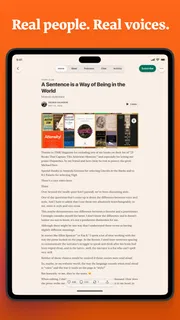
- Read newsletters in a clean and uncluttered interface.
- Discover independent voices across many subjects.
- Manage paid subscriptions within the app.
- Listen to audio versions of select posts.
Cons
- Some writers keep their best content behind a paywall.
- Subscription costs can add up across multiple publications.
- Recommendations may not always match your interests.
- The reading experience depends on each writer's formatting.
- Not every publication offers consistent posting schedules.


