


Our review
 Analysis by Lookingapps
Vidix is an AI art and design app for turning photos into stylized images and videos. I’d recommend it to someone who wants to experiment with visual effects on a phone without first learning a full editing suite. The main appeal is the quick creative detour: start with an image, try an AI look, and see whether the result feels worth saving or sharing. It is less suited to people who need precise, repeatable control over every detail.
What to expect from Vidix
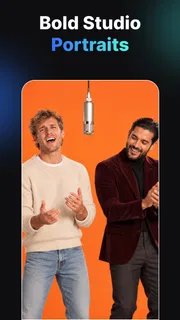
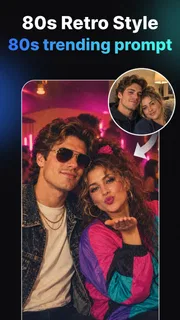
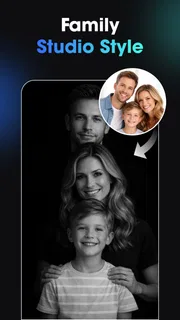
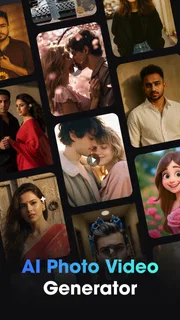
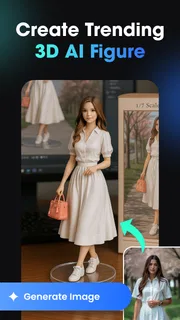
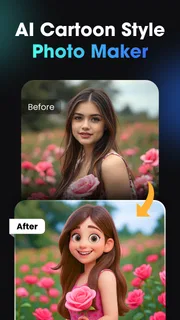
Vidix is made by Supercool Labs and focuses on AI-generated photo and video effects, including 3D-inspired art styles. That puts it in the creative-play end of the art and design category rather than the traditional drawing or professional photo-editing camp. I’d approach it as a way to explore a look, not as a replacement for a careful desktop workflow.
The app is free to install, with optional in-app purchases ranging from $0.99 to $79.99 per item. That wide range makes it sensible to explore the free experience before paying for anything. In particular, check what a purchase covers and whether it matches the way you plan to use the app; don’t assume that a single payment unlocks every tool or future use.
Its audience is broad: the content rating is Everyone, and the app has passed 10 million installs. It holds an average rating of 4.2 from around 116,000 ratings, alongside 550 written reviews. Those figures suggest plenty of people are trying it, but they don’t tell you whether a particular style will suit your photos. Your own test image is a better judge.
On opening a new AI art app, I try to keep expectations modest. Generated effects can produce an appealing transformation, but they may also interpret a face, background, or small detail in an unexpected way. If you need a likeness to remain exact, or need a video to match a specific campaign brief, a conventional editor with direct controls is the safer choice.
Getting ready for a useful first try
The current version is 1.3.0, and the stated minimum operating-system requirement is 7.0. Before starting, choose a photo you are comfortable experimenting with and that has a clear subject. A well-lit portrait or a simple object against an uncluttered background is usually a more revealing test than a busy group shot: it is easier to see what the effect changed and whether the central subject still reads clearly.
I would avoid beginning with your only copy of an important picture. Keep the original available, then treat any generated result as a new creative version rather than a replacement. This small habit is useful with any AI image tool, especially when a striking effect also alters details you wanted to preserve.
More articles

Instagram Makes Everyday Moments Worth Sharing
A rare social app that can be a photo diary, a neighborhood window, and a lively conversation in the same session—though its best moments still require a little restraint.
Think about the final use before choosing an image. A playful result for a chat or personal post can tolerate odd edges and dramatic changes. A profile picture, invitation, or client-facing graphic needs a closer inspection of faces, hands, lettering, and the boundary between subject and background. The more important the image, the more carefully I’d compare the result with the original.
Making the first result count
For a first meaningful attempt, use one photo and change one creative variable at a time. Pick a style that seems close to the mood you want, review the result, and only then try a different direction. This makes it easier to tell whether the subject itself works well with the effect, rather than losing track after several unrelated experiments.
A realistic everyday use is making a more imaginative version of a photo for a friend’s birthday message. I’d start with a clear picture of the person, try a single art treatment, and check that the face remains recognizable before sharing it. If the transformation changes too much, I’d switch to a less dramatic look or choose another photo with a simpler background. That is more dependable than expecting the first generation to be perfect.
For a short video idea, begin with a simple concept rather than trying to tell a whole story in one pass. An effect can give a small visual moment an unusual feel, but the value depends on whether the movement and style support the subject. If you are preparing something with exact timing, titles, or a consistent brand appearance, use a dedicated video editor for those finishing decisions instead of relying on an AI treatment to handle them.
One useful trade-off is choosing between novelty and fidelity. A more expressive treatment may be the one that catches the eye, while a restrained result may preserve the original photo’s identity better. I’d keep both in mind: the most eye-catching version is not automatically the most usable one. A quick side-by-side comparison can help decide whether the effect improves the image or merely makes it different.
Where new users can get confused
AI effects can make a simple choice feel like a search for the “right” button. I find it more helpful to decide on the intended mood first—dreamy, bold, or playful, for example—and test a small number of styles against that goal. Otherwise, it is easy to keep generating variations without knowing what would count as a successful result.
Another common misunderstanding is expecting an art filter to behave like a precise retouching brush. These are different kinds of tools. A filter or AI transformation can reinterpret the whole image, while a conventional editor is better when you need to remove one blemish, adjust a particular area, or preserve exact colors. If a result is almost right but one detail is wrong, repeatedly asking an AI effect to solve a local editing problem may be less effective than finishing in a standard photo editor.
Keep an eye on spending as you explore. The app is free, but its optional items have a broad stated price range, so I would not tap through purchase prompts simply to see what happens. First decide whether the free experience already gives you the kind of result you want. If you reach a paid option, pause and consider how often you will use it and whether the specific item is worth that cost to you.
There is also a practical difference between trying an effect for fun and building a repeatable workflow. AI-generated results may not look identical each time or preserve every detail in the way a manually adjusted template can. For a one-off social post, that unpredictability can be part of the appeal. For a series of matching product images, it can become extra work.
Who will enjoy it—and who may prefer another tool
I think Vidix is a good fit for curious beginners, casual creators, and anyone who wants to explore AI-styled imagery without turning the process into a technical project. Its photo and video focus makes it useful when the goal is to produce a fresh visual quickly, then decide whether it is worth keeping. You do not need to approach it as an artist to enjoy trying different interpretations of an ordinary picture.
It is not my first choice for detailed illustration, precise compositing, or dependable professional edits. Someone who wants to draw with layers, control individual masks, or make the same color adjustment across a batch of images will be better served by a traditional design or editing app. Likewise, a creator who needs fine control over video cuts and sound should use a dedicated editor for the final assembly.
Compared with a basic phone filter, Vidix’s AI-art direction offers a more transformative kind of experiment: the aim is not just to adjust brightness or color but to give the image a different visual character. Compared with a full creative suite, that convenience comes at the cost of granular control. I see it as a complement to familiar editing tools, not a substitute for all of them.
A sensible next step after the first success
Once you have one result you like, save the original and the transformed version separately, then look at them at the size and in the setting where you plan to use the image. A picture that looks exciting in a full-screen preview may feel too busy as a small profile image. Checking it at its actual destination is a simple way to avoid choosing an effect that only works when enlarged.
If you want to build on that success, repeat the same approach with a different kind of source image—perhaps a single object instead of a portrait. That helps you learn what sorts of subjects respond well to the app’s visual treatments. Keep the experiment focused, and note which result preserves the detail you care about. This is more useful than trying every style at once.
Vidix is free to try and rated for Everyone, so it is approachable for casual experimentation, while optional purchases mean it is worth staying deliberate about spending. The app’s release date is November 27, 2025, and its current version is 1.3.0. My advice is to begin with one low-stakes photo, aim for a specific mood, and judge the output by whether it serves your purpose—not simply by how dramatic it looks.
Overall, I’d suggest giving it a try if you enjoy seeing familiar photos reimagined and are comfortable with some unpredictability. Start small, keep the original, and use a conventional editor when accuracy matters more than surprise. That balance lets Vidix do what it is best at: making a quick creative experiment feel easy, without asking it to replace tools built for precise finishing.
Pros
- Creates short video clips from text prompts or photos.
- AI effects offer a quick way to stylize portraits.
- The interface makes basic generation options easy to find.
- Useful for making social media content without editing skills.
- Generated clips can add motion to otherwise static photos.
Cons
- Results may not match the prompt exactly.
- Generation speed can depend on your internet connection.
- Some tools or exports may require a paid plan.
- AI processing can produce odd details in faces or objects.
- The app may need access to photos and other device permissions.


