




Our review
 Analysis by Lookingapps
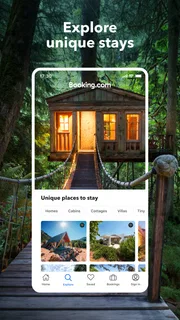
When I plan a trip, I want to get from “we should go” to a workable booking without juggling a pile of tabs. Booking.com: Hotels & Travel is built for that kind of trip planning: it brings accommodation search and other travel arrangements together in one place. I find it most useful as a practical starting point, especially when I have dates and a destination but still need to compare what fits.
From a rough idea to a usable itinerary
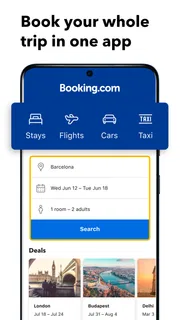
The basic routine is straightforward: enter where you are going, set your dates and party size, then narrow the results until the remaining places suit your needs. That sounds ordinary, but the useful part is being able to compare accommodation choices in the context of one trip rather than treating every search as a separate task. I can begin broad, inspect a few candidates, and return to the results when a promising option turns out not to work.
For a realistic example, imagine arranging a weekend away with a friend. I would first search the destination and dates, then check whether the available places make sense for our plans, not just whether the nightly price looks appealing. A property farther from the area we expect to visit might cost less but add hassle each day. Reading the listing details and checking the booking conditions before committing is the difference between a useful comparison and a rushed choice.
The app is a travel and local app from Booking.com Hotels & Vacation Rentals. It is free to download, and its age rating is Everyone. Those details make it approachable for general trip planning, though the final cost of a stay depends on the option selected rather than on installing the app.
I would not treat a search result as a recommendation on its own. Listings need to be judged against the trip: location, room arrangement, cancellation terms, and what is actually included matter more than a tidy result card. My best habit is to open the details for finalists and check the conditions there, rather than relying on the first screen to answer every practical question.
Compare for the trip you are taking
A useful comparison is not simply “which place is cheapest?” I look at how each option fits the reason for travelling. For a short city break, convenience and a sensible arrival plan may matter more than extra space. For a longer stay, the room setup and day-to-day comfort deserve more attention. This way of comparing helps avoid choosing a place that looks attractive in isolation but creates friction once the trip starts.
It also helps to decide what is non-negotiable before searching. If the party includes someone who needs a particular room arrangement, or the arrival time is uncertain, those needs should guide the shortlist from the beginning. Otherwise, it is easy to spend time comparing places that were never suitable. I use the app to organize options, but I still make the decision by checking the details that affect my actual plans.
More articles

Instagram Makes Everyday Moments Worth Sharing
A rare social app that can be a photo diary, a neighborhood window, and a lively conversation in the same session—though its best moments still require a little restraint.
Settings and details worth checking
Before searching, I make sure the destination, dates, and number of travellers reflect the real trip. A small mismatch here can make a comparison misleading: a room that appears suitable for one traveller may not work for a group, and a change of dates can alter which options are available. Getting those basics right first is a low-effort way to avoid repeating the search later.
Next, I decide which filters are genuinely useful. Filtering too aggressively can hide an option that would have been a good fit, while leaving everything open can create a long list that is tiring to compare. I prefer to narrow by needs that are essential, then inspect the remaining listings individually. If a filter removes too many possibilities, I loosen it and judge the trade-off myself instead of assuming that the first filtered set is complete.
For every finalist, I check the full listing and the booking conditions before making a commitment. In particular, I pay attention to what the displayed option includes and to the terms that apply to that specific choice. A headline price is only one part of the decision. The more important question is whether the arrangement works if my plans shift, and whether I understand the conditions I am accepting.
That final check is especially valuable when two places seem nearly identical. One may suit a fixed itinerary, while another may be a safer choice if the schedule could change. I do not assume that all rooms at a property have identical terms, so I read the details for the actual option I am considering. It takes a little longer than tapping the first appealing result, but it is a sensible trade for avoiding surprises.
Repeatable habits that save effort
Experienced users can make the process feel faster without relying on mysterious shortcuts. I keep a simple order: set the trip correctly, scan broadly, shortlist a manageable number, and inspect each candidate in depth. This prevents me from bouncing between unrelated results and helps me notice when a place is appealing for the wrong reason, such as a low headline price that does not match the trip’s practical needs.
Another useful habit is to compare like with like. I avoid weighing a room for one type of stay against a very different arrangement without first checking what each option provides. When two candidates are close, I focus on the detail most likely to affect the trip: location for a busy itinerary, flexibility for uncertain plans, or room suitability for the people travelling. That gives the comparison a clear purpose instead of turning it into endless browsing.
I also separate research from commitment. On an early planning pass, I gather realistic options and learn what the destination offers. Later, when dates and plans are firmer, I revisit the shortlist and verify the selected details before booking. This is a helpful workflow for people who plan with others, because it gives everyone something concrete to discuss without making a premature choice.
For a last-minute overnight stay, the same approach can be shortened: confirm the destination and dates, prioritize what is essential, then read the details for the most promising options. I would not skip the terms just because I am in a hurry. A fast search is only useful if the result is appropriate for the actual arrival and stay.
Where the app helps, and where it cannot decide for you
Booking.com is strongest when I want one familiar place to explore accommodation and organize a trip’s initial choices. The app has a 4.8 average from around 6.5 million ratings, and it has been installed over 500 million times. That scale makes it a well-established option, but popularity does not guarantee that any particular listing is right for me. I still rely on the property details and conditions for the decision that matters.
Compared with searching individual hotel brands, a broad booking app is more convenient for scanning different kinds of stays in one session. A hotel’s own booking channel may be preferable when I have already chosen that property and want to deal with it directly. Likewise, a specialist alternative can be a better fit if my trip depends on a particular type of lodging or a very specific local arrangement. I use Booking.com for breadth and comparison, not as a reason to stop considering other routes.
There is also a real trade-off in having many choices. A large set of listings can help when the destination or budget is flexible, but it can make a simple trip feel like a research project. Filters and a firm shortlist solve much of that problem, though they do not remove the need to inspect details. If I already know exactly where I want to stay, browsing a broad set of alternatives may add work rather than value.
The app’s current version is 70.4, and it requires Android 10 or later. That is useful to know before planning to use it on an older Android device. The app itself costs nothing to install, but I would still evaluate each travel choice on its own terms and keep the booking decision separate from the convenience of having the search in my pocket.
Who should use it—and who may prefer another route
I would recommend it to people who like comparing accommodation before deciding, travellers arranging a trip with several moving parts, and anyone who wants to keep early planning in one app. It can also be handy when the destination is settled but the right place is not. The value is less about eliminating decisions and more about making the options easier to review in a repeatable way.
I would be less enthusiastic about it for someone who has already selected a property and only needs to complete a direct booking, or for a traveller who dislikes comparing listings and would rather use a trusted local recommendation. It is also not a substitute for reading the actual booking terms. If flexibility, room details, or the exact arrangement matters, the person booking still needs to confirm those points before proceeding.
For iPhone users, the app is also available in the iOS app store; on Android, the minimum requirement is Android 10. Across either platform, my advice is the same: use the search to build a shortlist, then slow down at the final decision. That balance makes the app more useful than simply tapping the first result that looks convenient.
A practical verdict for repeat travellers
My recommendation is to use it as a comparison and planning tool, not as an automatic answer. The best results come from a few consistent habits: enter accurate trip details, filter only for genuine requirements, compare similar options, and read the conditions attached to the specific choice. Those steps are simple, but they make the difference between browsing and making a well-informed booking.
Booking.com: Hotels & Travel earns a place on my phone when I am still working out where to stay or need to review alternatives for a trip. It is less compelling when my choice is already made or when another source better matches a specialized need. For most ordinary accommodation searches, though, I find its broad approach practical—as long as I treat the listings as candidates to assess, rather than decisions made on my behalf.
Pros
- Filters make it easy to narrow stays by price and amenities.
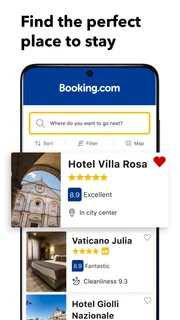
- Map results help compare lodging locations at a glance.
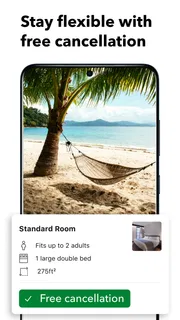
- Many listings show free cancellation terms before booking.
- Saved stays make it simple to revisit options later.
- The app supports booking flights and rental cars too.
Cons
- Prices and availability can change before checkout.
- Some properties require payment directly at the property.
- Cancellation rules vary and can be restrictive.
- Property photos may not reflect current conditions.
- Customer support experiences can differ by booking.


