



Our review
 Analysis by Lookingapps
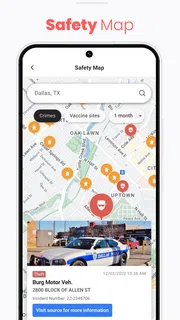
I think of NewsBreak as a neighborhood-focused way to keep up with nearby headlines without relying only on a national news feed. It is a free news app from Particle Media Inc., and its appeal is straightforward: local coverage and alerts are meant to sit alongside broader stories, giving me a quicker sense of what may matter close to home. That local emphasis can be useful when I want to check what is happening around my community, but it also means the experience depends heavily on whether the app is showing stories relevant to my interests and location.
What the current version is trying to do
NewsBreak is in the news and magazines category, but it feels most distinctive when treated as a local-news reader rather than a replacement for every source I use. I would open it to scan nearby developments, then turn to a trusted publication or official source when a story needs careful verification. That division of labor is important: a convenient feed is good for discovery, while important decisions deserve more than a quick headline.
The app has a 4.6 average from around 641,000 ratings, and it has passed 50 million installs. Those figures suggest that many people have found a reason to keep it on their phones, though popularity alone does not tell me whether its coverage fits a particular town or whether its alerts suit an individual reader. The practical test is simple: do the stories it surfaces help you understand your immediate surroundings, or do you end up dismissing most of them?
Its current version is 26.43.1, and the app has been available since June 17, 2016. That long presence gives it a place in an established category where readers can also choose newspaper apps, television-news apps, or broad aggregators. NewsBreak’s reason to compete is proximity. If you already follow several national outlets but regularly miss useful local reporting, a neighborhood-oriented feed may fill a real gap. If your preferred local paper already covers everything you need, another feed may instead create duplication.
How I would fit it into an ordinary day
Imagine checking your phone before leaving for work. You want a quick look at local headlines, not a long reading session, and you may want to know whether a developing event deserves more attention. NewsBreak can serve as that first pass: scan the nearby stories, open the ones that matter, and leave the rest for later. I would avoid treating an alert as a complete account; it is a prompt to investigate, not a substitute for context.
A useful habit is to separate discovery from confirmation. When a headline concerns a practical decision—such as a local disruption, a public issue, or a change that could affect your plans—I would compare the report with a directly relevant source before acting. This does not make the app less useful. It makes the local feed more useful, because it helps me notice a story early while keeping the final judgment in my hands.
For readers who want every alert, a constant stream can become tiring. I would start with a restrained approach to notifications, then keep only the alerts that have proved worthwhile. The trade-off is attention: more notifications can make the app feel timely, but they also make it easier to ignore the ones that matter. A reader who prefers a quiet phone and a deliberate morning news routine may be better served by opening the app manually rather than allowing headlines to interrupt the day.
More articles

Instagram Makes Everyday Moments Worth Sharing
A rare social app that can be a photo diary, a neighborhood window, and a lively conversation in the same session—though its best moments still require a little restraint.
What its development history tells me—and what it does not
NewsBreak’s release in 2016 and its present version number show that it has continued to receive versioned development over time. For an existing user, a newer version is a reason to keep the app current when updates are available, but the version number by itself does not explain what changed or promise a particular improvement. I would judge updates by the practical result: whether the feed remains useful, whether the app behaves reliably on my device, and whether the controls still match my preferences.
That distinction matters because a long-running app can evolve without every change being visible in a headline or immediately useful to every reader. I would not assume that a newer version means better local coverage in every area. Geographic relevance is inherently personal: a feed that feels rich to one reader may feel thin to another, depending on the places and subjects they care about. The fairest test is to use it for the topics and locations that matter to you, rather than judging it by the number of stories it can display.
For someone already using NewsBreak, I would reassess it periodically instead of keeping it out of habit. Check whether the stories are still local enough to be helpful, whether the alerts earn their interruptions, and whether you are opening articles or merely clearing notifications. If the app has become a source of noise, changing how often you check it may help; if the feed repeatedly misses your interests, another local outlet could be a better fit. A new version is not a reason to overlook those everyday signals.
Where it fits beside other news options
Compared with a single newspaper app, NewsBreak is a broader place to discover nearby stories rather than a direct substitute for the reporting and editorial identity of one publication. Compared with a national news app, its local focus is the main reason to add it. And compared with checking several outlets individually, a combined feed can be a more convenient starting point, though convenience does not guarantee that every article carries the context or depth I want.
I would use it alongside a small number of sources, not as the only window on the news. A local paper may be better when I want sustained reporting on a community issue. A broadcaster’s app may suit someone who prefers that outlet’s presentation. A national publication may be stronger for international or policy coverage. NewsBreak makes the most sense when the missing piece is a quick view of what is happening nearby, and when the reader is comfortable following up on important stories elsewhere.
One non-obvious benefit of that role is that it can help shape a personal news routine without requiring the app to become the routine itself. I can use it as a scan, choose one story worth reading, and then close it. That is different from endlessly browsing a feed. Setting a purpose before opening the app—“I’m checking local headlines” rather than “I’ll see what appears”—can make the experience more focused and reduce the chance that a quick check becomes a distraction.
Costs, age suitability, and everyday friction
The app is free to download, with in-app purchases ranging from ten cents to $59.99 per item. That means I would check the purchase details before confirming anything, especially if someone else in the household uses the device. The free starting point makes it easy to try, but the presence of optional purchases is worth keeping in mind if you prefer apps with no in-app spending at all.
Its content rating is Teen, so I would not treat it as a child-oriented reading app. Families should consider that rating and decide whether the content and news topics are appropriate for a particular young person. For an adult reader, the more immediate question is whether the app’s steady supply of headlines feels informative or stressful. News is often about events people cannot control, and an always-available feed can make that feeling stronger if it is checked repeatedly.
NewsBreak supports devices running version 8.0 or later of its stated operating system requirement. Before installing on an older device, I would check that the operating system meets that minimum and that there is room for another regularly used app. These simple checks can prevent a frustrating installation attempt, particularly on a phone that is no longer receiving system updates.
Who is likely to get the most from it
I would recommend giving NewsBreak a try if you have recently moved, want a convenient starting point for local headlines, or find that national news apps leave you unaware of developments close to home. It may also suit someone who wants to check community stories in short sessions instead of visiting multiple outlets one by one. Its strongest case is not that it replaces careful journalism, but that it can help surface local topics you might otherwise overlook.
I would skip it if you already have a local source you trust and do not want another stream of headlines, or if you prefer reading a publication with a clearly defined editorial voice. It is also a poor match for anyone who dislikes notification-driven news or expects a single app to provide definitive coverage of every important event. In those situations, a newspaper app, a selected set of direct sources, or simply checking news at a chosen time may be more satisfying.
My practical advice is to give the feed a short, purposeful trial: look at whether its local stories are relevant, note which alerts are genuinely useful, and compare any consequential report with a direct source. Keep it only if it improves your awareness without taking over your attention. That approach gives the app a fair chance while making it easier to recognize when another news option serves you better.
What I would watch as a reader
When choosing whether to keep NewsBreak, I would pay attention to relevance before volume. A crowded feed is not necessarily a helpful one; what matters is whether it consistently brings forward stories that connect to the places and concerns you care about. I would also watch how often notifications lead to useful reading rather than quick dismissal. Those are better measures of fit than simply seeing a long list of headlines.
I would also keep an eye on how the app’s current version behaves on my device and whether its evolving experience still supports the way I want to read. The version number provides a clear indication that the app is maintained as a software product, but the value of any change is something I would assess through actual use rather than assume in advance. For me, the right outcome is a dependable local-news starting point that leaves room for deeper sources when a story calls for them.
Overall, NewsBreak is a useful option for readers who want local headlines close at hand and are willing to treat a feed as a guide rather than a final authority. Its free entry point makes trying it straightforward, while optional purchases, notification fatigue, and uneven personal relevance are sensible considerations. I would keep it if it helps me notice nearby stories I would otherwise miss; I would move on if it mostly adds noise to a news routine that already works.
Pros
- Personalized feeds make it easier to follow topics that matter to you.
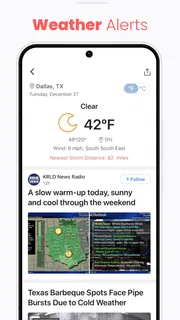
- Local alerts can help you stay informed about nearby events.
- The app offers a mix of local and national reporting.
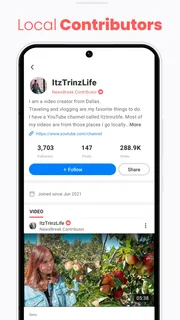
- Community posts add perspectives from people in your area.
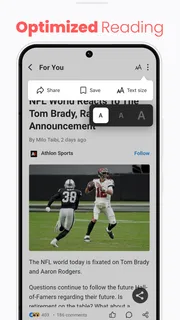
- News stories are easy to browse in a mobile-friendly layout.
Cons
- The volume of notifications may feel distracting.
- Some articles may link to external sites for the full story.
- Feed recommendations can become repetitive.
- Coverage quality may vary between locations.
- Some features may require creating an account.


