


Our review
 Analysis by Lookingapps
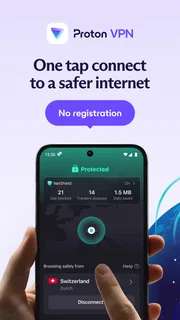
I judge a VPN by what it lets me do without getting in the way: connect when I need it, choose a useful location, and understand what the free option can and cannot cover. Proton VPN is worth considering if you want a familiar, straightforward tool for adding a VPN connection to everyday browsing, especially if you are not ready to pay. It is not a magic shield, though, and the right choice depends on whether you need occasional privacy or dependable access to a particular service or region.
What matters when choosing a VPN
A VPN routes your connection through a VPN server rather than sending it directly from your device to each destination. That can help protect traffic on networks you do not control and can change the location websites see for your connection. It does not make you anonymous, prevent every kind of tracking, or replace sensible account security. I find that distinction useful before installing any VPN: it keeps expectations grounded and makes it easier to tell whether an app fits the job.
For a phone, I would also consider how often I will use it, whether I need a particular country or service, and how much effort I am willing to spend choosing a server. A free plan can be a good starting point, but a user who needs a specific location or more control should check the available plan details in the app before relying on it. Connection speed can vary with the server, the network, and the distance involved, so no VPN should be treated as a guarantee of faster browsing.
Proton VPN is a tools app from Proton AG. It has been available since December 30, 2019, and its current version is 5.20.98.0. The app is free to install, with in-app purchases priced from $9.99 to $119.88 per item. It is rated for Everyone and requires Android 8.0 or later. Those basics make it accessible to a broad range of Android users, but the purchase range is a reminder to review the plan and billing terms rather than assuming every capability is included at no cost.
Where Proton VPN earns its place
The main practical appeal is that I can start with a free VPN instead of having to commit to a subscription just to see whether this kind of tool belongs in my routine. That lowers the barrier for someone who mainly wants an extra layer of protection while using public Wi-Fi or who wants to understand how a VPN affects their usual browsing. Proton VPN has a 4.7 average from around 1.4 million ratings, and it has passed 100 million installs. Those figures suggest broad adoption, though they cannot tell me whether a particular server or plan will suit my own needs.
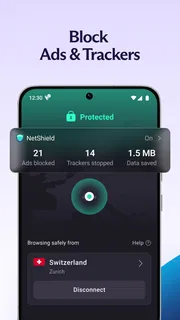
A realistic use case is checking messages and browsing while waiting at a café or travelling through an airport. I would connect before opening sensitive accounts, then keep in mind that the VPN protects the network route rather than making a compromised phone or a phishing page safe. When I am finished, I would disconnect if I no longer need the tunnel, particularly if I am troubleshooting a site that behaves differently with a VPN. That simple habit is more useful than leaving the app installed and assuming it handles every privacy concern automatically.
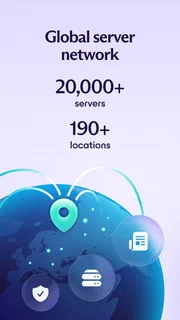
The service advertises servers in more than 190 locations. That breadth matters most when location choice is part of the task: for example, when I need to test how a page appears from another region or want to try a nearby server while travelling. It is less important for someone who only wants a basic connection on public Wi-Fi. A long location list is not a promise that every location will perform equally well, so I would treat it as choice, not a speed guarantee.
More articles

Instagram Makes Everyday Moments Worth Sharing
A rare social app that can be a photo diary, a neighborhood window, and a lively conversation in the same session—though its best moments still require a little restraint.
One useful workflow is to begin with the closest suitable location rather than picking a distant country at random. A nearer route is often a sensible first test when the goal is ordinary browsing, while a specific location makes more sense when the task depends on where the connection appears to originate. If a page stalls, switching location and trying again can help distinguish a temporary server issue from a problem with the site itself. I would avoid repeatedly changing settings without a reason; a small, deliberate comparison is easier to interpret.
Another practical point is to keep the VPN’s role narrow. I would use it for the connection-level protection and location flexibility it offers, while still using unique passwords, device updates, and two-factor authentication where available. A VPN cannot stop a service from identifying me through a logged-in account, cookies, or information I voluntarily share. Knowing that boundary helps me get value from Proton VPN without treating it as a substitute for privacy habits that operate at the account and browser level.
Because this is a dedicated VPN app rather than a general security suite, I would evaluate it on the connection experience rather than expecting it to manage every part of online safety. That focus can be an advantage: people who want a VPN have a clear reason to open it, and there is less temptation to mistake unrelated tools for protection. The trade-off is that users looking for one app to cover password management, device cleanup, and other security tasks should compare a broader suite as well.
Where another kind of option may fit better
Proton VPN is not automatically the best pick for every user. If your main goal is access to one streaming catalogue, online game, or work service, first check whether the plan and server choices available to you support that exact use. Services can block VPN traffic, and a location change does not guarantee access. If the app you need is especially sensitive to network routing, a direct connection may be simpler and more reliable than troubleshooting through a VPN.
Someone who wants only a quick, one-time change of apparent location may prefer a lightweight proxy for that narrow task, provided they understand the difference in protection and choose a trustworthy provider. A proxy is not interchangeable with a VPN in every respect, so I would not pick one merely because it seems simpler. Conversely, a person who needs broader device protection, managed connections for a family, or business administration may be better served by a security product designed around those requirements rather than a consumer VPN alone.
Compared with the usual alternatives in this category, the key decision is often free access versus a paid plan, not simply one brand against another. Free VPNs can differ in location choice, limits, and how they support continued use; paid services may suit people who need more consistent access or specific controls. I would compare the actual plan terms and test the connection on the networks I use most. Avoid choosing on a location count or a speed claim alone: your own route and everyday destinations matter more.
There is also a trade-off in turning a VPN on by default. It can be convenient when moving between networks, but some banking, local services, or workplace tools may behave differently when traffic appears to come from another location. If that happens, temporarily disconnecting for that task can be more practical than repeatedly changing unrelated phone settings. I would keep track of when the VPN is active so a connection problem does not become a confusing guessing game.
What switching involves in daily use
Trying Proton VPN does not require replacing a browser or changing how I sign in to websites. The meaningful adjustment is remembering when the VPN is useful and checking whether it changes the behaviour of a particular app. I would install it, make an initial connection on a network I know, and open the services I use most. That gives me a baseline before I depend on it while travelling, where a slow network or a captive Wi-Fi sign-in page can complicate diagnosis.
If a public network requires a browser page before granting internet access, I would complete that network sign-in first if the VPN connection cannot establish immediately, then connect and verify that ordinary browsing works. This is a small but useful troubleshooting order: it separates the venue’s access step from the VPN connection. Similarly, if a work app stops loading, I would test whether disconnecting resolves the issue before assuming the app or the phone is broken. These checks help avoid treating every interruption as a security failure.
The free entry point is attractive, but I would read the in-app purchase details before upgrading. The listed purchase range runs from $9.99 to $119.88 per item, so the total commitment depends on the option selected. I would decide what I actually need first—such as access to a particular location or a more regular VPN routine—then compare the plan terms shown at checkout. If the free experience already covers occasional browsing, paying may not add enough value for a casual user.
For a more demanding use case, I would test the connection at the times and places that matter rather than judging it from one quick session at home. A VPN that feels fine on a strong home connection may behave differently on congested public Wi-Fi or over mobile data. I would also check that the destination service works while connected, because location-based access and network policies can be the source of friction. This is a better test than assuming that broad server availability means every route will work equally well.
Who I would recommend it to
I would recommend Proton VPN to someone who wants a well-known Android VPN with a free way to begin, expects to use it for ordinary browsing and less-trusted networks, and is willing to check the plan details when their needs grow. The large user base and strong average rating make it a credible candidate to try, but I would still judge it by the actual connection on my own device and the services I use. The app’s Everyone age rating also makes it broadly suitable from a content-rating perspective; it does not mean the VPN is designed to supervise children’s online activity.
I would hesitate to recommend it to someone who expects a VPN to hide them from all tracking, guarantee access to blocked content, or fix an unreliable internet connection. It cannot do those things simply by being switched on. I would also steer a person toward a different kind of product if they need enterprise controls, family management, or a bundle of security features rather than a focused VPN connection. In those cases, the right comparison is against tools built for those needs, not just another consumer VPN.
After weighing the trade-offs, I see Proton VPN as a sensible place to start, especially for a reader who wants to try a VPN before deciding whether regular paid use is worthwhile. Its location range gives it flexibility, while the free entry point keeps experimentation low-risk. My recommendation is to test it on your own network, learn when it helps, and keep expectations realistic about speed, location-based services, and privacy. If it fits your routine without disrupting the apps you rely on, it is an easy tool to keep; if your needs are highly specific, compare plans and alternatives before making it part of your daily setup.
Pros
- The free plan has no data limit.
- A strict no-logs policy is supported by independent audits.
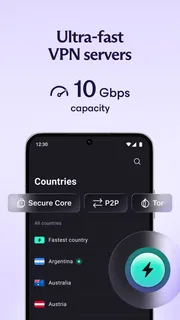
- Secure Core routes traffic through privacy-focused servers.
- The apps use open-source code for greater transparency.
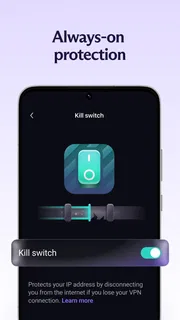
- A kill switch can block traffic if the VPN connection drops.
Cons
- The free plan limits users to a small choice of server locations.
- Free users cannot choose a specific server.
- Some streaming services may detect and block VPN connections.
- Advanced settings may feel overwhelming to VPN newcomers.
- The fastest performance may require a paid plan.


