
Our review
 Analysis by Lookingapps
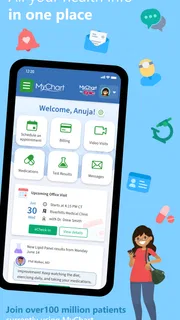
I think of MyChart less as a general health encyclopedia and more as a digital front desk for care. It is a free medical app from Epic Systems Corporation, and its usefulness depends on whether the clinics and hospitals a person uses make their services available through MyChart. When they do, it can make routine tasks easier to handle from a phone; when they do not, the app cannot replace those organizations’ own systems. That distinction matters especially for people trying to manage care across different abilities, schedules, or devices.
Finding your way through health information
The main appeal is having a place to check health-related information and take care of common account tasks without making a phone call for every small question. In practice, that can mean looking over information between appointments, checking a message, or preparing for a conversation with a care team. I find that kind of access most useful when it reduces the number of steps between noticing a question and knowing where to direct it.
MyChart is not one identical experience for every user. What appears in the app depends on the health organization connected to the account, so the available information and workflows can vary. Before relying on it, I would check that the relevant provider offers MyChart and that the account is linked to the right organization. If care is split among several providers, it is worth confirming that each one is represented rather than assuming one login gathers everything.
The app is rated 4.4 on average from around 290,000 ratings, and it has been installed over 10 million times. Those figures suggest it is a familiar option for many patients, but they do not tell me whether it will suit a particular person’s needs. The more useful test is practical: can the person find the information they need, understand it comfortably, and complete the task without unwanted help?
For readability, I would treat the phone interface as a convenient way to review information, not automatically as the best way to read a long or complicated medical record. A small screen can make careful comparison tiring, especially when someone needs to revisit several details. If a topic needs sustained attention, I would use the app to locate the relevant material and then consider whether a larger screen, printed notes, or a conversation with the care team would make it easier to understand.
Build a routine that reduces searching
A small habit can make the app easier to use: open it before an appointment, note the questions that matter, and review any relevant information while there is time to ask for clarification. This is more dependable than trying to remember everything during a short visit. I also recommend checking the app after an appointment when convenient, rather than treating a quick glance as a complete account of what was discussed.
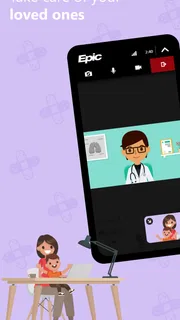
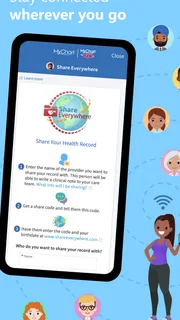
For someone who helps a relative manage appointments or health information, the important first step is not simply installing the app. It is making sure the access arrangement is appropriate and that the person receiving care is comfortable with how information is handled. I would avoid assuming that sharing a phone or knowing someone’s login is the right solution. A clear, agreed process is better than an improvised one, particularly when private medical details are involved.
More articles

Instagram Makes Everyday Moments Worth Sharing
A rare social app that can be a photo diary, a neighborhood window, and a lively conversation in the same session—though its best moments still require a little restraint.
Touch, vision, hearing, and different ways of using a phone
Accessibility is not just a matter of whether buttons are present. A patient may have low vision, limited dexterity, tremors, fatigue, or difficulty concentrating; another may be using the app in a noisy place or while juggling a task. MyChart can be valuable in these situations because a phone offers a private, portable way to handle care-related tasks, but the experience still depends on the device, the person’s settings, and the particular workflow.
If small text or dense information is uncomfortable, I would first try the phone’s own display and text settings, then check whether the app remains clear and usable with those adjustments. This is a practical check, not a promise that every screen will adapt perfectly. A screen that works well for brief navigation may still be tiring for extended reading, and a complicated form may remain difficult even when text is larger.
For users with limited hand control, the number of precise taps required can matter as much as the layout. I would try an important task at a calm moment before depending on it while rushed. If a task is hard to complete reliably, a trusted support person or direct contact with the provider may be a better route. The app is helpful only when it lowers effort; it should not become another test a patient has to pass to obtain care.
People who rely on spoken or audio-oriented ways of interacting should test the actual screens they need, rather than assume that every part of a medical app will behave equally well with their preferred phone tools. The same applies to users who need strong contrast, reduced visual clutter, or extra time to process information. I would begin with the task that matters most, such as locating an appointment-related detail, and judge the experience from that real use rather than from a quick tour of the home screen.
Access when life is not arranged around a desk
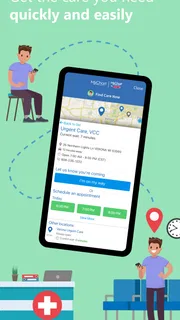
The strongest everyday use case is a small gap in a busy day. Imagine checking a health message during a quiet break, then writing down a question to raise later instead of making a hurried call from work. Or consider a person preparing for an appointment at home, where they can review relevant information at their own pace. In both cases, MyChart can make care feel less tied to office hours and a desktop computer.
That convenience has limits. A phone may be shared, the screen may be hard to read outdoors, and a private health question may not be suitable to review in a public place. I would use the app in a setting where I can concentrate and protect the privacy of what is on screen. If a task involves an urgent concern, I would not let the convenience of checking an app delay seeking appropriate immediate help.
There is also a useful distinction between access and understanding. Seeing information sooner can help someone prepare, but it does not necessarily explain what a result means or what action to take. My advice is to use the app to identify questions and keep track of care, then ask the relevant clinician when an explanation is needed. That approach is especially helpful for people who find medical language difficult to process on a small screen or under stress.
Compared with calling a provider for every routine update, an app-based portal can reduce waiting and let a patient check at a personally convenient time. Compared with a general health app, MyChart is more closely tied to participating care organizations and their patient-facing services. But a phone call can still be better when a person needs live clarification, cannot navigate the app comfortably, or has an account issue that blocks the task. I would keep both routes in mind rather than treating digital access as a replacement for human help.
Where the experience can still create friction
The biggest practical limitation is dependence on the connected health organization. MyChart is not a universal record that automatically brings every provider into one place. Someone who sees clinicians using different systems may still need to switch between portals or use other channels. Before choosing it as the main way to manage care, I would confirm which providers are connected and which tasks can actually be completed there.
Account setup and navigation can also be a barrier, especially for someone who is already tired, anxious about a diagnosis, or unfamiliar with patient portals. A person may know what they want to do but still struggle to find the right section. I recommend learning one useful route at a time—such as where to look for a specific kind of information—rather than trying to master the whole app in one sitting. If access depends on another person’s assistance, it is sensible to agree on a simple, repeatable way to get help.
Medical information can be emotionally demanding even when it is easy to read. A new result or unfamiliar note may raise questions without resolving them. I would avoid opening sensitive information when there is no time or support to respond to it, and I would not treat an app display as a substitute for context from the care team. That is not a flaw unique to MyChart; it is a real trade-off of having health details available on demand.
MyChart is intended for everyone, and it is free. The app was released on October 31, 2011, and its current version is 11.9.3 for devices running Android 11 or later. It is an Android app, so someone using an iPhone should look for the appropriate iOS option in the app store rather than assume this Android release applies to their device. The age rating is Everyone, though the medical information it displays may still call for adult guidance when a child’s care is involved.
Who I would recommend it to
I would recommend MyChart to someone whose healthcare providers use it and who wants a convenient way to handle routine interactions from a phone. It may be especially useful for people who prefer to review information at their own pace, need to prepare for appointments, or find repeated calls inconvenient. For a caregiver, it can also be worth exploring when the patient wants help and the access arrangement is clear and appropriate.
I would be more cautious about recommending it as the sole option to someone who finds phone navigation difficult, needs frequent explanation in real time, or receives care through organizations that do not connect to the app. In those cases, the provider’s phone support, an in-person conversation, or a larger-screen way of reviewing information may be more dependable. The best choice is the one that makes care easier to reach without adding stress or relying on an interface the person cannot use comfortably.
A useful tool when it fits the person and the provider
My overall view is positive but conditional. MyChart can make patient-facing health tasks more accessible in the everyday sense of bringing them closer to hand, especially when a person values flexibility and already receives care through participating organizations. Its real strength is convenience; its main weakness is that convenience depends on provider participation, a workable account, and an interface that suits the individual using it.
For inclusive use, I would judge MyChart by whether it helps a specific person complete a specific care task with less effort, not by whether an app is available in principle. Try the essential workflow in a comfortable setting, adjust the phone to suit the user, and keep a non-app route available for questions or difficult tasks. If those checks go well, the app can be a genuinely practical companion to care. If they do not, choosing a different way to communicate with the provider is a sensible decision, not a failure to use technology.
Pros
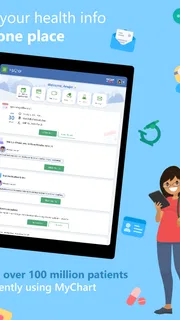
- View test results and health records in one place.
- Request prescription renewals through the app.
- Send messages to your care team securely.
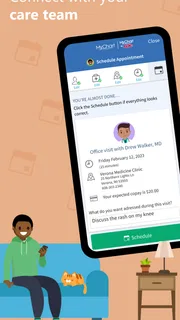
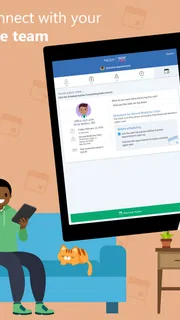
- Manage appointments without calling the clinic.
- Access records for family members with proxy access.
Cons
- Features vary depending on your healthcare provider.
- Some providers do not support every app feature.
- Account setup may require an activation code.
- You may need separate accounts for different providers.
- Some records can take time to appear in the app.


