
Our review
 Analysis by Lookingapps
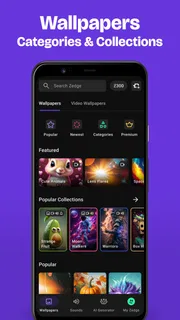
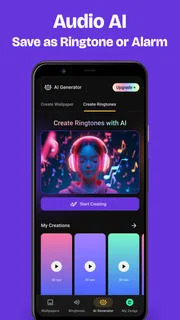
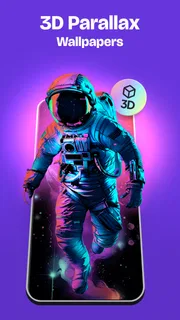
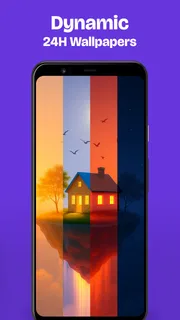
I use Zedge™ Wallpapers & Ringtones when I want to change the feel of my phone without spending an evening making a wallpaper from scratch. Its appeal is the combination of visual backgrounds and sounds in one personalization app: I can browse for a new look, then choose a ringtone or notification sound that suits it. The large library makes it easy to explore, but it also means a little patience and a repeatable way of choosing go a long way.
Build a simple routine for finding a look
My most reliable approach is to decide what I want before opening the catalog. A color, mood, or subject gives browsing a purpose; otherwise, the volume of choices can turn a quick refresh into an endless scroll. I start with the home screen in mind, then look for an image that will work behind the icons and text I already use.
That last check matters more than it might seem. A striking image can look excellent in a preview but become visually busy once app icons sit over it. I favor backgrounds with a calmer area where the icons land, and I avoid choosing solely for a dramatic central subject that may be obscured by the clock or widgets. A good wallpaper is not only attractive on its own; it has to function as part of the screen.
Once I find a candidate, I pause to imagine seeing it repeatedly rather than treating it like a poster. Highly detailed artwork can be fun for a lock screen yet tiring as a home background. I often reserve bold designs for the lock screen and choose a less crowded image for the screen I use to open apps. That small distinction helps a phone feel coordinated without making every glance compete for attention.
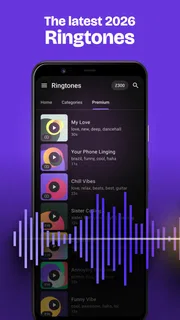
For sound, I use a similar rule: choose for the situation, not just because a clip sounds amusing in isolation. A ringtone should be recognizable in a noisy place, while a notification sound is usually better when it is brief and distinct from the sounds around me. Before settling on either, I listen with the phone’s speaker and think about how it will come across in ordinary surroundings. A sound that is pleasant through headphones may be too sharp or easy to confuse in daily use.
Zedge is a personalization app developed by Zedge, and it is free to install. Its scale is part of the experience: it has over 500 million installs and an average rating of 4.7 from around 18 million ratings. Those figures suggest a familiar destination for phone customization, but they do not remove the need to judge individual images and sounds for yourself. The range is useful precisely because personal taste varies so much.
Choose the right starting point
If I am changing only one thing, I do not feel obliged to replace the whole phone’s look. A wallpaper can be enough to make the interface feel fresh, while a ringtone change is more practical if I keep missing calls or want to distinguish my phone from someone else’s. Treating the two catalogs as separate tools keeps the decision manageable.
More articles

Instagram Makes Everyday Moments Worth Sharing
A rare social app that can be a photo diary, a neighborhood window, and a lively conversation in the same session—though its best moments still require a little restraint.
When I want a more unified result, I choose the wallpaper first and then look for a sound that shares its mood rather than trying to match them literally. A quiet landscape does not need a nature sound, for example; a soft, understated tone may fit better than an obvious effect. The useful point is coherence, not a theme so tightly matched that every choice feels forced.
A realistic everyday use is changing the lock screen before a trip, a busy work period, or a new season, then picking a ringtone that is easier to recognize in a crowded room. I would still test the sound at a sensible volume and make sure it does not feel intrusive in quiet settings. Personalization should make the device more useful to live with, not merely more noticeable.
Settings that are worth checking
Before applying a selection, I check what the phone is showing in the preview and consider how it will be cropped on my actual display. A composition that looks balanced in a square or portrait preview can shift once it fills the screen. If the important detail sits near an edge, I look for another option rather than assuming the final placement will preserve it.
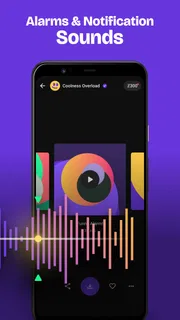
I also keep a distinction between choosing a sound and deciding where it should be used. A ringtone, an alert, and a message notification serve different purposes, so the same sound is not automatically a good fit for all of them. I prefer to make one change at a time and listen afterward; it is easier to tell whether a sound is too loud, too subtle, or simply wrong for that role.
There is an important practical limit here: the phone’s own sound and display settings still shape the result. A downloaded choice cannot compensate for a muted device, a low volume setting, or a screen arrangement that hides the subject. If something does not behave as expected, I first check the relevant device setting and the chosen assignment instead of assuming the catalog item itself is faulty.
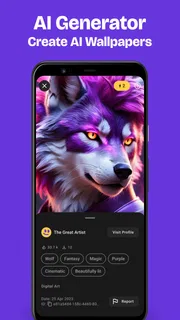
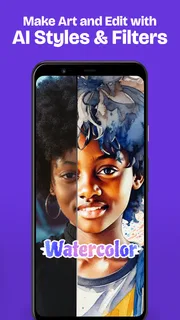
The app’s store summary also points to making backgrounds with AI. I see that as an option for people who want a more personal starting point, not a guarantee that the first result will match their taste or fit every screen perfectly. I would inspect the image for composition and legibility just as carefully as I would with a browsed background, then adjust my choice if it clashes with icons or widgets.
Use repeatable habits to browse faster
The most useful shortcut is a decision rule, not a complicated trick: set a mood, browse with a purpose, save the strongest candidates mentally or in the app’s available selection flow, and compare only a small handful. When I keep scrolling after finding several good options, the extra choice often makes me less certain rather than more satisfied. A short shortlist turns browsing into a decision.
I also avoid changing wallpaper, ringtone, and notification sound all at once unless I have a specific reason. Sequential changes make it easier to notice what actually improves the phone. If I replace everything and dislike the result, I have to untangle several decisions; if I change one element and live with it, I can keep what works and revise only what does not.
For a phone used in different settings, I think about the most common context first. Someone who spends much of the day in meetings may want a restrained alert, while a person who often leaves a phone in another room may value a more audible ringtone. The app offers choices; the useful work is matching them to habits rather than selecting whatever is most novel.
One trade-off of a very large catalog is that quantity does not automatically make discovery effortless. Similar-looking options can blur together, and browsing can take longer than using a familiar built-in wallpaper or a sound already on the device. I recommend stopping when a choice meets the practical need. There is little benefit in searching for a theoretically perfect background if a clean, readable one already works.
Where it fits among alternatives
Compared with the wallpaper and sound options already included with a phone, Zedge is appealing when I want more variety in one place. Built-in choices can be quicker and simpler for someone who only wants a clean default image or a standard alert. A focused wallpaper app may suit a person who cares only about images, while a personal photo is often the better option when the goal is a family picture or a specific memory rather than browsing an artwork library.
For ringtones, the same distinction applies. If I already have a sound I like and know how to use it, switching apps may add little. Zedge makes more sense when I want to explore alternatives and coordinate sound choices with a broader phone refresh. It is a discovery tool as much as a settings companion, and its value depends on whether I enjoy having choices rather than simply accepting the default.
There is also a difference between browsing and creating. The app’s AI wallpaper option may appeal when I want an image that feels less familiar, while a dedicated image editor is the better fit if I need detailed control over a specific photograph or composition. I would not treat a customization catalog as a substitute for a full editing workflow. The right tool depends on whether I want inspiration or precise image work.
The free price makes it easy to try, but the app includes in-app purchases ranging from $0.49 to $399.99 per item. I would check the price shown for anything I consider buying and avoid treating optional purchases as necessary for basic personalization. If I only want occasional changes, I can first explore what is available without making a purchase and decide whether additional options are worthwhile for my own use.
What to expect before installing
Zedge™ Wallpapers & Ringtones is rated Teen, so it is sensible for families to review the app and its content choices rather than assuming every item will suit every age or setting. The app is on version 9.40.1 and requires Android 9 or later. Those details make it easier to decide whether it fits a device before spending time browsing.
On iOS and Android, the exact experience can depend on how the operating system handles wallpaper and sound changes. I would follow the app’s on-screen prompts, then check the phone’s own settings to confirm that the selected image or sound is assigned where I intend. This is especially helpful when a user expects one selection to affect every alert automatically; it is better to verify each role than to assume the phone has applied a broader change.
As with any catalog-based personalization app, taste is the main filter. Not every background will suit a particular screen, and not every ringtone will sound appropriate in public. I get the most from it when I treat previews as a starting point, think about everyday use, and keep the final choice simple enough to live with.
A good fit for deliberate customization
I recommend Zedge to someone who likes changing a phone’s appearance and wants both wallpapers and sounds available in the same place. It is especially useful for people who enjoy browsing, want a fresh look without making every asset themselves, or need to make a phone easier to recognize through a distinctive ringtone. Its scale gives it breadth, while a clear browsing goal keeps that breadth from becoming a chore.
I would skip it if I rarely customize my device, prefer the calm of built-in options, or want precise control over editing a personal photo. I would also avoid spending time chasing novelty when readability, comfortable volume, and everyday usefulness matter more. For those users, a default background or an existing sound may be the better solution.
My verdict is that the app works best as a flexible source of ideas rather than a promise that every choice will be perfect. Pick a screen purpose, audition sounds in the context where they will be heard, change one thing at a time, and check the phone’s settings afterward. Follow that routine and Zedge can make personalization feel quick and intentional instead of turning a small refresh into an afternoon of scrolling.
Pros
- Easy to preview wallpapers before setting them.
- Lets you save favorite designs for later.
- Includes notification sounds as well as ringtones.
- Offers options to crop wallpapers for your screen.
- Regularly adds fresh content to browse.
Cons
- Some downloads require a premium subscription.
- Ad interruptions can disrupt browsing.
- Content quality varies between creators.
- Some sounds may be too short for ringtone use.
- Downloaded files can take up device storage.


