







Our review
 Analysis by Lookingapps
I think WhatsApp is easiest to appreciate when it is treated as a practical communication tool rather than a feature showcase. It is the app I would reach for to message family, coordinate a pickup, or keep a small group on the same page. Its familiar chat-first design makes everyday exchanges straightforward, though that simplicity can hide a few settings and create confusion when a message or notification does not behave as expected.
Where people tend to get stuck
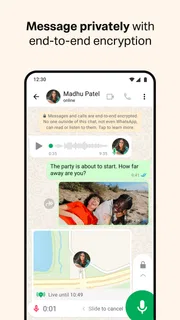
WhatsApp Messenger is a communication app from WhatsApp LLC, and its central idea is simple: open a conversation and talk. Text, photos, voice messages, calls, and group chats make it useful for more than one-to-one messaging. In practice, the common frustrations are often not about learning the interface; they come from figuring out whether a message was sent, why a notification did not appear, or how to keep busy chats from taking over the screen.
For example, a single check mark can prompt a user to wonder whether a message reached its recipient. I try not to treat message indicators as a complete explanation of what is happening. A person may be offline, their device may be unavailable, or the connection may be interrupted. If a message matters, I check my own connection first, give the recipient time, and use a call or another agreed channel for urgent matters rather than repeatedly resending the same text.
Guides and analysis on WhatsApp Messenger

Instagram Makes Everyday Moments Worth Sharing
A rare social app that can be a photo diary, a neighborhood window, and a lively conversation in the same session—though its best moments still require a little restraint.
Group conversations bring a different kind of friction. A family group can be convenient for sharing plans, but a stream of unrelated messages can bury the one detail you need. Muting a noisy conversation is often more useful than leaving it outright; I can still open it when I choose, without having every exchange interrupt something else. For a group used only to coordinate a particular event, I also find it helps to keep the purpose clear and move settled decisions into a concise message everyone can find.
Notifications are another source of false alarms. If a message appears only after I open the app, that does not automatically mean the chat itself is broken. I first look at the phone’s notification settings and connection, then check whether the conversation was muted. These simple checks are less disruptive than reinstalling an app or changing several settings at once, and they make it easier to identify what actually helped.
Setup checks before changing anything
WhatsApp is free to download, and its age rating is Everyone. The app has a 4.6 average from around 246 million ratings, with roughly 1.9 million written reviews and over 10 billion installs. Those figures suggest how familiar it is to many people, but they do not guarantee that every setup will feel effortless. I would still take a moment to confirm that I am using the intended phone number and that the phone itself has a reliable internet connection.
When setting up a new phone, I would avoid wiping or trading in the old one until I have checked that important conversations are available where I expect them. The practical lesson is to think about chat history before changing devices, not after. If a conversation matters for work, family arrangements, or a trip, I make sure I understand the app’s available transfer or backup options on my devices and follow the in-app steps carefully. I would not assume that installing the app alone recreates every past message.
It is also worth checking the app’s notification controls and the phone’s own controls separately. If only one chat seems quiet, its individual conversation settings may be the issue. If every chat is quiet, the broader app or device settings are more likely places to look. This distinction saves time: changing a whole phone’s notification behavior to fix one muted group can create a new annoyance elsewhere.
The current Android version is 2.26.41.77. I would keep the app updated through the app store, particularly when troubleshooting, but I would not treat an update as a guaranteed fix for every connection or notification problem. WhatsApp is free, although the app listing includes in-app purchases ranging from about forty cents to just under two hundred dollars per item. I would check the purchase details before confirming anything; the presence of optional purchases does not mean messaging requires a payment.
Recovering a workflow without making things worse
When a message will not send, I work from the least disruptive possibility to the more involved ones. First I check whether other apps can connect to the internet. Then I close and reopen the conversation, wait briefly, and see whether the message status changes. If the issue affects several chats, I check the phone’s connection and whether the app is current. I avoid deleting conversations or reinstalling in a rush, especially if I have not checked how my chat history is being preserved.
A useful habit is to separate “I need to contact someone” from “I need this exact message to send through this exact route.” If a family member is waiting outside, a regular phone call may be the sensible fallback. If I am sharing a non-urgent photo with a group, waiting for the connection to recover is fine. This is a small but important trade-off: WhatsApp is convenient when both sides can use it, but it should not be the only plan for time-critical communication.
For crowded chats, I use a simple workflow: mute conversations that do not need immediate attention, keep notifications available for the people or groups that do, and search or scroll within the relevant chat when I need an earlier detail. I also try to send context along with a photo or voice message. A picture without a caption may make sense in the moment but be hard to identify later, while a short note such as what the image shows can make the exchange more useful to everyone.
Voice messages are handy when typing is awkward, but they are not always considerate. In a quiet office, on public transport, or when someone needs to scan information quickly, a short text may be better. For addresses, times, or instructions that need to be checked later, I prefer text because it is easier to revisit at a glance. That is not a flaw unique to WhatsApp; it is a reminder to choose the format that suits the other person as well as me.
When the app may not be the cause
If one person is not receiving a message, it is tempting to conclude that the app has failed. Often, the practical next step is to check whether the problem is limited to that conversation or affects everyone. I would also confirm that I am trying to reach the right contact and that neither side is dealing with a device or network interruption. If calls and messages fail across multiple services, troubleshooting the phone’s connection makes more sense than focusing only on WhatsApp.
Privacy expectations deserve the same care as technical checks. WhatsApp is designed for personal communication, but no messaging app can prevent every human mistake: a recipient can misunderstand a message, share a screenshot, or forward information. I avoid sending sensitive details into a large group simply because it feels private. For confidential work or records with strict handling requirements, I would follow the organization’s approved tools and rules instead of assuming a familiar chat app is automatically appropriate.
There is also a social limitation: WhatsApp works best when the people I need to reach are willing and able to use it. Its huge install base makes that likely in many circles, but not universal. If a friend prefers another messenger, or a workplace has standardized on a different platform, insisting that everyone switch can create more friction than it solves. I use it where it naturally connects my contacts, and I keep an alternative for people who are not on it.
How it compares with other ways to message
Compared with basic SMS, WhatsApp gives conversations a richer feel through group chats and media sharing, but it depends on internet access and on the other person using the service. Compared with a social network’s direct messages, it feels more focused on direct conversations and existing contacts than on browsing a public feed. That focus is one reason I find it easy to return to, though it is not a substitute for every kind of online community or customer-support channel.
Other messaging apps may suit a group better if its members already use them, if they need a particular work process, or if they have privacy requirements that call for a different service. I would not choose WhatsApp solely because it is popular. I would choose it when the people I talk to are already there and I want an uncomplicated place for day-to-day messages, calls, and group coordination.
For a realistic example, imagine arranging a weekend meal with relatives. I can put the time and address in the group, answer a quick question, and share a photo of the entrance if someone is unsure where to go. If the group becomes lively afterward, muting it lets me catch up later. But if a relative does not use WhatsApp or has a poor connection, a regular call remains the easier fallback. That mix of convenience and practical backup is how I think the app works best.
Who I would recommend it to
I would recommend WhatsApp to people who want a familiar, low-friction way to keep up with friends and family, especially when their contacts already use it. It is also useful for informal groups that need to share updates without turning every exchange into an email thread. The interface is approachable enough for someone who mainly wants to send a message or make a call, while its group and media features give regular users more flexibility.
I would hesitate to recommend it as the only communication option for someone who needs guaranteed delivery, depends on a particular professional workflow, or cannot persuade their contacts to join. It is also not ideal if someone wants all conversations to be quiet by default but is unwilling to adjust notification settings. The app can support a calmer routine, but the user has to decide which chats deserve attention rather than letting every group set the pace.
My practical verdict
WhatsApp’s biggest strength is that it makes routine communication feel familiar: a conversation is easy to start, and sharing a quick update does not require much ceremony. Its scale—more than 10 billion installs—helps explain why it is often a practical choice for mixed groups of friends and family. The developer is WhatsApp LLC, and the app has been available since October 18, 2010; its staying power is clear, though longevity alone is not a reason to overlook personal needs.
My main advice is to set it up carefully, check notification controls before assuming messages are missing, and protect important chat history when moving to a new phone. Keep a phone call or another channel in reserve for urgent situations, and choose text rather than a voice message when someone needs a detail they can scan. Those habits solve many of the everyday annoyances without turning troubleshooting into a project.
For everyday messaging, I find WhatsApp a sensible choice when the people I care about already use it. It is not flawless, and it cannot fix a weak connection, an overloaded group, or mismatched expectations about privacy. But with a little attention to setup and chat habits, it does its main job well and is easy to recommend to someone looking for a practical way to stay in touch.
Pros
- Free messaging and voice calls are available over the internet.
- End-to-end encryption protects personal chats and calls by default.
- Group chats make it easy to stay connected with several people.
- You can share photos videos documents and live location.
- The app works across Android iOS and desktop devices.
Cons
- A phone number is required to create an account.
- Messages may use mobile data when Wi-Fi is unavailable.
- Cloud backup encryption must be enabled separately.
- Unknown callers and unwanted group invites can be disruptive.
- Some features vary between app versions and platforms.


