
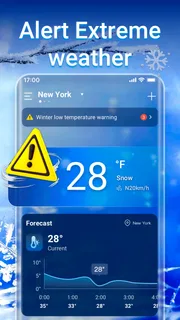
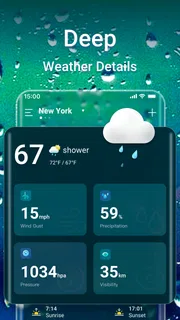
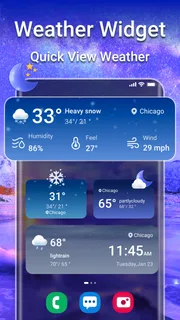
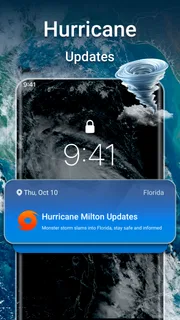
Our review
 Analysis by Lookingapps
I like a weather app best when it helps me make a small decision quickly: whether to take a jacket, shift a walk, or check conditions before leaving home. Weather Forecast & Live Radar is aimed at that everyday use. It is a weather app from Weather 365 Days, and its central appeal is the mix of daily and hourly forecasts with local and national air-quality information. My first impression is that it suits people who want a practical check-in rather than a deep meteorology toolkit.
The app is free, rated for Everyone, and has a 4.7 average from around 48,000 ratings. More than a million people have installed it, so it has clearly found an audience among people looking for an approachable forecast. Those figures are useful context, but the real question is whether the information fits your routine. For a first-time user, the most useful starting point is simple: look up the place you care about, compare the broad daily outlook with the hours you will actually be outside, and then check air quality if that matters to your plans.
What to expect from a quick weather check
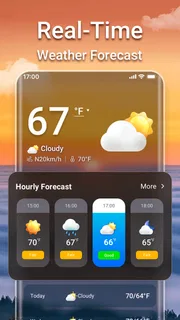
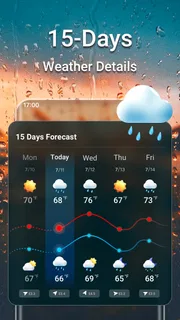
The name may bring to mind a radar-first product, but the confirmed core is broader: daily and hourly weather forecasts, along with local and national air quality. That combination makes the app relevant to more than deciding whether it might rain. I would use it to plan a commute, choose a time for an errand, or decide whether an outdoor activity makes sense. The hourly view is especially valuable when a day looks changeable, because a single daily summary can conceal a useful window between less suitable periods.
Compared with a basic weather widget or the default forecast on a phone, this app gives you a reason to open a dedicated weather screen: you can consider the day at two different scales and bring air quality into the decision. A very simple forecast is quicker if you only need the current condition. On the other hand, someone who regularly plans outdoor time may find the extra hourly and air-quality context more useful than a one-line temperature display.
I would not treat any weather app as a promise about what will happen at one exact street corner. Forecasts are estimates, and conditions can differ across a town or change faster than a glance at the morning outlook suggests. The sensible approach is to use the app to make a plan, then check again before a decision that depends heavily on the weather. That habit matters more than trying to squeeze certainty out of a single screen.
Why the hourly view changes the decision
A daily forecast answers, “What sort of day is this likely to be?” An hourly forecast helps answer, “When should I go?” That difference is easy to overlook until you have a flexible plan. If I am arranging a walk, for instance, I would compare the hours around the time I expect to leave rather than abandoning the whole outing because the day’s general outlook sounds unsettled. The useful insight is not simply that more detail exists; it is that the detail can help separate a poor time from a poor day.
Air quality adds another practical angle. Weather and air conditions are related to outdoor comfort, but they are not the same question. A pleasant-looking forecast does not automatically settle whether a long run or a day outside will feel right for everyone. I would check the air-quality information as a separate part of planning, especially when the activity involves sustained time outdoors or when someone in the household is sensitive to air conditions.
More articles

Instagram Makes Everyday Moments Worth Sharing
A rare social app that can be a photo diary, a neighborhood window, and a lively conversation in the same session—though its best moments still require a little restraint.
Who is likely to get the most from it
I can see this being a good fit for someone who checks the forecast several times during a normal week but does not want a specialist interface. It is also useful for households coordinating school runs, errands, walks, or outdoor chores, because an hourly look can help people choose a better departure time. The addition of air-quality information makes the app more relevant to people who consider more than rain and temperature before spending time outside.
It may be less suitable if you need detailed professional weather tools, highly technical map layers, or a forecast workflow built around specialist work. It is also not the best choice for someone who wants only a glanceable current temperature and has no interest in opening a dedicated app; a built-in phone display may be enough. The right comparison is not “which weather app has the most information?” but “which one gives me the information I will actually use?”
Getting from installation to a useful first check
The first setup does not need to be complicated. After installing, start by finding the place whose weather affects your next decision. That may be your current area, but it could just as easily be a destination you are travelling to or a nearby place where you plan to spend the afternoon. The key is to check the location shown before relying on the forecast. Weather is local enough that a forecast for the wrong place can look perfectly plausible while being useless for your plans.
When the app asks you to establish a location, choose the approach that feels comfortable for your needs. If you prefer to avoid relying on your current position, look up a place manually if that option is available in the interface. If you want the fastest local check, using your current area can reduce steps. I would make this choice based on convenience and privacy preference, rather than assuming one method is essential to getting started.
For a first meaningful success, do not stop at opening the app and reading the day’s general outlook. Pick one real plan—leaving for work, taking a child to an activity, or going for a walk—and inspect the hourly forecast around that time. Then look at the air-quality information if outdoor exposure is part of the decision. That small sequence turns the app from a screen of weather facts into a useful answer to a practical question.
A realistic first-day workflow
Imagine you have a free afternoon and are deciding whether to walk to an appointment or take transport. I would first check the forecast for the appointment’s location, not just home, and look at the hours that cover the journey there and back. If the day’s summary sounds mixed, the hourly view may show whether the time you need appears more suitable. I would then check air quality before committing to a longer outdoor route. This is a modest workflow, but it makes good use of the app’s combination of forecast timing and air-quality context.
For a commuter, the same method can help with a different trade-off. Check the hours that matter for the trip rather than trying to interpret the whole day at breakfast. If conditions look uncertain, revisit the app before leaving instead of assuming the earlier forecast will remain a perfect guide. This is not about checking compulsively; it is about matching the timing of a weather check to the timing of the decision.
The app is developed by Weather 365 Days, and its current version is 1.8.0, with Android support starting at version 6.0. It was released on September 23, 2022. Those details help set expectations about the product’s place in the app ecosystem, but they do not change the basic first-use advice: confirm the location, choose an actual plan, and inspect the relevant hours rather than browsing without a question in mind.
Common points of confusion and sensible limits
One common mistake is reading a daily forecast as if it describes every hour equally. A broad label is useful for orientation, but it cannot tell you whether the morning and evening will feel alike. When timing matters, use the hourly forecast. Another easy mistake is looking at the weather for the place where you are standing when your plans are somewhere else. Before taking action, make sure the selected location matches the decision you are making.
It is also worth keeping weather and air quality separate in your thinking. One can look reassuring while the other deserves attention. If your plans involve an outdoor workout, a long walk, or time with someone who is sensitive to air conditions, check both rather than letting the weather summary stand in for the whole picture. This is one of the app’s more useful combinations, but it only helps if you remember to consult both kinds of information.
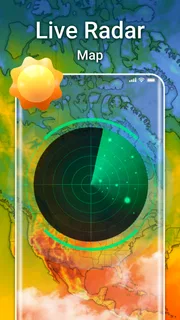
There is a trade-off between a compact glance and a dedicated forecast app. A simple widget is faster for an immediate check, while Weather Forecast & Live Radar is more useful when you want to compare the day with specific hours and consider air quality. If you are expecting a specialist radar workstation, though, the broad description alone is not a reason to assume that it will meet that need. I would choose it for its forecast-and-air-quality role, not on an untested assumption about advanced mapping.
Another limitation is the nature of forecasting itself. A forecast is most useful as a planning aid, not a guarantee. Local conditions may not match the broad picture, and plans that depend on precise timing deserve a fresh look closer to departure. This is particularly true when a small change would affect safety or comfort. The app can help you make a more informed choice, but good judgement still belongs to the person making the plan.
With around 4,100 reviews alongside its broad user base, the app has attracted substantial feedback, but popularity alone does not tell me whether it matches a particular person’s habits. I would judge it by trying the same routine for a few days: check a destination, inspect the hours that matter, and use air quality when it is relevant. If that sequence feels quick and gives you information you act on, it is doing its job. If you keep opening it only to see the current temperature, a simpler option may suit you better.
My recommendation for a first-time user
Weather Forecast & Live Radar is worth trying if you want more than a one-line forecast but do not need a specialist meteorology setup. Its strongest practical case is the pairing of daily and hourly forecasts with air-quality information. I would especially recommend it to people who plan outdoor activities around a particular time, or who want to check the conditions at a destination before leaving home. The most useful habit is to ask a specific question before opening it: “What will the conditions be when I leave?” or “Is this a sensible time for an outdoor workout?”
My advice is to judge the app by whether it improves one real decision, not by how much information you can browse. Set the place you care about, compare the relevant hours, and check air quality when outdoor exposure matters. If you do that and find the answers easy to use, the free app is a practical addition to your weather routine. If you need technical tools or only want an instant glance, your usual alternative may be the better fit. For everyday planning, I find its first-use path reassuringly straightforward: start with a place and a plan, then let the forecast help you choose what to do next.
Pros
- Hourly forecasts make it easier to plan activities throughout the day.
- Live radar helps track approaching rain and storms.
- Weather alerts can warn users about changing conditions.
- Multiple locations are useful for travel planning.
- A clear forecast layout makes key details easy to find.
Cons
- Forecast accuracy can vary by location and provider.
- Radar updates may be delayed in areas with weak coverage.
- Frequent alerts can become distracting.
- Some features may require an internet connection.
- Background location access may affect battery life.


