


Our review
 Analysis by Lookingapps
I like a volume tool that gets straight to a familiar frustration: sometimes the sound from a phone or tablet simply feels too low. Volume Control Home is a free music and audio app built around a straightforward promise: boost media volume past 100% and control sound from the home screen. That makes its appeal easy to understand, especially if you often adjust playback while doing something else. My overall impression is that it offers a focused idea rather than trying to be an all-purpose audio suite.
What you get without paying
The clearest value point is the price: the app is free. That means you can try its volume-control approach without making a purchase first, which is useful when you are unsure whether a dedicated sound tool will fit your routine. I would treat that as free access to the app, not as a promise about every possible feature or future charge; the important practical point is that there is no purchase price attached to getting started.
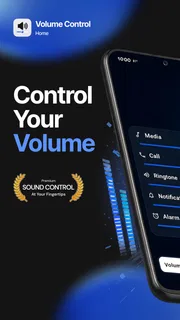
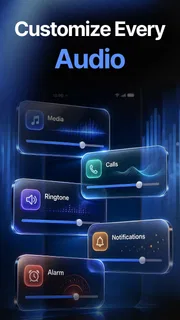
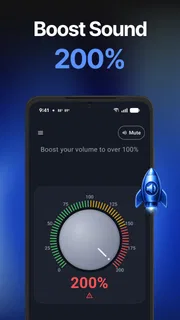
Its central pitch is unusually direct. The app says it can boost media volume beyond the standard 100% level and lets you control every sound from your home screen. For someone who regularly reaches for the volume buttons, that combination sounds convenient: a louder playback option paired with a control point that is meant to be close at hand. It gives the app a clear role, rather than asking you to learn a complicated audio workflow.
I also appreciate that the name and short description make the purpose easy to recognize. You do not have to guess whether this is a music player, a streaming service, or a sound library. It is presented as a volume-control utility, so the value depends on whether that particular need matters to you. If it does, being able to test the idea for free is a sensible advantage.
A narrow tool with a clear job
Volume Control Home is listed in the music and audio space, but its appeal is more practical than entertainment-focused. It is not being pitched as a place to discover songs or organize a collection. Instead, the emphasis is on managing playback loudness and making sound controls accessible from the home screen. I see that focus as a strength for people who want a quick utility, because the basic purpose is easy to grasp before installing.
The claim about going past 100% is the feature most likely to catch a user’s attention. It suggests an option for media that seems quiet at the usual maximum, or for moments when you want more output than the standard control appears to provide. I would still use any volume booster thoughtfully. Louder playback is not automatically better, and a comfortable setting will depend on the device, the audio source, and where you are listening.
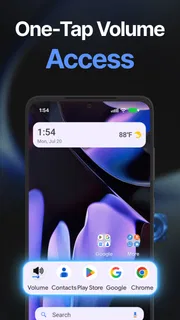
The home-screen control idea is just as important as the boost itself. A sound tool can be useful in theory and still feel like extra effort if it takes too long to reach. Putting control close to the home screen is meant to make adjustment more immediate. That is the sort of small convenience I value in a utility app: it can fit into an existing habit instead of demanding a new one.
More articles

Instagram Makes Everyday Moments Worth Sharing
A rare social app that can be a photo diary, a neighborhood window, and a lively conversation in the same session—though its best moments still require a little restraint.
What the popularity suggests
The app has an average rating of 4.4 from around 4,900 ratings, alongside more than 500,000 installs. Those figures suggest that plenty of Android users have considered it worth trying, and the overall response is positive. I would use that as helpful context, not as a guarantee that every phone or listening situation will produce the same result. Audio output can feel different from one setup to another, so personal testing still matters.
There are also 524 written reviews, giving prospective users a chance to look beyond a single summary and see how people describe their experience. I find written feedback particularly useful for a tool with a specific promise: comments may reveal whether the controls feel convenient in practice and whether the boost suits a user’s setup. The key is to look for experiences that resemble your own rather than assuming that one person’s results will apply universally.
The available release details identify July 13, 2026, as the release date and version 1.6.4 as the current version. The minimum operating-system requirement is Android 9. That is a practical check to make before installing: if your device runs an older version, compatibility may be a concern, while users on Android 9 or later meet the stated minimum. I would consider compatibility alongside the app’s main promise, rather than focusing only on the headline feature.
Tradeoffs to keep in mind
The biggest tradeoff is that the app’s appeal depends on a fairly specific need. If your device already gets loud enough and its built-in controls are convenient, a separate volume tool may not add much to your day. A free app can still take up attention and a place on your device, so I would install it because I expect to use its particular controls, not just because the download costs nothing.
There is also a practical difference between raising a volume level and improving sound quality. The app’s stated focus is volume, so I would not approach it expecting new music, better recordings, or a complete audio-enhancement system. More output may help with quiet media in some situations, but it cannot change the content itself. Keeping that distinction clear makes the app’s promise easier to judge fairly.
I would be measured with any setting that pushes playback higher than the usual maximum. A louder level can be useful, but it may also become uncomfortable if you turn it up without checking how it sounds. My advice is simple: raise the volume gradually and pay attention to your listening comfort. That is a sensible habit with any sound control, and especially so when an app advertises a boost beyond the standard limit.
Another tradeoff is that a focused control tool will matter most when you actually adjust sound often. If you rarely touch your playback level, the home-screen angle may not change much for you. On the other hand, if you find yourself repeatedly searching for volume controls, a more accessible way to manage sound could feel worthwhile even if you use the boost sparingly.
Who is most likely to get value?
I can see this being a good fit for people who regularly find media playback too quiet and want to experiment with a higher volume setting. It may also suit users who like the idea of reaching sound controls from the home screen rather than navigating through a longer routine. Since the app is free, it is approachable for anyone who wants to see whether that style of control feels useful in everyday use.
It is also a reasonable option for someone who wants a simple, recognizable utility rather than a broad audio platform. The purpose is easy to explain: manage sound and try a boost past the usual 100% level. If that is the feature you are actively looking for, the app’s focused pitch should make it easy to decide whether it deserves a place on your device.
By contrast, listeners who are already satisfied with their phone’s built-in volume controls may have little reason to add another tool. The same goes for anyone expecting a music player, a catalog of audio, or improvements to the underlying quality of a recording. I would match expectations to the app’s actual role: it is about volume access and louder media playback, not every aspect of listening.
My buy-or-skip verdict
My verdict is to try it if its main promise solves a real annoyance for you. The app costs nothing to access, and its combination of media-volume boosting and home-screen control gives it a clear reason to exist. I would start with modest adjustments, see how the controls fit your routine, and keep the app only if you notice a practical benefit. That feels like a sensible way to evaluate a free utility without expecting more than it claims to do.
If you are already happy with your device’s loudness, I would skip it for now. A free download is not automatically valuable when the underlying problem is absent. But for someone who often wants louder media or a more convenient way to manage sound, Volume Control Home is an easy app to consider: it is available at no purchase cost, has a clear purpose, and has drawn a positive overall response from users.
In short, this is a focused choice rather than a must-have for everyone. I like the straightforward idea and the low-friction chance to try it, while keeping the tradeoff in mind: volume control is useful only when you need more control over volume. If you do, Volume Control Home is worth testing on a compatible Android device. If you do not, your built-in controls may already be enough.
Pros
- Quickly adjust media volume from the home screen.
- Useful when physical volume buttons are hard to reach.
- Provides a simple alternative to navigating settings.
- Can help users keep volume changes within easy reach.
- Small controls can make everyday volume adjustments more convenient.
Cons
- May require permission to display over other apps.
- Available controls can vary by Android version.
- It cannot improve the sound quality of your device.
- Some features may depend on device settings.
- An extra on-screen control may feel unnecessary to some users.


