
Our review
 Analysis by Lookingapps
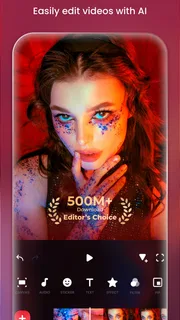
I like Video Editor & Maker - InShot best as a practical way to turn phone clips into something polished enough to share, without first learning a complicated desktop editor. It is a photography app, but its everyday appeal is video: trim a moment, arrange several clips, add music or effects, and make a slideshow from still images. I would reach for it when I want a finished result quickly, not when I need a precise, multi-track production workflow.
What you can do with it day to day
The basic idea is refreshingly direct. Start with the video or photos you want to use, shape them into a sequence, then adjust the presentation with editing tools such as effects, music, and slow motion. That makes InShot useful for the small projects that otherwise tend to stay unfinished: a short recap of a day out, a family slideshow, or a clip worth sharing with friends.
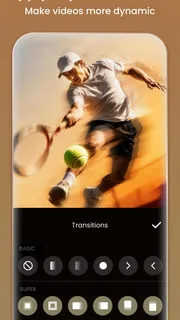
For example, after a weekend gathering, I might pick a few short phone videos and several photos, put them in a sensible order, and use a music track to make the transitions feel intentional. The useful part is not just that the app can combine media; it is that the project can be built around the material already sitting on a phone. I do not need to plan a production before I begin.
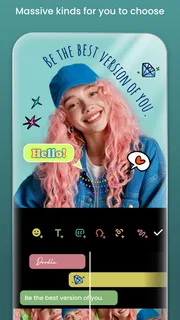
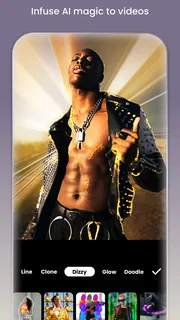
Slow motion is particularly handy when a moment has a clear visual payoff, such as a child blowing out candles or a dog bounding across a park. I would use it selectively rather than slowing every clip: one carefully chosen section can give a short edit a focal point, while too much of it can make an otherwise lively video drag. The same judgment applies to effects. A restrained treatment can help a clip feel coherent; piling on effects can distract from the moment itself.
A useful workflow for short edits
I recommend choosing the story before choosing effects. First decide which clips matter and what order makes sense. Then trim away the dead time at the beginning and end of each one. Only after the sequence works on its own would I add music, adjust the pace, or try an effect. This order saves time because decoration cannot fix a confusing sequence.
For a slideshow, I would sort the images into a beginning, middle, and ending rather than simply selecting every photo from an event. A few strong images usually tell the story better than a long run of near-duplicates. If the slideshow is meant for a particular person, opening with a recognizable scene and finishing on a warm or funny image gives it a more personal shape without demanding elaborate editing.
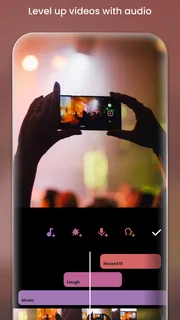
Music can tie a group of unrelated phone clips together, but it also changes the mood of the finished piece. I would preview the edit with the sound on before sharing it, especially if the original clips include people speaking. Music that works over scenic footage may compete with a conversation. A short video does not need a soundtrack merely because one is available.
More articles

Instagram Makes Everyday Moments Worth Sharing
A rare social app that can be a photo diary, a neighborhood window, and a lively conversation in the same session—though its best moments still require a little restraint.
Where it fits among editing choices
Compared with a basic trimming tool, InShot is more useful when the goal is a composed piece rather than a single cut. Its combination of video editing, effects, music, slideshow creation, and slow motion gives casual editors several ways to shape a result in one app. Compared with a full desktop editor, though, its appeal is convenience rather than deep control. If a project depends on detailed audio mixing, elaborate layers, or exacting production decisions, I would choose a more specialized editor instead.
It also occupies a different spot from apps focused mainly on applying a quick visual filter. Here, I would think in terms of the whole sequence: which clip comes first, where the pace changes, and whether the music supports the story. That makes it a better fit for someone who wants to assemble a small video than for someone whose only aim is to alter the look of one image.
Free access, purchases, and value
The app is free to download, which makes it easy to try the editing approach before deciding whether it belongs in your regular routine. In-app purchases are offered, with listed items ranging from $0.99 to $199.99 each. That is a wide range, so I would check the exact item and its terms in the app store before paying rather than assuming every purchase has the same purpose or value.
My practical test would be simple: use the free access to see whether the workflow suits the kind of edits you actually make. If you only produce an occasional birthday slideshow or a quick clip from a trip, paying may not be necessary for you. If you edit frequently and find a paid option addresses a specific limitation you keep encountering, then it may be worth considering on its own merits. The value depends on your own use, not on how many tools an editor can advertise.
InShot is developed by InShot Video Editor, and its broad adoption is reflected in an average rating of 4.8 from around 25 million ratings, alongside over 500 million installs. Those figures suggest that many people find a use for it, but they do not tell me whether it matches an individual workflow. I would treat them as context, then judge the app by whether its editing steps feel comfortable on my own device.
Tradeoffs to keep in mind
A phone editor is most convenient when the project is short and the source material is already on the device. That same convenience can feel limiting if I need to manage a large collection of footage or make many precise changes. Selecting and arranging clips on a small screen is workable for a short social video, but it is not my preferred way to oversee a long, intricate edit.
It is also easy to spend time polishing details that do not improve the finished video. Effects and slow motion can be tempting, but they should serve the subject. I would make a plain first pass, watch it through, and then add only the changes that make the story clearer or more enjoyable. This keeps a quick project from turning into an endless round of cosmetic adjustments.
Before relying on any editor for an important project, I would also do a short test from start to finish: create a small edit, review the result, and make sure the workflow gives me the output I need. That is especially sensible if I am working to a deadline or trying a new version. The current version is 2.243.1555, and the minimum operating system requirement is 8.0, so compatibility is worth checking before planning a project around it.
Who is likely to get the most from it
I think it suits people who regularly capture little moments and want to turn them into shareable videos without moving to a computer. Parents making a short family recap, travelers combining a few scenes from a day out, and casual creators building simple clips from phone footage are all natural fits. The age rating is Everyone, which makes it broadly accessible as an app, though younger users should still have appropriate guidance when making purchases or sharing content.
It is less compelling for someone who only wants to crop or adjust still photos, since its strongest reasons to use it are centered on video and slideshows. It is also not my first choice for complex projects where exact control matters more than speed. In those cases, a dedicated editor with a workflow designed for detailed production is likely the better match.
The app was released on March 5, 2014, and its current version continues to serve a familiar need: making everyday phone footage easier to shape into a finished piece. I would not choose an editor on age or popularity alone, but those details give some context to a tool that many people have incorporated into mobile editing.
My verdict: try it before you pay
I would recommend InShot to a friend who wants an approachable way to assemble short videos, add music or effects, use slow motion, or create a slideshow from photos. Its biggest strength is the practical path from loose phone media to a piece with a beginning and an ending. The main compromise is that convenience on a phone is not a substitute for the control of a more advanced editing setup.
Because it is free to download and offers in-app purchases, my advice is to start with a real project rather than buy anything immediately. Make one short edit that resembles what you would normally share. If the process feels natural and you keep returning to it, you will have a clearer reason to consider a purchase. If you need fine-grained production control, or only want a quick edit to a single photo, I would skip it and look for a tool designed around that narrower need.
Pros
- Easy-to-use controls make quick edits accessible to beginners.
- The timeline makes it simple to trim and arrange clips.
- Built-in music and sound effects add polish without extra apps.
- Aspect-ratio presets help prepare videos for social platforms.
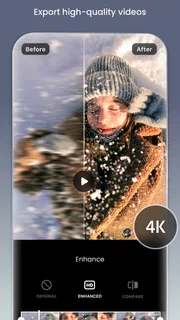
- Exports support high resolutions for crisp playback.
Cons
- The free version includes ads that can interrupt editing.
- Some effects and features require a paid subscription.
- A watermark appears on exports unless removed.
- High-resolution exports can take time on older phones.
- Large projects can use substantial storage space.


