

Our review
 Analysis by Lookingapps
I understand the appeal of TikTok Lite before I even settle into a routine: it offers the familiar short-video format in a version intended to feel lighter and quicker. In practice, that makes sense for brief visits—checking a few clips while waiting, taking a small break between tasks, or sharing something amusing with a friend. But speed alone does not make a social app worth keeping. What matters after the first burst of curiosity is whether the stream stays enjoyable without turning spare moments into an automatic scroll.
What feels good in the first week
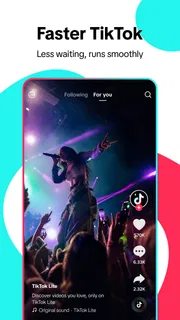
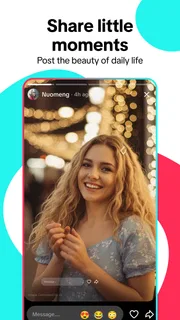
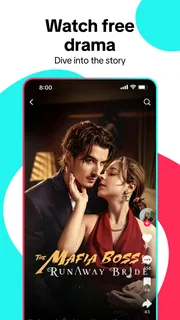
TikTok Lite is a free social app from TikTok Pte. Ltd., built around watching and engaging with short videos. The basic attraction is easy to grasp: open it, watch a clip, and move on to another without needing to plan a session. Its lighter positioning is especially appealing if you want the TikTok experience but would rather keep the app experience straightforward.
In the first few days, the range of possible viewing moods is a real strength. I might want a quick laugh, a cooking idea, a music clip, or a short explanation of something I have been curious about. Video makes those discoveries feel immediate, and the feed can turn a spare minute into an entertaining one. That flexibility is more useful than a polished promise of “something for everyone”: it means the app can fit different small gaps in an ordinary day.
A realistic use case is a commute with a few stops, or a lunch break when I do not want to start a long video or read a lengthy article. I can watch a handful of clips and leave when the break ends. The trade-off is that the same format makes it easy to continue past the moment I intended to stop. I recommend opening it with a purpose—say, to catch up on creators I follow or find a specific kind of clip—rather than treating every idle second as an invitation to browse.
The app’s audience is broad, but its content rating is Teen, so it is not something I would automatically hand to a younger child as an unsupervised entertainment option. A parent should think about the child’s maturity and the family’s expectations around social feeds before installing it. For adults, that rating is also a useful reminder that the experience is designed for social content and public culture, not simply a private video library.
Why the feed can be hard to put down
Short videos create a quick rhythm: each clip asks for little commitment, and the next one is immediately available. That is convenient when I genuinely have only a short window. It can be less convenient when I open the app without deciding what I want from it. A small session can become longer simply because each individual choice feels inconsequential.
One practical habit helps: decide on a stopping point before opening the feed, such as the end of a break or the moment a particular task is finished. I also find it useful to close the app rather than leave it open while switching between activities. These are simple boundaries, but they address the format’s real friction better than expecting every session to end naturally.
More articles

Instagram Makes Everyday Moments Worth Sharing
A rare social app that can be a photo diary, a neighborhood window, and a lively conversation in the same session—though its best moments still require a little restraint.
Whether it earns a place month after month
The first-week novelty comes from discovering the style and pace of the clips. Longer-term value depends on whether the app continues to match interests that change over time. If I use it to follow people whose work I genuinely enjoy, or to revisit topics that are useful or entertaining, the feed has a reason to remain part of my routine. If I only open it because I am bored, its value is harder to distinguish from any other way of filling time.
TikTok Lite competes with the usual alternatives in social video: other short-form feeds, longer video platforms, and messaging apps where friends send clips directly. Its strongest case is immediacy. A short feed suits quick discovery better than a service that expects me to choose a full-length video, while a message thread is better when the goal is to share something with a particular person. I would not replace all of those habits with one app; each serves a different need.
For recurring use, I suggest making the feed more intentional. Follow creators or subjects that consistently reward your attention, and be willing to move on from material that no longer does. This is a useful way to keep the experience from becoming a blur of vaguely interesting clips. It also makes a quick visit feel more like a chosen activity than a reflex.
There is a trade-off between broad discovery and control. A stream of recommendations can expose me to subjects I would not have searched for, which is part of the fun. But that same openness means the content can feel uneven from one visit to another. If you prefer a carefully organized library, a subscription-based video service or a channel-based platform may feel more dependable. If you enjoy the surprise of browsing, this format has a clearer advantage.
The app has a 4.3 average from around 54,000 ratings, with more than 12,000 written reviews. It has passed 10 million installs, which signals a substantial audience, but popularity alone does not tell me whether it suits a particular person. I would treat those figures as context, then judge it by the quality of the clips I actually choose to watch and by how often I leave feeling that the time was well spent.
Keeping the habit useful rather than automatic
The app itself does not need to be a major project to maintain, but a feed-based habit benefits from occasional attention. Every so often, I would review whom I follow and ask whether those accounts still make the app worth opening. That small reset can be more effective than trying to compensate for an unhelpful feed by scrolling longer. It is also a good moment to decide whether the app is serving entertainment, learning, or social connection—or none of those particularly well.
For a lighter daily routine, I would place it in a defined slot rather than weave it through the whole day. For example, watching a few clips during a planned break gives the app a clear role; opening it whenever there is a pause can make it feel ever-present. If you are trying to reduce screen time, the second pattern is the one to watch. The app can be enjoyable without becoming the default answer to every quiet moment.
On the practical side, TikTok Lite is listed as free and supports Android 5.0 or later. The current version is 47.4.51, and the app was released on December 6, 2024. Those details make it easier to decide whether it fits an older Android device, but the experience still depends on whether short-form social video is what you want. People looking for a private archive, a structured course, or long, uninterrupted viewing should choose a tool designed around those needs instead.
One non-obvious way to get more from a short-video feed is to treat it as a starting point, not a final source. If a clip sparks interest in a recipe, technique, or topic, I would note what caught my attention and look for a fuller explanation elsewhere when accuracy or detail matters. Short clips are good at making an idea approachable; their brevity is also a reason not to assume every subject has been covered completely.
When the novelty wears thin
The most likely source of fatigue is repetition. Even a stream with plenty of variety can begin to feel familiar when the same style of joke, topic, or presentation keeps appearing. Another source is the mismatch between a quick intention and a long session: I may open the app for a moment of amusement and leave feeling that I have lost time without finding anything memorable.
There is also a difference between entertainment and connection. Watching a lot of clips does not necessarily replace talking with friends or sharing something directly with them. If your main reason for using social apps is to keep up with people you know, a messaging or community-focused alternative may fit better. I see TikTok Lite as a place for video discovery first, not a universal substitute for every kind of social interaction.
When the feed stops feeling rewarding, I would not force myself to keep using it just because it was enjoyable at first. Taking a break, narrowing the subjects I follow, or choosing another activity for idle time can reveal whether the app still adds something. That is a better test of lasting value than counting how often it gets opened.
My long-term verdict
TikTok Lite earns a place for people who genuinely enjoy quick video discovery and want an easy way to fill a short break. Its light, snackable format is its clearest strength, and it can stay worthwhile when I use it with a little intention. The free price removes the need to commit financially, while the Teen rating and broad social nature make it important to consider who will be using it and how.
I would recommend it to someone who likes short clips, enjoys discovering creators, and can stop when a planned break is over. I would be more cautious recommending it to anyone who is trying to avoid habitual scrolling, wants tightly curated long-form viewing, or expects a social app to focus mainly on close friends. In those situations, a different category of app may be a better fit.
My lasting judgment is that this is a useful option, not an essential one. The first-week appeal is immediate; the month-to-month case depends on whether the feed keeps delivering clips that feel worth the time. Keep the habit bounded, revisit what you follow, and let your actual enjoyment—not the ease of opening the app—decide whether it stays installed.
Pros
- Uses less storage than the standard TikTok app
- Offers a lighter experience on phones with limited resources
- Lets users browse a wide range of short videos
- Personalized recommendations adapt to viewing habits
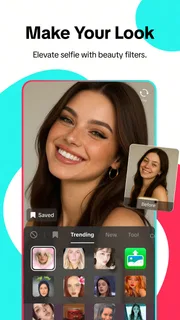
- Supports creating and sharing videos with editing tools
Cons
- Some features may be missing compared with the full TikTok app
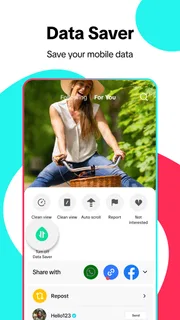
- Video quality may be reduced to conserve data
- Availability of features can vary by region
- Personalized feeds may encourage extended screen time
- Requires an account for some interactions and features


