
Our review
 Analysis by Lookingapps
I think Spotify works best when I want music to follow the shape of my day rather than make me plan every listen in advance. It is quick to dip into for a familiar album, but its real appeal is the way playlists, recommendations, and podcasts sit together in one listening app. That convenience is also its central trade-off: the experience can nudge me toward an endless stream of suggestions when I would rather choose something deliberately.
Music that fits around real routines
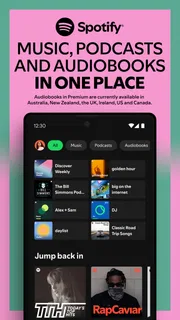
As a music and audio app from Spotify AB, Spotify is built for switching between songs, podcasts, and playlists without treating each as a separate destination. I find that especially useful in ordinary moments: putting on a focused playlist while working, then moving to a podcast during a walk, without having to rebuild my listening routine elsewhere.
The app is free to install, though it also offers in-app purchases ranging from $4.99 to $203.88 per item. That makes it easy to try before deciding whether its paid options suit you. The practical distinction is worth keeping in mind: “free” describes the entry point, not necessarily every way of listening. If uninterrupted playback or more control over listening matters to you, check the current plan details in the app store before committing.
Spotify’s scale is hard to miss: it has more than a billion installs and an average rating of 4.3 from around 37 million ratings. Those figures suggest broad appeal, but they don’t mean every listener will enjoy its approach. I’d judge it less by popularity and more by whether its discovery tools and all-in-one library match how you actually listen.
Discovery is useful when you give it direction
Recommendations can help when I know the mood I want but not the exact artist or album. Starting with a familiar track or playlist gives the app a clearer signal than opening it with no idea what to play. I get more useful results when I treat discovery as a conversation: listen to something close to the target, skip what misses, and save the tracks I want to hear again.
That habit also prevents a common frustration. A playlist that is good for background listening may not be the best place to find a new favorite, because I’m not paying close attention to every track. When I want to explore, I listen actively for a while and save promising songs as I go. When I just need sound in the room, I let a playlist run. Separating those two jobs makes the recommendations feel more relevant and keeps casual listening from turning into a tedious search.
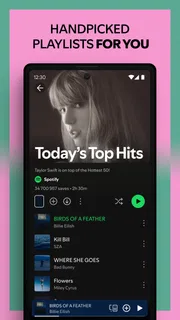
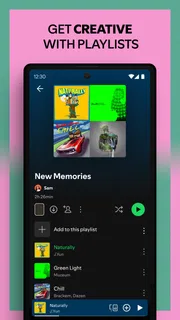
Playlists are most valuable to me when they have a clear purpose rather than simply collecting everything I like. I might keep one for quiet concentration, another for familiar songs on a commute, and a separate place for new discoveries. This small bit of organization makes it easier to return to the right mood, and it gives recommendations a more useful context than one oversized playlist with no pattern.
More articles

Instagram Makes Everyday Moments Worth Sharing
A rare social app that can be a photo diary, a neighborhood window, and a lively conversation in the same session—though its best moments still require a little restraint.
One app, two very different listening habits
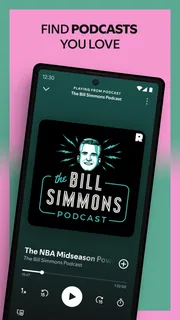
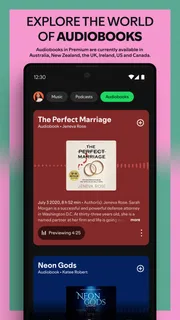
Music and podcasts share a home here, which is convenient if both already have a place in your day. A useful routine is to keep music for moments when I want to set the pace and podcasts for times when I want spoken company. Moving between them is simpler than juggling separate apps, although people who rarely listen to one of those formats may find the combined layout busier than necessary.
For a realistic example, imagine a weekday with a train ride, a stretch of focused work, and a walk home. I can begin with songs during the commute, switch to something steady while concentrating, then choose a podcast for the walk. The benefit is not that Spotify magically knows what I need; it is that my listening options and saved choices are already gathered in one place. I still have to make the choices, but I spend less time hopping between services.
That same flexibility can be a drawback if you prefer a simple, album-first music player. The app’s breadth encourages browsing, and browsing is not always what I want. If my goal is to put on one record and leave it alone, a smaller player focused on a personal music collection may feel calmer and more direct.
Small habits that make the library easier to use
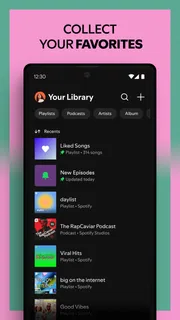
One practical tip is to save tracks as soon as they catch your attention, rather than assuming you will remember them later. A song heard while cooking or walking can disappear into a long listening session; saving it gives you a clear route back. I also recommend keeping discovery separate from dependable favorites. That way, experimenting does not make it harder to find the music you already trust.
Another useful workflow is to choose playlists by task, not just by genre. “Instrumental” or “pop” can still cover a wide range of energy and distraction. A playlist intended for concentration should be judged by whether it lets you stay with your work; a walking playlist can tolerate more variety. Thinking in terms of what you are doing makes the app’s many listening choices more manageable.
For podcasts, I would decide in advance whether I want to browse widely or follow a small set of regular shows. Mixing every spoken program into one casual routine can make it harder to remember what you meant to continue. Keeping a short mental or saved shortlist of shows you actually follow is a simple way to make the audio side feel intentional rather than like another recommendation feed.
Where the experience can fall short
The strongest limitation is not a single missing feature; it is the tension between control and convenience. Recommendations and playlists are excellent when I want the app to keep things moving, but they can make the experience feel less deliberate than opening a carefully arranged personal collection. If you dislike being encouraged to browse or want a very quiet interface, that difference may matter more than the size of the catalog.
The free starting point also needs a little thought. Someone who is comfortable with a more self-directed, ad-supported listening experience may find it perfectly adequate. Someone who expects every listening session to be uninterrupted and fully controlled should compare the available plans before relying on it as their only player. I would not choose a subscription just because the app is popular; I would first identify which specific friction I’m trying to remove.
There is also a learning curve in deciding how much to organize. Spotify can support casual listening with almost no setup, but the app becomes more satisfying when you save music and make a few purposeful playlists. If you never want to curate anything, it can still serve as a place to press play, yet you may get less value from the parts that help the service feel personal.
Who I would recommend it to
I’d recommend Spotify to people who move between music and podcasts, enjoy discovering artists, or want one app to cover several listening situations. It is particularly well suited to someone who listens in short bursts throughout the day and wants playlists ready for different moods or tasks. Its Teen content rating is another reason families should consider whether the app’s content and account arrangements fit the listener, rather than assuming a music app is automatically appropriate for every age.
I would be less enthusiastic for listeners who mainly play files they already own, want an album collection they can arrange exactly their way, or prefer a music service that keeps recommendations out of the foreground. Those people may be happier with a local-library player or a more focused alternative. Likewise, if podcasts are your only interest, a dedicated podcast app may offer a more streamlined routine.
Spotify has been available since May 27, 2014, and its long-established role in music listening is reflected in the breadth of its audience: it has around 1.9 million written reviews. I take that as context rather than proof that it is right for everyone. The better test is simple: do you value an easy bridge between music, discovery, playlists, and spoken audio, or do you want a more controlled player?
My verdict
Spotify earns my recommendation as a flexible everyday listening hub, not as a perfect fit for every kind of listener. Its best quality is the way it helps me move from a specific song to a useful playlist, or from music to a podcast, without making the whole day revolve around managing audio. Its weakest point is the same abundance: recommendations and browsing can crowd out the simple act of choosing something and pressing play.
If you want variety, discovery, and music and podcasts together, I think it is worth trying in its free form and then deciding whether the paid options solve a real problem for you. If you care most about a tightly controlled personal collection or an uncluttered album-listening experience, I would look elsewhere. For everyone in between, a few task-based playlists and a habit of saving good finds are enough to make Spotify feel less like an endless feed and more like a listening space you have shaped for yourself.
Pros
- Personalized playlists make it easy to find music that fits your taste.
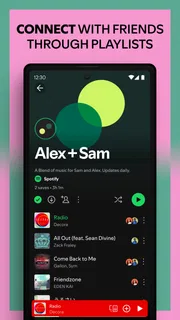
- Collaborative playlists let friends add songs together.
- Queue controls help you shape what plays next.
- Offline downloads are useful for listening without a connection.
- Spotify Connect makes it easy to switch playback between devices.
Cons
- Offline downloads require a Premium subscription.
- Free listening includes ads between tracks.
- Mobile users may face limits on choosing specific tracks.
- Audio quality options vary by subscription and device.
- The large catalog can make some releases difficult to find.


