




Our review
 Analysis by Lookingapps
I judge a speech practice app less by how many activities it offers than by whether a child can return to it without the session turning into a struggle. Speech Blubs is built around short, guided speech exercises, so its appeal is easy to understand: it gives families a way to make practice feel more like an activity than a worksheet. In my view, its strongest role is as a low-pressure addition to a child’s routine—not a replacement for an individual assessment or professional speech therapy.
Getting around and understanding the activities
The app is a parenting tool from Blub Blub Inc., focused on helping children practise speech. Its setup is more approachable than a conventional lesson sheet: a parent can introduce an activity, let the child engage with it, then return to everyday conversation and try a word or sound in context. That simple rhythm matters when a child is more willing to copy a playful prompt than to repeat a drill on command.
Its name can suggest a broad language course, but I would approach it specifically as a speech-practice companion. Families looking for structured help with reading, spelling, grammar, or general schoolwork should not assume those needs are covered. The useful question is whether a child will respond to guided speech exercises and whether an adult can help connect those exercises to daily communication.
The app has an average rating of 4.6 from around 31,000 ratings, and it has passed five million installs. Those figures suggest it has found a substantial audience, though popularity alone cannot tell a parent whether its approach suits one particular child. I would use the first few sessions to see whether the child understands what to do, remains comfortable, and is willing to try again later.
There is a practical difference between an app that keeps a child occupied and one that supports interaction. I would sit nearby at first, listen to what the activity invites the child to say, and then repeat the target word naturally in a familiar situation. If the app prompts an animal sound, for instance, a parent might continue the idea while looking at a picture book or talking about a toy. This small bridge makes practice less isolated and helps an adult notice whether the child is attempting the sound outside the screen.
Making the interface work for the child, not just the adult
Children vary in how they take in spoken instructions, images, and repeated prompts. Rather than assuming that a child will understand an activity immediately, I would demonstrate one and leave time for them to respond. A child who needs extra processing time may benefit from a calm pace and a familiar adult beside them; a child who is eager to tap through may need the adult to slow the session down and focus on one attempt at a time.
This is also why I would avoid treating completion as the goal. The more useful sign is whether the child stays engaged without becoming frustrated and whether an activity gives the caregiver an opening for a real exchange. If the child is confused, distressed, or simply not interested, stopping and trying another time is a better outcome than pushing through a session.
More articles

Instagram Makes Everyday Moments Worth Sharing
A rare social app that can be a photo diary, a neighborhood window, and a lively conversation in the same session—though its best moments still require a little restraint.
For a parent, the most helpful navigation strategy is to begin with a clear purpose. Choose a short moment when the child is rested, use one activity as a prompt, and finish with a familiar conversation or play moment. This keeps the app from becoming a long stretch of screen time and makes it easier to tell whether the child is responding to the speech task or only to the novelty of the device.
Different bodies, attention styles, and sensory needs
Speech practice can involve listening, watching, speaking, and touching a screen, which may suit some children better than others. A child who enjoys copying sounds may find the format inviting, while a child sensitive to audio, visual activity, or repeated requests may need a more controlled introduction. I would keep the first session brief, observe the child’s reaction, and adjust the environment—such as choosing a quieter moment—before deciding whether the app is a good fit.
There is an important trade-off here: a screen can make a prompt engaging, but it can also compete with the adult’s voice and the child’s attention. I would not run an activity in the background while doing something else. Sitting together allows the caregiver to notice whether the child is imitating, hesitating, or losing interest, and to pause rather than letting the app dictate the pace.
Motor comfort matters too. Any touch-based activity asks a child to manage a device, and not every child finds tapping or holding a phone easy. An adult can help with the device while keeping the child’s role focused on listening and speaking. If screen interaction itself is a barrier, a picture book, a conversation during play, or a therapist-led activity may be a more comfortable route. The app is most useful when its demands fit the child, not when the child is expected to adapt to the format.
Parents should also be thoughtful about how they respond to attempts. Correcting every sound can make practice feel like a test, especially for a child who is already cautious about speaking. I would treat the exercise as an invitation: acknowledge the effort, model the word naturally, and let the child choose whether to try again. That approach can preserve the playful tone while still giving the caregiver a chance to listen closely.
Where it fits into a real family day
A realistic use case is a short practice moment before dinner, when a child is in a familiar setting but not yet overwhelmed by the evening routine. A caregiver can open an activity, participate alongside the child, and then bring the same sound into an ordinary exchange while setting the table or playing with a toy. If the child is tired, the adult can leave it for another day; consistency does not have to mean insisting on a session at an inconvenient moment.
This kind of flexible use is a better fit than expecting the app to provide a complete therapy plan. It can make it easier to introduce practice between appointments or to create a shared activity at home, but a caregiver still needs to decide what is appropriate for their child. If a speech-language professional is already involved, I would ask how app-based exercises can complement the child’s goals rather than assuming that any general activity matches them.
Compared with the usual alternatives, the app sits between informal home practice and individualized support. A parent can practise through conversation or books without a device, which may be preferable for children who learn best through face-to-face interaction. A clinician can tailor work more closely to a child’s needs, but that is a different kind of support. Speech Blubs is attractive when a family wants guided prompts readily available; it is less convincing as the only resource when a child needs a specific, professionally directed approach.
For shared use, I would keep the adult involved rather than handing over the device and walking away. That makes the activity easier to adapt: the parent can repeat a prompt, connect it to something the child cares about, or stop when attention fades. It also gives the family a chance to notice which kinds of prompts invite speech and which ones do not. Those observations can be more useful than simply counting how many activities were completed.
Cost, access, and practical expectations
The app is free to download and is rated for Everyone. It includes in-app purchases priced from $9.99 to $99.99 per item, so I would check what is available in the app before building a routine around a particular activity. The free starting point makes it possible to explore the experience, but families should keep the purchase range in mind when deciding whether paid content makes sense for them.
Its current version is 18.6.0, and the minimum operating system is 7.0. Those details can help a family check basic compatibility before installing. The app was released on November 3, 2017, and its continuing version updates show that it remains an active product, but that does not by itself tell a parent whether a particular exercise is suitable for their child.
Access is not only about whether a device can open the app. A child may need an adult to read or explain instructions, help operate the screen, or make the setting less distracting. A family may also prefer to limit screen use or may not want an app to be the main way they practise communication. In those cases, using a book, household objects, or everyday conversation is not a lesser option; it may be the more comfortable and sustainable one.
One useful boundary is to separate practice from assessment. If a parent is concerned about a child’s speech or communication, an app activity cannot determine why a difficulty is happening or what support is needed. I would treat the app as a possible way to make home practice more engaging, while seeking qualified guidance for concerns that persist or affect everyday communication. That distinction keeps the tool in its proper place and avoids putting pressure on a child to meet expectations set by an app.
Who is likely to benefit, and who may prefer another approach
I would recommend trying it for families who want a guided, child-oriented way to add speech practice to ordinary routines and are prepared to participate with their child. It may also suit caregivers who want prompts to help start a short activity instead of having to invent every exercise themselves. The strongest results are likely to come from matching the activity to the child’s mood and carrying a useful prompt into conversation afterward.
I would be more cautious if a child finds screens overstimulating, dislikes imitation tasks, has difficulty using a touch device, or needs highly individualized support. It may also be a poor fit for adults who expect a hands-off tool to diagnose a problem or deliver a complete treatment plan. In those situations, professional advice, face-to-face play, or simple conversation may serve the child better.
For me, the most valuable way to use Speech Blubs is as a bridge between a guided prompt and a real moment with a parent. Blub Blub Inc. has made a free-entry parenting app with a large user base, but its usefulness still depends on the child’s response and the adult’s judgment. I would give it a try if playful speech practice fits your family, keep sessions flexible, and be ready to switch approaches if the screen gets in the way. Its clearest strength is making practice easier to start; its limit is that no app can replace personal attention when a child needs it.
Pros
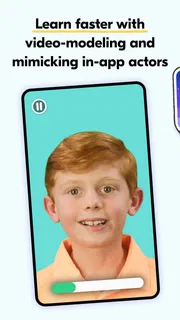
- Speech Blubs uses short video activities to keep practice engaging.
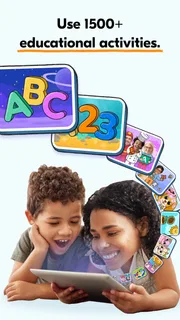
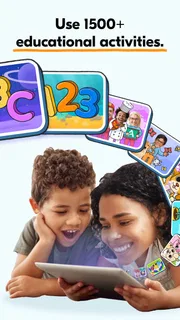
- The app offers themed exercises for different speech skills.
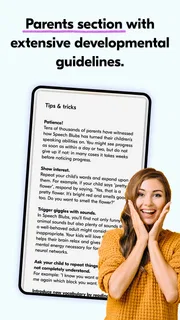
- Parents can follow activities alongside their child.
- A voice-activated feature encourages children to speak aloud.
- Progress tools can help families keep track of practice.
Cons
- Most activities require an active subscription.
- The app works best with a stable internet connection.
- Video-based lessons may increase screen time.
- Some children may need an adult to guide each activity.
- It is not a substitute for advice from a speech therapist.


