


Our review
 Analysis by Lookingapps
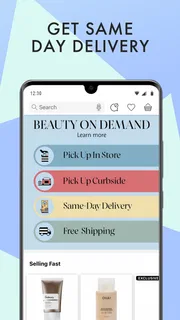
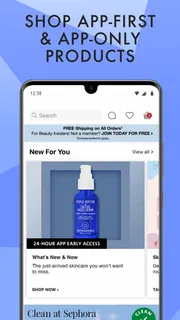
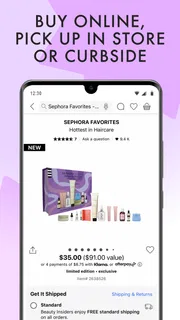
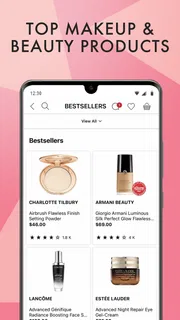
I find shopping for beauty products easiest when an app helps me narrow choices without making the whole experience feel like a sales pitch. Sephora: Buy Makeup & Skincare is built around browsing and buying from Sephora, with makeup and skincare at its center. My view is that it is most useful when you already have a product, routine, or gift idea in mind and want to explore it in one place. It is less compelling if you mainly want impartial comparisons across many retailers.
Shopping through a retailer you already know
Sephora: Buy Makeup & Skincare is a free beauty shopping app from Sephora USA, Inc. It has an average rating of 3.9 from around 80,000 ratings, and has been installed more than 10 million times. Those figures suggest broad use, but they do not tell me whether it will suit your shopping habits: the main question is whether you want a Sephora-focused storefront rather than a general beauty guide.
I think of it as a mobile extension of a beauty retailer, not a neutral directory of every available brand or product. That distinction matters. If you usually buy your makeup or skincare from Sephora, having the retailer’s catalog in an app can make browsing and returning to familiar products feel more direct. If you prefer to compare a product’s price and availability across several stores before deciding, you will still need to do that work elsewhere.
The app is categorized as beauty, and its everyday appeal is straightforward: browse products for your routine or look for a present. That can be useful when you have a specific need but not a precise item in mind—for example, replacing a cleanser, exploring makeup, or putting together a holiday gift. I would treat the app as a place to discover and shop, rather than assuming that a product page alone can settle questions about suitability or performance.
The app first appeared on December 16, 2013, and its current version is 26.20.1. It is rated for Everyone and requires iOS 10 or later. Those details help set expectations about availability, but they are not a substitute for checking the app’s current behavior on your device or deciding what personal information you are comfortable entering when shopping.
Trust starts with knowing what kind of app this is
For me, trust in a shopping app begins with a clear boundary: I am using a retailer’s own app to browse and buy from that retailer. That makes the commercial context easy to understand. The recommendations, product presentation, and shopping journey belong to a store, so I would not read them as an independent verdict on which product is best for every person.
That does not make the experience unhelpful. Retailer apps can be convenient precisely because they bring product discovery and purchasing into one setting. But I keep a practical distinction between a useful catalog and personalized advice. Skin needs, shade matching, sensitivities, and preferences vary; an app can help me investigate options, yet I still need to make the judgment that fits me.
More articles

Instagram Makes Everyday Moments Worth Sharing
A rare social app that can be a photo diary, a neighborhood window, and a lively conversation in the same session—though its best moments still require a little restraint.
Sephora USA, Inc. is the developer, and that gives the app a clear retail identity. I would use it with the same care I use for any shopping account: decide whether signing in is worthwhile, review the choices shown on screen, and avoid treating a convenient checkout as a reason to share details I do not need to provide. The app’s age rating of Everyone describes its content classification, not a guarantee about how every shopping or account interaction will feel to every user.
Make decisions before entering sensitive details
Beauty shopping can involve more personal decisions than it first appears. A shopper might be thinking about skin concerns, a particular complexion shade, or a product they are hesitant to discuss in person. I would browse with a clear goal and pause before entering any personal or payment information. The key is to make those choices deliberately rather than clicking through simply because the next step is presented conveniently.
I cannot responsibly turn a retailer’s name or the app’s popularity into a claim about its permissions or data practices. Instead, I recommend checking the permission prompts and privacy information that are actually shown in the app and in the app store, and considering each request on its own merits. If a prompt appears, ask whether the requested access makes sense for what you are trying to do. If it does not, you can stop and reconsider rather than assuming it is essential to browse.
A useful workflow is to separate research from checkout. First, browse the products you are considering and note the names or details you want to compare. Then decide whether you are ready to sign in or purchase. This small pause is especially helpful when shopping for someone else: a gift search may involve a recipient’s preferences, but you do not need to turn that into a broader account setup unless you have a reason to do so.
Another practical habit is to revisit account and device settings after you have finished. If you created an account, look through the controls available there and keep only the options you want. On your device, you can review the app’s permissions and change choices you no longer feel comfortable with. These are general steps a shopper can take; the specific controls available can depend on the device and the app’s current interface.
Use the app with a plan, not just an endless browse
My strongest recommendation is to begin with a shopping question. “I need a replacement for this product,” “I want to compare options for a particular routine,” or “I need a gift that feels appropriate” gives browsing a useful direction. Without a goal, a large beauty catalog can turn a quick check into a long scroll, and more product exposure does not necessarily mean a better decision.
For a routine purchase, I would start by identifying what I want to keep consistent and what I am open to changing. If I already know the product I need, searching for that item is likely more efficient than browsing broadly. If I am exploring alternatives, I would compare the details that matter to me—such as the intended use and whether the product suits my preferences—rather than relying on attractive presentation alone.
For a gift, I would use the app to explore possibilities but avoid guessing too confidently about someone else’s skin needs or makeup shade. A familiar product or a category the person already enjoys may be a safer starting point than a highly specific choice. If I cannot judge the recipient’s preferences, a different gift format or asking them directly may be more considerate than relying on a retailer’s catalog to make the decision for me.
There is also a useful trade-off between convenience and comparison. Shopping in one retailer’s app can reduce the friction of finding that retailer’s products, but it naturally limits the perspective to that store. I would use it to investigate Sephora’s selection, then consult other sources if I care about cross-store availability, independent reviews, or a wider view of alternatives. That is not a flaw unique to this app; it is a consequence of choosing a retailer’s own shopping environment.
Where it fits beside other beauty options
Compared with a general beauty community or product-review service, Sephora: Buy Makeup & Skincare is better approached as a shopping destination. A community may be more useful when you want a range of personal experiences, while a retailer app is a natural place to browse that retailer’s offerings. Neither replaces careful research: individual reviews can reflect different needs, and store pages have a commercial purpose.
Compared with visiting a shop, an app can be more convenient when you already know what you want or prefer to browse privately. In person, you may find it easier to ask questions or assess certain products directly, depending on the item and the store. I would not expect the digital experience to eliminate every uncertainty about shade, texture, or personal suitability. For choices where an in-person assessment matters to you, a physical visit or another trusted source may be the better route.
It is also worth remembering that free to download does not mean every product is free. The app costs nothing to install, while shopping still involves the products you choose to buy. I see that as a simple but important distinction: install it for access to the retailer’s mobile shopping experience, not because “free” describes the cost of building a routine or buying gifts.
Who I would recommend it to—and who may prefer another route
I would recommend trying it if you already shop at Sephora, want to browse makeup or skincare from your phone, or need a convenient way to explore a gift idea. It is also a reasonable choice for someone who prefers to research before visiting a shop or who wants a retailer-specific catalog close at hand. Its large audience and 3.9 average rating are useful context, but I would weigh those alongside your own comfort with the app’s interface and shopping process.
I would skip it if you want a completely retailer-neutral beauty resource, if your first priority is comparing offers across stores, or if you prefer not to manage shopping through a dedicated account or app. I would also choose a different approach when a product decision depends on personal guidance that a catalog cannot provide. In those cases, a knowledgeable in-person conversation, advice from someone familiar with your needs, or a broader comparison source may be more valuable.
My cautious verdict is that this is a practical retailer app when its purpose matches yours: browsing and shopping Sephora’s beauty selection. I like the convenience of having a focused place to explore products, but I would keep my decisions intentional, check visible choices before sharing information, and remember that a store’s app is not an independent adviser. If you are comfortable with that trade-off, it can be useful; if you need broad comparisons or more personal guidance, another option will serve you better.
Pros
- Browse a wide selection of beauty brands in one app.
- Save favorite products for easy access later.
- Read customer reviews before choosing a product.
- Check product details and ingredients in the app.
- Find beauty products with search and category filters.
Cons
- Some products may be unavailable in your region.
- Prices and promotions can change without notice.
- Product recommendations may not suit every skin type.
- The app requires an internet connection for shopping.
- Some features may vary by country or account.


