






Our review
 Analysis by Lookingapps
Nexus is best approached as a quick creative tool for turning an idea into AI-made video or imagery, not as a replacement for a full editing studio. I like the appeal of having generation at the center: when I want a visual concept to move beyond a note in my phone, an AI-focused app can help me explore possibilities without first learning a complicated timeline editor. The trade-off is that generated media is not the same as precise, repeatable design work. If you need exact control over every frame or a reliably consistent look, a conventional editor is still the safer choice.
What the creative workflow is good at
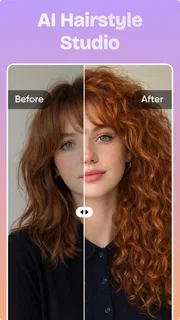
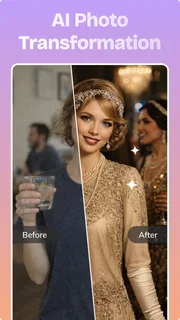
The app sits in the art and design space, with its focus on creating AI videos and photos. That gives it a more specific role than a general-purpose photo editor: it is for people who want to make new visual material, rather than simply crop, retouch, or arrange pictures they already have. I would reach for it when a rough concept matters more than pixel-level control, such as exploring a mood for a social post or making a visual starting point for a personal project.
That distinction is useful in everyday work. Say I am preparing a post for a small event and have a theme but no suitable image. A generator can help me test a few visual directions before I commit to one. I would then judge the result as a draft: does it communicate the feeling, and is it worth refining? This is a more realistic expectation than asking AI to produce a finished, perfectly on-brand asset on the first try.
The practical strength is fast ideation, especially when you are willing to guide the result through experimentation. Instead of searching through stock imagery or starting a design from a blank canvas, I can think in terms of a prompt, an image concept, or a short visual idea. That makes Nexus potentially useful for creators who need inspiration as much as a final export. It can also help someone who is comfortable describing what they want but less comfortable drawing it.
There is an important catch: a generative workflow tends to involve judgment and iteration. You may need to refine your description, compare outputs, and decide which imperfections you can live with. The app’s basic purpose makes it a candidate for this kind of trial-and-selection process, but I would not assume that every result will match a precise brief. For a polished campaign, I would plan to review the output carefully and make any final adjustments in a tool built for detailed editing.
Why the video-and-photo combination matters
Having both moving and still imagery under one creative roof is appealing because social content often needs the two to feel related. A creator might first explore a visual idea as a still, then decide whether it has enough energy to become a video concept. Even if the final pieces need finishing elsewhere, being able to think across those formats can make the initial creative process feel less fragmented than switching between separate apps immediately.
I would use that flexibility with a simple workflow: decide on the message first, generate a visual direction, and only then choose whether a photo or video communicates it better. This prevents a common creative trap—making an eye-catching asset that does not actually fit the post. For a product announcement, for example, a clear still may be more useful than motion; for a short mood piece, movement may carry the idea better. The generator is most valuable when it serves that decision, rather than becoming the decision itself.
More articles

Instagram Makes Everyday Moments Worth Sharing
A rare social app that can be a photo diary, a neighborhood window, and a lively conversation in the same session—though its best moments still require a little restraint.
For a more demanding production, though, the two formats are not interchangeable. A dedicated video editor gives more direct control over sequencing, timing, sound, and finishing. A conventional design app is usually a better fit for exact typography, brand colors, and carefully aligned layouts. I would treat Nexus as the concept-making stage in those projects, then move the strongest material into the tool that handles the final requirements.
Where I would be cautious
AI output can look persuasive at a glance while still containing details that feel off once you inspect it. That matters especially when a visual includes a specific object, readable text, a recognizable person, or a product that must match reality. I would not publish a generated image or clip without checking the details that matter to the audience. For a casual mood post, an odd detail may be harmless; for a business, an inaccurate product visual can undermine trust.
Another limitation is the gap between inspiration and control. A prompt-based process may be enjoyable when the goal is open-ended, but frustrating when you already know exactly what the composition should look like. If you need to position elements precisely, preserve a person’s appearance across several assets, or make a carefully timed sequence, a layer-based design tool or timeline editor gives you clearer control. The right choice depends less on whether AI is impressive and more on how much correction your task allows.
There is also a practical spending consideration. Nexus is free to install, while optional in-app purchases range from about ten dollars to around ninety dollars per item. I would explore the free experience before paying, then decide whether the specific paid option solves a recurring need rather than merely promising more creative output. That matters for casual users, who may only want to experiment once in a while, as much as for frequent creators deciding whether a dedicated generator belongs in their regular workflow.
For the same reason, I would avoid building an entire content process around any one generated result. Keep the original brief and a few alternative ideas, and check the final asset at the size and context where people will actually see it. A detail that is easy to miss on a phone preview can become distracting in a larger post. This small review step is especially worthwhile when the image represents a real person, event, or item.
Who is likely to get the most from it
I can see Nexus fitting casual creators, social media users, and hobbyists who want to make visual experiments without beginning with a blank canvas in a traditional editor. It may also suit someone who often needs a quick concept image, but does not have illustration skills or time to search for just the right stock asset. The key is being comfortable with exploration: you bring a direction, then assess what the generator gives you.
It is less compelling for people who mainly need dependable editing tools. If your usual tasks are resizing photos, removing small blemishes, laying out text, or assembling clips to a precise beat, a standard editor is likely to be more efficient. I would also steer away from relying on it for materials that require exact factual representation or consistent branding unless you are prepared to inspect and refine every result. In those situations, generative freedom can become extra work rather than a shortcut.
For a small creator planning a week of posts, one sensible use is to treat AI output as a visual sketchbook. Generate a few possible directions, select the one that fits the message, and finish it with ordinary editing tools if the post needs precise text or brand details. That approach uses the app to overcome the blank-page problem without asking it to replace the rest of the creative process. It also makes it easier to tell whether the app is genuinely saving time for your own style of work.
People new to AI image and video generation should expect to learn by testing descriptions and evaluating results, rather than by tapping once and accepting whatever appears. I would start with a low-stakes personal project. That gives you room to discover whether the output style fits your taste and how much cleanup you are willing to do. If you enjoy shaping a concept through successive attempts, the process may feel rewarding; if you want a predictable, one-step result, it may feel less satisfying.
What its popularity and app details suggest
Developed by DQL TechLab, Nexus has a 3.7 average from about 8,600 ratings, alongside roughly 350 written reviews. It has passed 10 million installs, which shows that many people have tried it, though reach alone does not tell me whether its workflow will suit an individual creator. I read the average rating as a reason to approach it with balanced expectations: the idea has broad appeal, but personal results and tolerance for iteration will matter more than the download count.
The app is free to install and rated for Everyone, with optional purchases available inside. Its current version is 3.3.0, and it runs on Android 8.0 or later. Those details make it accessible to a wide range of Android users, but they do not change the creative question: whether AI-generated media is the right starting point for the work you want to do. I would check the app store’s current purchase details before spending, especially if I only expect to use it occasionally.
As a general comparison, traditional art and design apps offer more predictable tools: you choose a brush, place a layer, adjust a crop, and can usually see exactly what each action changes. An AI generator offers a different advantage: it can propose imagery rather than requiring you to build every visual element yourself. Neither approach is automatically better. For precise identity, layout, or continuity, I would choose the traditional tool; for fast concept exploration, I would give Nexus a try.
My recommendation
Nexus makes the most sense if you want an approachable place to experiment with AI-made photos and videos, and you can treat its output as material to evaluate rather than a guaranteed finished product. Its strongest case is helping turn a vague visual idea into something you can react to. That can be genuinely useful for personal projects, social posts, and early-stage creative planning.
I would skip it as a primary tool if your work depends on exact composition, dependable text, consistent brand assets, or detailed video control. In those cases, use a conventional editor for the final result and consider AI generation only as an optional source of inspiration. For everyone else, trying it on a low-stakes idea is a reasonable way to see whether its exploratory approach matches how you like to create. My verdict is positive but measured: it is worth considering as a creative spark, not as a substitute for skilled editing or careful review.
Pros
- Turns text prompts into short videos with little editing effort.
- AI generation makes it easy to explore visual ideas quickly.
- Useful for creating social media clips and concept drafts.
- A straightforward workflow can suit users without video editing experience.
- Generated clips can help bring written ideas to life.
Cons
- AI may misinterpret prompts or omit requested details.
- Generated characters and objects can look inconsistent between frames.
- Results may require several prompt revisions to meet expectations.
- Video length and generation controls may be limited.
- AI-generated content may need review before sharing publicly.


