
Our review
 Analysis by Lookingapps
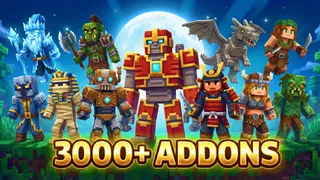
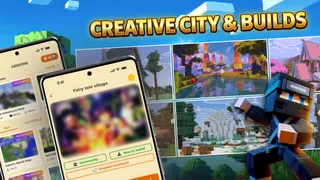
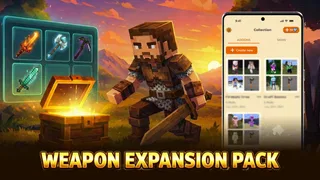
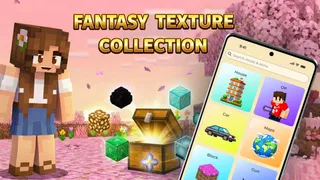
I’m drawn to Mods & Map for MCPE for a simple reason: it aims to make finding Minecraft Pocket Edition add-ons feel less like a file-management task and more like choosing something to try. Its central idea is a one-tap route to community-style content such as mods, maps, skins, add-ons, and shaders. That can be useful when I want to change up a Minecraft session without first hunting through scattered download pages, though the convenience still depends on checking that a chosen item suits my game and device.
One tap is the point, not a promise that every install is effortless
Made by RETRO GAMING LABS, this free app sits in the libraries and demo space: it is a catalogue-and-install helper for MCPE content, rather than a Minecraft game in its own right. The appeal is the proposed shortcut from browsing to trying an item. Instead of treating every download as a separate project, I can approach the app as a place to look for a specific kind of change—perhaps a new map for a short session or a shader to alter the look of a familiar world.
The distinction matters. “One tap” describes the intended ease of installation, not a guarantee that every item works perfectly with every Minecraft setup. Add-ons and visual packs can depend on compatibility, and a smoother download route cannot remove that underlying uncertainty. I would still read an item’s details before installing it, especially when I care about keeping an existing world unchanged.
The app has a 4.5 average from around 18,000 ratings and has passed a million installs. Those figures suggest that many players find this kind of organised access worthwhile, but they do not tell me whether a particular mod or map will suit my preferences. I treat them as a sign of broad interest, not a substitute for checking the content I plan to use.
Why a focused catalogue can beat casual searching
When I look for MCPE content through general web searches, I have to judge each result on its own: what it changes, whether it is meant for my edition, and whether the download steps are clear. A dedicated app can reduce that friction by gathering several content types in one place. The advantage is less about having an endless collection and more about starting from a useful category instead of repeating the same search from scratch.
That organisation is especially helpful if I am browsing with a goal. A map is a different kind of choice from a skin or a shader, and thinking in those terms makes it easier to avoid installing something simply because it looks interesting. I would decide what I want from my next session first, then browse the matching category and check the item’s description before moving forward.
There is also a practical trade-off: a catalogue is only as helpful as the clarity and suitability of its entries. If I already know the exact pack I want, a direct source with detailed compatibility notes may be a better route. If I am exploring, the app’s broad mix is more appealing because it gives me several directions to consider without switching between unrelated sources.
More articles

Instagram Makes Everyday Moments Worth Sharing
A rare social app that can be a photo diary, a neighborhood window, and a lively conversation in the same session—though its best moments still require a little restraint.
How I would use the install flow without risking a world
My cautious workflow would start outside the install button. I would first identify whether I am looking for a map, a gameplay add-on, a skin, or a visual change, then read the chosen item’s description rather than relying on its title or thumbnail alone. This small pause is useful because the categories can lead to very different results: a map offers a new place to explore, while a shader affects presentation rather than providing a new adventure.
For anything that could alter gameplay or a world, I would try it in a separate test world before relying on it in a long-running save. That is a sensible habit for Minecraft add-ons generally, and it remains sensible even when an installer makes the download feel effortless. If the item behaves as expected, I can then decide whether it belongs in a regular play session. This avoids turning convenience into carelessness.
I would also keep track of what I have just added. When testing several items in quick succession, it can become difficult to tell which one changed the experience or caused a problem. Trying one at a time makes the result easier to judge and gives me a clearer way to back out of a choice if it is not what I expected. That is not a special feature claim; it is a useful way to get more reliable results from any add-on catalogue.
For a casual evening, I might browse for a map that gives me a contained activity rather than committing to a new long-term world. I would check its description, install it, and treat the first visit as a test run. If it fits the mood, I can keep playing; if it does not, I have lost less time than I would have spent searching through multiple unrelated pages. That is where the promised shortcut has the clearest everyday value.
Best when I want inspiration, less useful when I need certainty
The strongest scenario for this app is a player who knows they want to refresh MCPE but has not decided exactly how. Browsing across maps, skins, add-ons, and shaders can turn a vague idea into a more specific plan. Perhaps I want a different look, a new place to explore, or a change to the way a session feels. The catalogue format suits that kind of discovery better than searching for one narrowly defined file.
It is also a reasonable fit for someone who prefers a guided route over handling separate downloads manually. The app is free to install, with optional in-app purchases priced from $1.99 to $19.99 per item. I would explore the free experience first and make a purchase only if I understood exactly what it offered and wanted it. The existence of paid items is worth knowing, but it does not change the basic role of the app as a content-finding and installation tool.
By contrast, I would be more cautious if I were managing a carefully curated world, need precise compatibility information before every change, or already have a trusted source for a specific add-on. In those cases, convenience is not the main priority; control and clear documentation are. A one-tap workflow cannot replace a deliberate check, and a player who dislikes experimenting may prefer to install only content they have researched in advance.
It is also not the right choice for someone expecting a full Minecraft experience inside the app. Its purpose is to help with MCPE content, not to replace the game or provide a new game mode by itself. The useful question is whether I want a simpler way to browse and install extras—not whether I want another Minecraft edition.
What the app’s details mean for a new user
The current version is 1.2.8, and the stated minimum operating-system requirement is 7.0. I would check that my device meets the requirement before installing, then confirm that Minecraft itself is available and ready for the kind of content I want to use. Meeting the app’s minimum requirement does not automatically establish that every individual item is compatible, so I would keep the item-level check in my routine.
The content rating is Teen. That is a useful signal for families deciding whether the app belongs on a younger player’s device, but I would still look at the specific content being browsed and make choices together when appropriate. Maps and add-ons can differ in tone and subject, so a general age label is not a reason to skip individual judgement.
For a first visit, I would avoid trying to sample every content type at once. Pick one goal, browse the relevant section, inspect the description, and test the result separately from a world that matters. If the app makes that process feel easier, then its main promise is delivering value. If I find myself spending more time checking unclear entries than actually playing, I would switch to a more narrowly curated source for the content I need.
My recommendation depends on how you like to discover content
The main strength here is convenience at the point of discovery: the app brings several kinds of MCPE extras into one place and aims to make trying them less fiddly. I can see it being especially useful for players who enjoy browsing, want fresh ideas for a short session, or would rather not begin every search from an open-ended web query. Its reach—more than a million installs—makes it a familiar option in this niche, while the rating gives a general sense of user response rather than a guarantee about any single download.
I would recommend it to a friend who likes experimenting and is willing to check each item before adding it. I would not recommend treating the one-tap idea as permission to install everything blindly, or using a new add-on on a valued world before testing it. That is the key trade-off: less friction finding content, but still a need to make thoughtful choices about what enters a Minecraft session.
Released on April 2, 2026, Mods & Map for MCPE has a clear use case and a sensible appeal for players who want a faster path from browsing to trying something new. I would start with one map or one visual change, see whether the experience feels dependable on my setup, and only then make it part of my regular routine. For curious MCPE players, that is a low-pressure way to decide whether this catalogue fits how they like to play.
Pros
- Browse mods and maps from one dedicated catalog.
- Find content for different Minecraft play styles.
- Preview listings before choosing a download.
- Discover community-made worlds and add-ons.
- A useful companion for players seeking fresh content.
Cons
- Some downloads may require manual installation.
- Compatibility can vary across Minecraft versions.
- Content quality may differ between creators.
- Some listings may include ads or promotional content.
- Not all mods and maps may work on every device.


