


Our review
 Analysis by Lookingapps
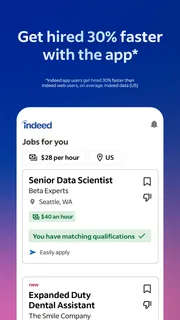
What I find most useful about Indeed Job Search is the way it puts job discovery and the next step toward applying in one place. That sounds simple, but it changes how I approach a search: instead of checking scattered employer pages and trying to remember which roles caught my eye, I can use one app to look across openings and decide which are worth pursuing. Indeed Job Search is a business app from Indeed Jobs, and I see it as a practical starting point for an active job hunt rather than a promise that the right role will appear automatically.
One search, many possibilities
Job searching is rarely a neat, one-time task. People change their minds about titles, widen a location, or discover that a role they had not considered is a better fit. The app’s central strength is its broad search approach: it helps me investigate possibilities without first having to know exactly which employer to visit. That is especially helpful when I am still figuring out the shape of my next move.
The benefit is not simply seeing more listings. It is being able to compare opportunities in a single browsing routine. I can look at a role, judge whether its responsibilities and location make sense, and move on without rebuilding my search from scratch on another company’s site. For someone looking across several employers, that consolidation can save attention even when it cannot remove the work of evaluating each opening.
I would not treat a search result as a recommendation tailored perfectly to my career. A broad job app has to serve people with very different backgrounds and priorities, so I still need to read each listing carefully. The useful mindset is to treat the results as leads: a way to find and compare possibilities, not a substitute for deciding whether a job is genuinely suitable.
Turning browsing into a deliberate search
In practice, I get more value when I search with a clear starting point and then adjust one element at a time. I might begin with a job title and a realistic commuting area, scan the results, and then broaden the title or location if the choices are too narrow. Changing everything at once makes it harder to understand why the results changed; small adjustments help me learn which part of my search is limiting the options.
A useful habit is to separate “interesting enough to investigate” from “ready to apply.” A listing can look promising at first glance but turn out to have duties, hours, or a location that do not work for me. I would keep a short note outside the browsing session about what attracted me and what needs checking. That simple step prevents a long search from becoming a blur of similar job titles.
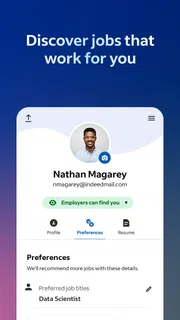
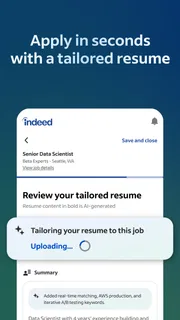
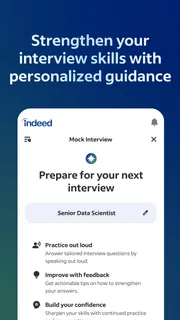
Before applying, I would compare the listing against my current résumé rather than assume one version fits every role. If two openings use the same title but emphasize different experience, a small adjustment to the résumé or application materials may make the match clearer. The app can help me find openings; the judgment about how to present my experience remains mine.
More articles

Instagram Makes Everyday Moments Worth Sharing
A rare social app that can be a photo diary, a neighborhood window, and a lively conversation in the same session—though its best moments still require a little restraint.
A realistic weekday job hunt
Imagine I have a full-time job and only a short break to look for something closer to home. I can use that time to search a specific role and area, open a few plausible listings, and note which ones deserve a fuller review after work. The important advantage is not that the whole application process fits into a lunch break. It is that I can make progress without spending the break switching among numerous employer pages.
Later, I can revisit the strongest possibilities with more attention. I would check the responsibilities against what I want to do day to day, consider whether the location and schedule are workable, and make sure I understand what the employer is asking for. If a listing is vague or does not answer a question that matters to me, I would look for clarification before investing time in an application.
This approach also helps when I am not ready to apply immediately. Browsing can reveal how employers describe the work I want and which qualifications appear repeatedly. I can use those observations to identify gaps in my experience or refine the roles I am targeting. That is a more realistic benefit than expecting every search session to end with an application sent.
Where a broad job app helps—and where it doesn’t
Compared with going directly to each employer’s careers page, Indeed Job Search offers a more convenient place to begin when I do not yet have a shortlist of companies. The employer site may be the better next stop when I already know where I want to work or need to confirm details directly from the organization. I see the two approaches as complementary: use the app to discover and compare, then verify important information with the employer when needed.
Compared with asking friends or professional contacts, a job-search app can expose me to openings beyond my personal network. But it cannot provide the context a trusted contact might offer about a team, manager, or workplace. If I have someone who knows the employer, I would still ask them questions rather than relying on the listing alone.
The tradeoff with a wide selection is that I have to filter actively. Similar titles may describe quite different work, and a listing that appears relevant may not match my priorities once I read it closely. I would avoid applying indiscriminately just because an opening is easy to find. A smaller set of well-considered applications is more manageable and gives me time to tailor each one.
Another practical limitation is that a job search depends on factors the app cannot control: employers decide what to post, how clearly they describe it, and how they handle applications. A listing is not a guarantee of a response or an indication that a role is still the right fit for me. I would keep track of where and when I applied, and continue exploring other options rather than waiting on one promising result.
Small habits that make the search more useful
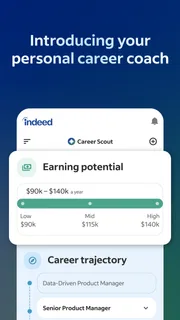
One non-obvious way to use the app is as a research tool before I am ready to change jobs. By comparing several listings for the kind of work I want, I can see whether employers consistently ask for a skill or responsibility I have not emphasized. I can then decide whether to update my résumé, seek experience in that area, or adjust my target role. The value comes from noticing patterns, not assuming that every listing represents the whole market.
I would also set a stopping point for each search session. Browsing indefinitely makes it easy to reread the same kinds of openings without taking action. A more focused routine is to review a manageable batch, select the ones worth checking in depth, and close the app when I have enough to follow up on. That keeps discovery from crowding out application preparation.
If I am searching across different kinds of work, I would keep those searches distinct rather than mixing them into one vague query. A change in title can bring a different set of responsibilities and expectations, so separate searches make comparisons more meaningful. This is particularly helpful when I am weighing a familiar role against a possible career shift.
Who is likely to get the most from it
I would recommend the app most to people who are actively exploring several employers, are unsure where to begin, or want a convenient way to keep job discovery in their routine. It may also suit someone returning to a search after time away, because browsing current openings can help clarify which roles and qualifications are relevant to their goals. The app is free, rated for Everyone, and has a 4.7 average from around 14 million ratings, with over 100 million installs. Those figures show broad use, though they cannot tell me whether a particular job search will succeed.
Indeed Job Search is on version 300.0.0 and supports Android 8.0 and later. Its large audience can make it an easy option to try without paying, but popularity should not be confused with a guarantee that every listing suits every applicant. I would judge it by whether its search results help me find relevant opportunities and whether I can use the time it saves for careful applications.
Someone who already has a short list of target employers may be better served by checking those employers directly, while a person who relies mainly on personal referrals may prefer to spend more time networking. And if I need detailed advice about negotiating, career direction, or an employer’s culture, I would look beyond a listings app. It is strongest as a discovery and comparison tool, not as a complete career service.
My recommendation
For a friend starting a job hunt, I would suggest using Indeed Job Search as a practical first stop, then being selective about what comes next. Search with a clear goal, adjust the query deliberately, read promising listings in full, and verify important details before committing time to an application. That routine makes the app more valuable than simply scrolling through openings.
My overall view is positive because the app addresses a real inconvenience: finding possibilities across employers without beginning every search from a blank page. Its breadth is also the reason I would use it thoughtfully; results still require judgment, and no listing can make the decision for me. If I wanted one straightforward place to start looking, Indeed Job Search would be a sensible choice. If I already knew exactly where to apply, I would pair it with the employer’s own information instead of expecting the app to do everything.
Pros
- Save interesting listings to review later.
- Job alerts can notify you about new openings.
- Company ratings add useful employer context.
- Search filters help narrow down job listings.
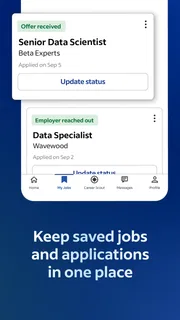
- Application tracking helps organize your job hunt.
Cons
- Some listings may be outdated or already filled.
- Job availability varies widely by location.
- Employer reviews can be subjective or limited.
- Application steps may redirect you to another site.
- Frequent alerts may feel overwhelming.


