
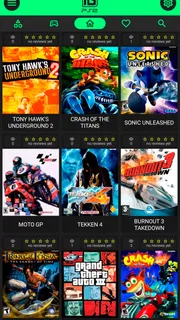
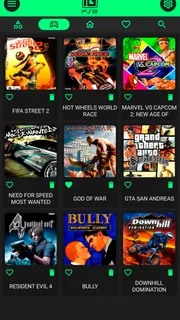
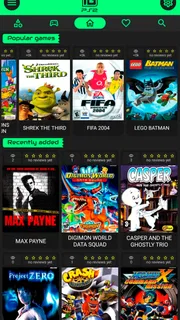
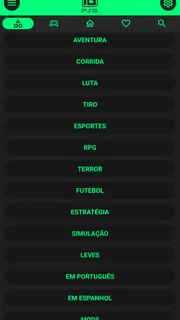
Our review
 Analysis by Lookingapps
I approach IGAMES PS2 as a nostalgia-focused mobile app, not as a promise that every favorite console memory will translate perfectly to a phone. Its appeal is easy to understand: it brings a PS2-themed gaming experience to mobile, where a short session can fit into a commute or a quiet break. Whether that idea feels worthwhile depends less on nostalgia alone and more on how comfortable you are playing this kind of game on a touchscreen.
The app is free to download, which makes trying it a low-commitment decision. In-app purchases are available, with items priced from $0.89 to $5.99, so there is a distinction between getting started without paying and choosing to spend later. I would treat that free entry point as a chance to see whether the experience suits your device and habits, rather than assuming every part of the app is included at no cost.
What the free starting point is worth
For an app in the Libraries & Demo category, the practical question is what you can enjoy before opening your wallet. IGAMES PS2 is listed as free, while optional purchases provide a paid layer. That is useful for curious players who want to explore the experience first, but it also means the word “free” should not be taken as a guarantee that every available item or option costs nothing.
I like this model when it lets me make a decision based on actual use. Install it, see whether the presentation and controls feel right on your screen, and then decide whether any purchase is worthwhile to you. The listed purchase range is modest in absolute terms, but even a small charge is only good value if it unlocks something you genuinely want. I would avoid spending simply because a nostalgic theme makes the app feel familiar.
The audience response suggests that many people have at least found the app worth trying: it has an average rating of 4.5 from around 53,000 ratings, alongside about 426 written reviews. It has also passed 5 million installs. Those figures are a helpful sign of broad interest, not a guarantee that the app will suit your phone, preferences, or expectations. Ratings cannot tell me whether a particular player prefers touch controls or wants a more faithful console-style setup.
Where the experience earns its keep
The strongest reason to consider it is convenience. A mobile version can make it easier to revisit a familiar style of gaming without setting up a console session. If I have a few minutes to spare, I can reach for my phone rather than plan a longer play session. That is a real advantage for casual use, especially for someone whose interest is driven by nostalgia and easy access rather than a desire for a perfect recreation.
A useful way to test the app is to start with a short session and pay attention to the interaction, not just the theme. On a touchscreen, hand position, screen size, and whether your fingers cover important areas can affect enjoyment. I would try it while seated and with the phone held comfortably, then compare that with playing on the move. If it feels awkward in a calm setting, a crowded bus is unlikely to improve the experience.
More articles

Instagram Makes Everyday Moments Worth Sharing
A rare social app that can be a photo diary, a neighborhood window, and a lively conversation in the same session—though its best moments still require a little restraint.
There is also a practical distinction between revisiting an old favorite and discovering something new. Nostalgia can make a familiar look or premise immediately appealing, but it can also raise expectations beyond what a phone experience can deliver. I recommend approaching it as a convenient mobile interpretation, then judging it by how enjoyable it is now—not by whether it recreates every detail of a memory from years ago.
That distinction helps when deciding whether to make an in-app purchase. First work out what you actually use and what you would like to have more of; then consider whether a paid item addresses that specific preference. If you are only opening the app occasionally, free access may already serve your purpose. If you find yourself returning regularly, a purchase may feel more reasonable, but only if the item offers value you can recognize before buying.
Tradeoffs to consider before settling in
Touchscreen play is the main tradeoff I would keep in mind when comparing this with a console. Phones are convenient, but they do not provide the same physical controls or familiar setup. The effect is personal: some players adapt quickly, while others find that touch input makes the experience less comfortable. Anyone who cares strongly about precise physical controls should compare this with playing on a console or using another option designed around their preferred setup.
Another tradeoff is expectation management. The app’s nostalgic premise may be appealing, but a mobile app should be judged as a mobile experience. A phone’s screen, controls, and the context in which you play can change how a game feels. I would not install it expecting the exact same atmosphere as sitting down with an old console; I would install it to see whether the portable version is enjoyable on its own terms.
The purchase structure deserves the same careful look. Free access lowers the barrier to trying it, but paid items mean that “free” does not necessarily describe everything available inside. Before buying, check the item and its price in the app store or app itself, and decide whether it solves a real need for you. A person who wants a fully predictable, one-time cost may prefer an alternative whose price and included content are clearer upfront.
Device fit matters as well. The app requires Android 8.0 or later, so it is not a suitable choice for an Android device running an older version. It is rated for Everyone, which makes its age classification broad, but that rating does not determine whether a particular child should make purchases. If a child will use it, I would keep an adult involved in purchase decisions and check the device’s usual purchase controls.
The current version is 2.0.6, and IGAMES BR is the developer. For me, those details are useful context, not a reason by themselves to download. The more important test is whether the app behaves comfortably on your own device and whether its free starting point gives you enough enjoyment. I would update through the app store and use the available version there rather than rely on assumptions about how it will behave across every phone.
Who is most likely to get value
I would recommend giving it a try if you enjoy PS2-era nostalgia, want a phone-based way to explore that theme, and are comfortable evaluating a touchscreen experience for yourself. It is particularly suited to someone who prefers short, convenient sessions and is happy to begin free before deciding whether optional purchases matter.
Consider a realistic everyday case: you have a few minutes between appointments and want something more engaging than scrolling. You open the app, play briefly, and put your phone away when it is time to go. In that situation, portability is the point. But if you are trying to settle in for a long, focused session, or you know you strongly prefer physical controls, the convenience may not outweigh the difference from console play.
It may also suit someone who wants to explore a mobile game with a nostalgic angle without committing to a purchase at the outset. The large number of installs and positive average rating make it a popular option, but I would still treat your first session as a personal compatibility check. Look at comfort, readability, and whether the experience keeps your attention; those details matter more than other people’s enthusiasm.
I would skip it if you are looking for a guaranteed one-to-one console recreation, dislike touchscreen controls, or do not want to encounter optional purchases in a free app. I would also choose another route if your Android device is below version 8.0, or if a known, fixed cost is essential before you begin. A console remains the more natural choice for players who prioritize a traditional controller and a living-room setup.
My buy-or-skip verdict
My recommendation is to try it free, then spend only if you can name what the purchase adds for you. That is the clearest way to judge the balance between convenience and optional cost. The app’s appeal is strongest when nostalgia, portability, and low-commitment exploration line up with what you want; it is weaker when you expect console-style controls or a fully defined purchase upfront.
IGAMES PS2 is developed by IGames BR, is rated for Everyone, and is free to install with optional in-app purchases from $0.89 to $5.99 per item. Those facts make it easy to sample, but not automatically the right choice for every player. I would give it a chance if you are curious and willing to judge it on a phone. If the controls or purchase model do not fit your habits, skipping it is a sensible decision—not a missed obligation to revisit an old memory.
Pros
- Offers a nostalgic way to revisit classic PlayStation 2 games.
- Touch controls make it possible to play without a physical controller.
- Save states can help you resume games from a convenient point.
- On-screen controls can be adjusted to suit different play styles.
- A broad range of compatibility may appeal to retro gaming fans.
Cons
- Game performance can vary depending on your device.
- Some games may have graphical or audio glitches.
- Touch controls can feel less precise than a physical controller.
- You may need to configure settings for each game.
- Using game files may require extra setup and storage space.


