

Our review
 Analysis by Lookingapps
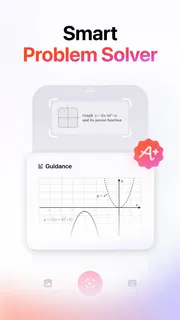
In a shared home, homework questions rarely arrive one at a time. Someone is stuck on an equation while another wants help understanding a science problem, and the family phone or tablet may be the nearest screen. I see Gauth as a handy study aid for those moments: an education app from GauthTech Pte. Ltd. that lets a learner bring a question to the app and work toward an answer. Its usefulness depends less on having it open all evening than on using it as a way into a problem rather than a way around learning it.
When one device serves several learners
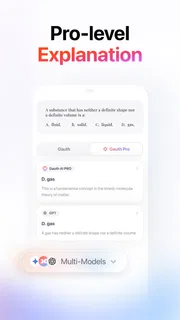
The practical appeal of Gauth in a household is its direct question-and-answer approach. If a student reaches a step they cannot follow, they can turn to the app without waiting for a parent who may be busy or unsure of the topic. That makes it a reasonable backup for an ordinary study session, especially when the immediate goal is to understand where to begin.
A realistic routine might be a learner working at the kitchen table while a parent prepares dinner. The student brings up a difficult question, studies the response, then puts the phone down and tries a similar step independently. I would encourage that last part: copying an answer can finish one assignment, but explaining the reasoning or repeating the method is what makes the help useful later.
On a device passed among siblings, the most important household question is not just whether the app can answer a question, but whose work is being discussed and who is using the screen. I would treat each study session as belonging to the learner currently holding the device. Avoid leaving personal schoolwork or an open conversation visible when passing the device to someone else, and do not assume a shared device automatically creates separate personal spaces.
That is a sensible boundary even when everyone in the home trusts one another. A younger sibling may tap through an older student's work, while a parent may mistake a completed answer for evidence that the student understood it. Keeping the phone in the learner’s hands during a session, and talking through the result afterward, makes the app easier to use responsibly without turning it into a family surveillance tool.
Set expectations before the first question
I would introduce the app with a simple rule: ask it for help after making a genuine attempt, and use the response to identify the next step. That prevents the most tempting misuse, which is treating an answer tool as a shortcut through every assignment. The distinction matters particularly when a task is intended to show a student's own reasoning.
For shared-device households, it also helps to agree on small practical habits: close a study session before handing over the phone, keep the device nearby rather than using it as a constant distraction, and ask the learner to describe what they took from the answer. These are household routines, not special controls I would expect the app to enforce. They give parents and students a way to set boundaries without assuming the app manages accounts or family access for them.
More articles

Instagram Makes Everyday Moments Worth Sharing
A rare social app that can be a photo diary, a neighborhood window, and a lively conversation in the same session—though its best moments still require a little restraint.
If several people use one device, do not treat its history or current screen as a reliable record of who asked what. The person using the app should be clear about which question they are working on, and family members should avoid sharing account details casually. When separate work or privacy is important, a personal device or a conventional teacher-and-student discussion may be a better fit than passing one screen around.
Coordinate help without replacing the learner
The best household use I can see is brief and collaborative. A student can bring a confusing question to a parent, use the app to get unstuck, and then explain the reasoning back in their own words. The parent does not need to know every subject in depth to ask a useful follow-up: “Which part made sense?” or “Can you show me how you would start the next one?” That turns an instant answer into a conversation about understanding.
There is a trade-off, though. A fast response can feel more convenient than working through a textbook, class notes, or a teacher’s feedback, but those alternatives offer context that a single answer may not. If a learner is confused about an entire topic, I would start with class materials or ask the teacher what concept needs attention. Gauth is more useful for a specific point of friction than as a substitute for a full lesson.
In a busy household, coordination also means knowing when not to interrupt. If a student is using the app, a parent can ask them to finish the question and then discuss it, rather than hovering over every tap. Conversely, if the student repeatedly seeks help without being able to explain the result, that is a signal to slow down and revisit the underlying lesson. The app can assist a study routine, but it cannot tell a family whether a learner has genuinely mastered the material simply because an answer was produced.
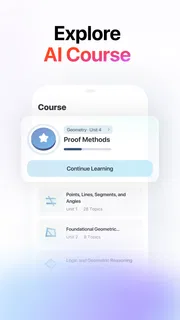
Compared with a search engine, a general-purpose chatbot, or a textbook, this app is oriented around bringing a study question for help rather than browsing a broad set of sources or reading a structured chapter. That focus is convenient when the student already knows what they are stuck on. A textbook is better for building a topic from the beginning, while a teacher is better for noticing a repeated misunderstanding and adapting the explanation over time. I would use these options together, not expect one to do every job.
Age, trust, and sensible supervision
The app is rated for Everyone, which makes its stated audience broad, but a household still needs to decide what is appropriate for each child and assignment. A younger learner may need an adult nearby to help judge whether an answer makes sense. An older student may be ready to use it independently but still benefit from a clear understanding that AI assistance is not a guarantee of correctness.
That distinction is central to my trust in any answer-based study tool. I would not accept a response solely because it sounds confident. For an important assignment, the student should compare the reasoning with class notes or another trusted learning resource, especially if the result seems surprising. If the explanation is hard to follow, that is a reason to ask a teacher or consult a textbook, not to keep accepting answers until one looks convenient.
Parents should also avoid using an app session as a proxy for a child's effort or ability. A quick answer may conceal a gap in understanding, while a student who takes longer may be doing valuable work. The better measure is whether the learner can explain the idea afterward and apply it to a fresh problem. This keeps the conversation focused on learning rather than on monitoring screen time alone.
Cost, access, and what to expect
Gauth is free to install, and its audience is substantial: it has more than 100 million installs, with a 4.8 average from around 2.2 million ratings and roughly 37,000 written reviews. Those figures suggest that many people have tried it, but popularity is not a substitute for checking whether its approach suits a particular student. The app includes in-app purchases, with listed items ranging from about fifty cents to around 370 dollars, so I would review any purchase prompt carefully before approving it for a shared family device.
It was released on March 31, 2021, and the current version is 2.10.0. It supports devices running Android 8.0 or later, and its Everyone content rating may help families considering it for a general household device. The purchase range is wide enough that I would make sure younger users know to ask before buying anything. If the free experience already meets a student's needs, there is no reason to treat spending as a necessary part of using the app.
For setup, I would keep the first session low-stakes: try a question from a topic the student is currently studying, read the answer carefully, and ask them to explain it without looking. This quickly reveals whether the app’s style is helping. If it creates more confusion, or if the student is mainly copying results, return to a teacher, notes, or a textbook instead. That short test is more useful than assuming an app will fit every learner in the household.
My household verdict
I would recommend Gauth as an optional study companion for families who want a quick way to address a specific homework sticking point. Its focused question-and-answer role can be useful when an adult is unavailable or when a learner needs a prompt to keep going. I especially like the idea of pairing it with a brief explanation afterward, because that keeps the student—not the screen—at the center of the work.
I would not make it the household’s only learning resource, nor would I leave a younger child to treat every answer as unquestionable. Shared-device use calls for ordinary care around who is using the screen, what work is open, and whether a purchase is being considered. If those boundaries are clear, it can fit into a family study routine without much ceremony. If a student needs a full lesson, personalized feedback, or help diagnosing a broader learning gap, a teacher, textbook, or direct conversation is the better choice.
Pros
- Provides step-by-step help for a range of school subjects.
- Photo input makes it easy to submit a question.
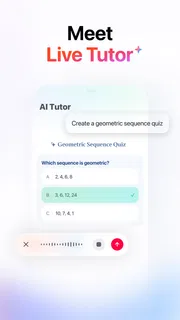
- Offers access to live tutors for extra guidance.
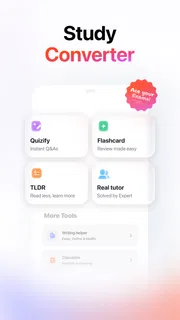
- Includes tools for checking written work.
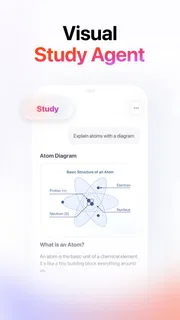
- Can help students review difficult concepts at their own pace.
Cons
- AI answers may contain errors or misleading explanations.
- Some features may require a paid subscription.
- Photo recognition can struggle with unclear handwriting.
- Tutor availability may vary by subject and time.
- Relying on instant answers can discourage independent problem-solving.


