

Our review
 Analysis by Lookingapps
I like language apps best when they make it easy to begin without turning every spare minute into a test of willpower. Duolingo: Language Lessons is built around that idea: short, guided activities that fit into a commute, a lunch break, or a few quiet minutes at home. In my experience, its strongest quality is how readily it turns “I should practice” into a small task I can actually start. The trade-off is that a smooth session depends on more than motivation; a reliable connection can matter, and the app’s quick exercises are not a substitute for every kind of study.
When the connection is part of the lesson
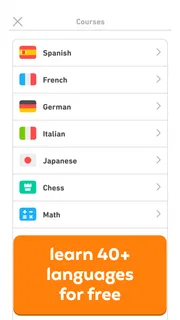
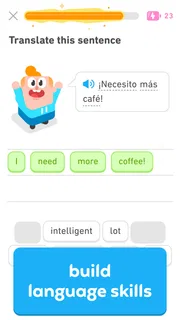
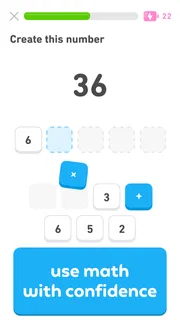
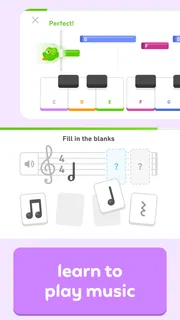
Duolingo is an education app from Duolingo, and it has grown into a familiar choice for people exploring languages as well as chess, math, and music. Its language lessons are the best-known part of the experience, with activities that ask you to recognize, form, or understand material rather than simply read a page of explanation. The format feels approachable if you are starting from scratch or returning after a long break.
Because lessons are delivered through an app, network quality can shape when and how comfortably I use it. When a connection is steady, I can move from one exercise to the next with little interruption. If the connection is slow or unreliable, I would avoid starting a session at a moment when I cannot tolerate a pause, especially if I am trying to keep a short break on schedule. I would not plan a lesson around assumed offline access; instead, I treat a usable connection as the safer starting point.
That makes the app a good fit for a predictable routine. I might open it at home before breakfast, or practice while waiting somewhere with dependable service. It is less convenient when I am about to enter a tunnel, board a flight, or travel through an area where connectivity is uncertain. A practical habit is to begin a lesson when I have time to finish it, rather than opening the app in the last few seconds before a meeting or a change of signal.
Short sessions suit real mobile routines
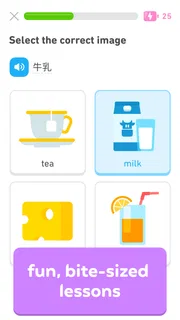
The small-lesson approach is well matched to phones. I do not need a desk, a notebook, or a long stretch of concentration to get started. A few minutes can be enough to revisit familiar material or work through a small piece of a learning path. This is useful for people who find a traditional textbook intimidating, and for learners who want to make practice part of an existing daily routine instead of carving out a large block of time.
One realistic use is a commuter who has a reliable connection at home and on the way to work. They can complete a lesson before leaving, then use a later wait to review what felt difficult. Another is a beginner who practices after dinner, when the phone is already nearby and a short activity feels more manageable than opening a full coursebook. The app’s convenience is not just that it lives on a phone; it lowers the effort required to resume learning.
I would still be selective about where I practice. Busy streets, crowded platforms, and shared spaces are poor places for any activity that needs attention or audio. Even when a lesson is brief, rushing through it while distracted can turn recognition into guesswork. If I want to work carefully on pronunciation or listen closely, I prefer a calmer setting and a connection I trust. For a noisy commute, a different kind of review—such as reading notes already saved elsewhere—may be more practical.
More articles

Instagram Makes Everyday Moments Worth Sharing
A rare social app that can be a photo diary, a neighborhood window, and a lively conversation in the same session—though its best moments still require a little restraint.
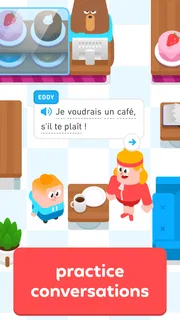
There is also a useful distinction between a quick daily touchpoint and serious study. Duolingo is good at helping me return to a subject often, but a short session can create the feeling of progress without covering all the skills I need for a real conversation. I would pair it with speaking practice, reading, or listening to material at a natural pace if fluency is the goal. It is a companion for building consistency, not a complete replacement for using a language beyond the app.
What to do when a session is interrupted
Mobile connections are not perfectly predictable. If a lesson stalls or the app does not respond as expected, I try not to tap rapidly or begin several activities at once. I pause, check whether the phone has a working connection, and give the current screen a moment before deciding what to do next. This simple approach avoids adding confusion when the underlying problem may be a temporary network interruption.
If I am short on time, I would rather leave the lesson and return later than force a rushed session. The app’s bite-sized structure encourages frequent practice, but that does not mean every moment is a good moment to study. A disrupted session is especially frustrating when I am trying to complete a task while moving between networks, so I plan the main practice for a stable setting and treat spontaneous sessions as a bonus.
My broader recovery advice is to make the routine resilient instead of depending on a perfect streak of circumstances. Choose a regular time when a connection is usually available, and keep the target modest enough that a missed session does not derail the week. If you are learning for an upcoming trip, class, or conversation, do not leave all preparation to the app at the last minute. Combine its guided practice with materials you can access in the situations where you expect to use them.
Keeping mobile data in mind
For a data-conscious learner, the main point is not to assume that every lesson behaves identically across networks. I would use Wi-Fi for longer practice when it is convenient, and check my phone’s own data controls if I need to limit background use. The app is free to download and use, while in-app purchases range from $0.99 to $239.99 per item. That means it is sensible to pay attention to purchase prompts and choose only what fits your needs and budget.
Duolingo is rated for Everyone, which makes it accessible to a broad audience, including families looking for a friendly introduction to learning. Parents should still make their own decision about purchases and screen-time habits; an age rating does not remove the need for ordinary supervision. The app has a 4.7 average from around 51 million ratings, and it has passed over 500 million installs. Those figures show how widely used it is, but they do not tell me whether its style will suit a particular learner.
The interface is designed to keep users moving, and that can be motivating. It can also make it tempting to open the app repeatedly, even when I would learn more from slowing down and reviewing a confusing point. I try to treat completion as a prompt to notice what I understood and what I guessed. If I repeatedly miss the same kind of exercise, I stop and look for an explanation or another source rather than assuming that more quick attempts will automatically fix the gap.
Where it fits among learning options
Compared with a textbook, Duolingo feels more immediate and less demanding to pick up, but a book may offer a clearer overview of grammar and a more deliberate sequence for someone who likes structured explanations. Compared with a live tutor or conversation group, the app is easier to fit into an unpredictable schedule, but it cannot provide the same back-and-forth adjustment that comes from speaking with another person. For a learner who wants a guided starting point, that balance is appealing; for someone preparing for a high-stakes exam or needing detailed correction, it should be one part of a broader plan.
The range beyond languages can be a welcome reason to explore the app, but I would choose one learning goal at a time. Switching among unrelated subjects may be fun, yet it can dilute a routine if the main aim is to make steady progress in a language. A helpful workflow is to decide on a primary subject, use short sessions to maintain contact with it, and reserve other areas for curiosity rather than expecting every activity to serve the same goal.
Beginners and casual learners are likely to appreciate the low barrier to entry. People who already have strong foundations may find the guided pace repetitive unless they use it for review. Learners who dislike gamified routines, need long-form explanations, or have limited connectivity during their usual study time may prefer a book, downloaded course materials from another source, or scheduled instruction. I would not call those alternatives better for everyone; they simply serve needs Duolingo does not address as directly.
My connectivity verdict
Duolingo works best when its convenience meets a dependable moment in the day. It helps me turn small pockets of time into regular contact with a subject, and its approachable format is especially useful for getting started. The connection question is a real part of that convenience: with reliable service, quick practice feels natural; with unstable service, a short lesson can become an avoidable interruption. I plan around that by choosing a stable time for focused work and not relying on an uncertain signal.
For an app that is free to start, the cost barrier is low, though optional purchases deserve attention. It was released on May 29, 2013, and the scale of its audience reflects how enduringly accessible this style of learning has become. I would recommend it to a friend who wants a gentle, repeatable way to begin or maintain a learning habit, especially if they can use it regularly with a connection. I would also be honest that it works better alongside real reading, listening, and conversation than as a one-app route to mastery.
In the end, I see Duolingo: Language Lessons as a practical daily tool, not a magic shortcut. Start with one subject, pick a time and place where the network is dependable, and pay attention to the mistakes that deserve slower review. If your goal is steady exposure and an easy way back into learning, it is an engaging choice. If you need uninterrupted access in low-connectivity settings or deep, personalized instruction, another method may deserve the leading role.
Pros
- Short lessons make it easy to practice during spare moments.
- Gamified exercises help keep daily learning engaging.
- A placement test can help match lessons to your current level.
- Audio exercises provide practice with listening and pronunciation.
- The free version offers access to a broad range of language courses.
Cons
- Some lessons introduce vocabulary without enough explanation.
- Repeated exercise formats can feel monotonous over time.
- Speaking exercises may be difficult to use in noisy places.
- Progress depends heavily on maintaining a daily streak.
- Advanced learners may find the course content too limited.


