


Our review
 Analysis by Lookingapps
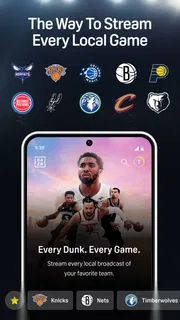
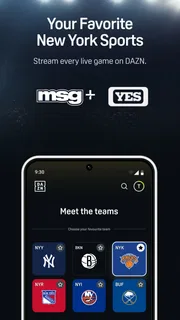
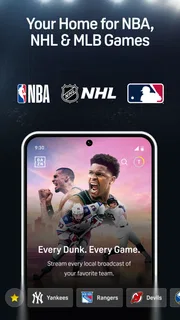
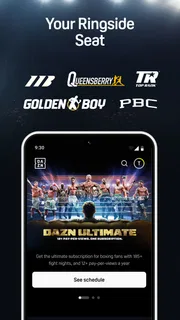
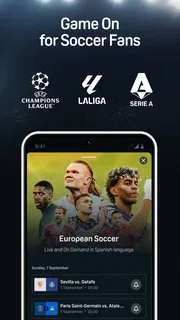
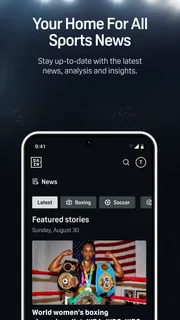
The first thing I would do with DAZN is treat it as a place to check what sports are available to watch, rather than assume it carries every event I follow. It is a sports streaming app from DAZN, with live and on-demand viewing across sports such as basketball, hockey, baseball, boxing and soccer, alongside FIFA+. That mix makes it appealing if my interests change with the season, but the practical value depends on whether the competitions I care about are available to me.
DAZN is free to install, but that does not mean every stream is free to watch. The app includes in-app purchases, with listed items ranging from $0.29 to $749.99, so I would check the offer and its terms in the app store before committing to anything. That distinction matters for a first-time user: installing the app is a low-friction way to explore, while access to particular content may involve a purchase or subscription.
What to expect from a sports-first app
DAZN is built around watching sport, not around a general entertainment library. That focus helps when I want to go straight from a match or fight I have in mind to a relevant stream or replay. It also means the app makes most sense when I already know what I want to follow, or when I am willing to browse its current sports offering before deciding whether it suits me.
The breadth is useful, but it is not a promise that every league, team, or event in those sports will appear. Sports rights and viewing availability can vary, so I would look up the exact competition rather than infer coverage from the sport’s name. This is the key check to make before paying: search for the event or league that matters to you, then confirm what the app actually offers in your location.
As a sports app, it has a different rhythm from a TV service that people open mainly to browse films and series. A live event gives you a clear reason to launch it; on-demand viewing can help when the timing is inconvenient. If I am choosing between DAZN and a league-specific service, the deciding question is whether DAZN’s range covers enough of my actual viewing habits to justify keeping it in my routine.
The app is rated for teenagers, and its audience is plainly broader than fans of one sport. It has a 4.4 average from around 670,000 ratings, while the scale of its audience is reflected in more than 50 million installs. Those figures suggest substantial use, but they do not settle the personal question: the most useful measure is still whether the events you want are available when you want to watch.
Getting set up without guessing
For a first visit, I would install DAZN, open it, and take a few minutes to find the sports or events I care about before deciding what to buy. That sequence avoids a common mistake: treating a broad sports catalogue as confirmation that a particular fixture is included. The app’s developer is DAZN, and it has been available since June 22, 2018; its minimum operating-system requirement is Android 7.0.
More articles

Instagram Makes Everyday Moments Worth Sharing
A rare social app that can be a photo diary, a neighborhood window, and a lively conversation in the same session—though its best moments still require a little restraint.
After installation, make the first check specific. Instead of browsing every sport, search or navigate toward one upcoming event, one team, or one competition you genuinely follow. If that content is not easy to locate, or the access terms do not suit you, you can stop there rather than spend time setting up a viewing habit around the wrong service.
Before purchasing, read the checkout details carefully. The listed range of in-app purchases is wide, so I would not assume that every item represents the same kind of access or that a low starting figure tells me what a particular event costs. Confirm the exact offer, duration, and renewal terms presented at checkout. This is a practical step, not fine print to rush past: sports viewing can be time-sensitive, and an unexpected renewal is an avoidable annoyance.
It is also worth checking that the device you plan to watch on meets the minimum OS requirement. If you mainly intend to watch on a phone, try opening a stream at home before relying on it during a commute or before a match. A quick test gives you time to sort out sign-in or playback issues while the event is not already underway.
Finding the first stream that matters
My recommended first success is modest: find one event you know you want to watch, confirm its access conditions, and start it before the action begins. That gives you a useful answer to the questions that matter more than a polished home screen: can you find the event, does your account have access, and does playback work on your device and connection?
For an everyday example, imagine you get home later than expected and want to catch up on a game rather than watch live from the start. DAZN’s mix of live and on-demand sports makes it worth checking whether that event has a replay or other viewing option. I would verify that on the event’s own page before arranging the evening around it; availability can differ, and not every live broadcast should be assumed to have the same follow-up viewing.
A second useful workflow is to use the app as a cross-sport check-in. If you follow boxing but occasionally watch soccer or baseball, look at those sections when you are already opening the app for a main event. This can make a multi-sport service more valuable than a single-sport alternative, but only if those additional options are genuinely part of your routine rather than appealing possibilities you rarely use.
If you are planning to watch while away from home, test the app on the same device and type of connection beforehand when possible. A live match is a poor moment to discover that you have not signed in or that access is not what you expected. I would also keep a backup plan in mind for important events, especially if missing the opening minutes would bother me.
Where new users can get confused
The biggest point of confusion is the difference between a free app download and free access to a broadcast. DAZN costs nothing to install, but its in-app purchases show that some access can involve payment. I would not interpret the download button as a trial guarantee or as proof that a specific match is included. Read the event and purchase screens before confirming a transaction.
Another easy assumption to make is that a sport’s presence means comprehensive coverage. Seeing boxing, soccer, basketball, hockey, or baseball represented does not tell you which events are available. The best habit is to search for the named competition or fixture, not simply the sport, and check the details that appear for it. That small extra step is more reliable than making a decision from the broad catalogue alone.
Live and on-demand viewing also solve different problems. Live is the natural choice when you want to share the timing and tension of a game as it happens. On-demand viewing is more flexible, but it is only useful when the content you want is offered that way. If you mainly watch highlights or follow one event after another on social media, a full sports streaming service may be more than you need.
Compared with a league-specific app, DAZN’s potential advantage is variety: one place may be relevant across several sports. The trade-off is that a specialist service can be a better fit when it focuses on the exact league or team you follow and offers the coverage you need. Compared with ordinary television, DAZN may suit someone who prefers opening an app to look for sports content, while a familiar TV package may be simpler for a household that already watches through one provider.
Cost is another reason to be deliberate. A broad range of purchase amounts makes it especially important to compare the exact offer with how often you will watch. If you only want one occasional event, an ongoing plan may not be the right choice; if you follow several sports regularly, a broader option could make more sense. I would decide based on a real viewing calendar, not the excitement of an upcoming match alone.
Who will get the most from it
I would recommend trying DAZN to someone who follows more than one sport, likes to switch between live action and available replays, and is comfortable checking event access before paying. It is also a sensible app to explore if you want a dedicated sports destination rather than searching across general video services whenever a match or fight comes around.
I would be more cautious if you care about one specific league and have not verified its coverage, if you only watch a few events each year, or if you dislike managing app-based purchases. In those cases, a focused service, your existing TV provider, or simply watching free coverage where available may be the more straightforward route. The right choice is the one that reliably carries what you actually watch, not the one with the longest list of sports.
DAZN has a strong reason to be on a sports fan’s shortlist, but its usefulness is decided event by event. Start by finding a competition you already follow, check the price and terms shown for it, and test playback before relying on the app for a big occasion. If that first viewing works and the available sports match your habits, it can become a convenient part of your routine. If not, there is little reason to keep paying simply because the catalogue looks broad.
Pros
- Personalized recommendations make it easier to find relevant sports coverage.
- Highlights offer a quick way to catch up on key moments.
- Multiple device support lets viewers watch on compatible screens.
- Event reminders help users keep track of upcoming matches.
- Some content is available to watch on demand.
Cons
- Sports and events vary by country due to broadcast rights.
- A subscription is required for much of the live coverage.
- Streaming quality can suffer with a weak internet connection.
- Some live events may be subject to blackout restrictions.
- The available sports lineup can change over time.


