
Our review
 Analysis by Lookingapps
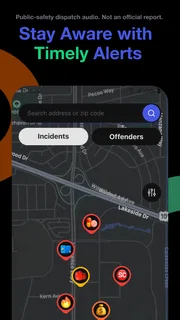
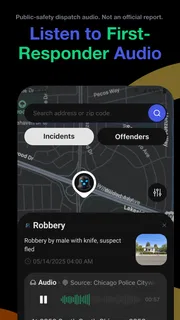
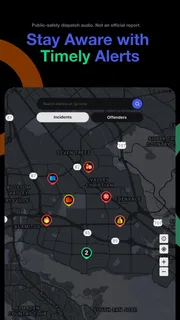
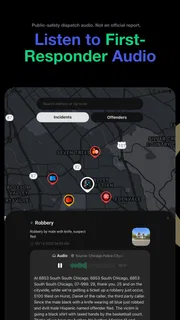
When I want a quick sense of what may be happening nearby, I care less about a polished news feed and more about whether a local alert gives me useful context in time to make a sensible choice. CrimeRadar: Dispatch Alerts is built around that kind of awareness: it pairs a map with alerts informed by live first-responder radio. I find that focus compelling, but it also calls for realistic expectations. A dispatch-based alert can help me pay attention; it is not a guarantee that every incident will appear immediately, or a substitute for emergency services.
What the map is useful for—and what it can’t tell you
At its best, a safety map turns a vague concern into a location-based reference. If I am deciding whether to take a particular route, meeting someone in an unfamiliar area, or checking what is unfolding near home, seeing alerts in relation to places matters more than reading an isolated headline. The radio-informed approach gives the app a distinct role among news and local-awareness apps: rather than asking me to browse broad coverage, it is intended to surface activity that may be relevant nearby.
That distinction also shapes how I would interpret what appears. First-responder radio is operational communication, not a finished public report. A dispatch can be brief, incomplete, or hard to understand without context; an alert should therefore be treated as an early signal, not a settled account of what happened. I would use the map to decide whether to pause, look for further information, or choose a different route—not to identify people, infer guilt, or spread unverified claims.
There is a practical boundary here: usefulness depends on whether the area and incident are represented in the information reaching the app. A quiet map should not persuade me that a location is risk-free. Likewise, an alert does not automatically mean that a place is dangerous to pass through. I get the most value by treating the display as one input alongside my own surroundings, official instructions, and ordinary judgement.
Speed expectations: timely awareness, not a stopwatch
The live-radio premise naturally raises the question of speed. I would expect this kind of tool to be most helpful when it brings a developing event to my attention sooner than a conventional news article would. But “live” does not make every step instantaneous: radio traffic has to exist, be interpreted, and become useful information on a map. I would not plan around a precise arrival time for an alert, and I would never rely on it as the sole way to learn about an immediate threat.
For everyday use, that makes CrimeRadar more of a situational-awareness companion than a breaking-news authority. If I am already on my way somewhere, a relevant map alert could prompt me to check the situation or reconsider my route. If I need verified details about an incident, I would look for a clear official update or established local reporting rather than treating an initial dispatch-based item as the whole story.
A useful habit is to decide in advance what action an alert can reasonably trigger. For me, that might mean staying on a well-used route, avoiding a specific block while I check for more information, or letting someone know that my plans have changed. It would not mean approaching the scene to investigate. This keeps a potentially fast-moving feed useful without turning it into a source of unnecessary alarm.
More articles

Instagram Makes Everyday Moments Worth Sharing
A rare social app that can be a photo diary, a neighborhood window, and a lively conversation in the same session—though its best moments still require a little restraint.
Heavy-use moments: checking without getting pulled into the feed
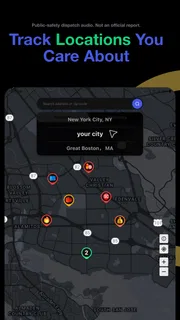
The app seems most relevant in moments when location is part of the decision: before leaving for an unfamiliar destination, while planning a walk, or when a nearby alert makes me want to understand the general area. Those checks can be brief. I would open the map with a question in mind—“Is there anything nearby that should change my route?”—then leave once I have enough context. That approach is more practical than repeatedly refreshing a safety feed throughout the day.
Consider an ordinary evening: I am heading to meet a friend and hear that something may be happening a few streets from the usual route. I could check the map, see whether the alert appears close to my path, and choose a busier alternative if I feel uncertain. The app’s value in that moment is not proving that the original route is unsafe; it is helping me make a more informed choice without guessing solely from a rumour.
Another worthwhile use is checking an area before visiting, rather than only reacting once I am already there. That does not turn a map into a prediction of future conditions, but it can help me arrive with more context and a backup route in mind. I would still confirm practical details elsewhere, especially if an alert is ambiguous or seems unrelated to the place I am visiting.
There is a trade-off to frequent checking. A stream of incident-related information can make ordinary surroundings feel more threatening than they are, particularly when brief radio-derived items lack the context that later reporting may provide. I would avoid treating every alert as a personal warning. Checking for a concrete reason, then stepping away, is a healthier workflow than letting the app dictate how safe I feel everywhere.
Reliability: useful signals need careful interpretation
CrimeRadar’s central promise rests on making dispatch-related information useful to people looking at a map. That can be valuable, but reliability has two parts: whether information appears, and whether I understand what it means. Even when an alert is delivered correctly, the source may describe an evolving situation rather than a confirmed outcome. I would keep that distinction in mind before changing plans or passing details on to someone else.
If a map seems quiet, I would not use that as evidence that nothing is happening. Coverage can vary with the information available to the service, and not every local event will necessarily be represented in a way that is useful to me. If an alert looks incomplete, I would resist filling in the gaps with assumptions. The safest interpretation is the narrowest one supported by what is actually shown.
For reliability in a real decision, I would also build in a fallback. If I need to know whether a road is closed, whether authorities have issued instructions, or whether an incident has been resolved, I would seek a source intended to answer that question. A dispatch-based map can help me notice that something may be happening; it should not be my only source for time-sensitive directions or confirmed public-safety guidance.
I also would not confuse an app’s popularity with proof that every alert is complete or perfectly suited to my neighbourhood. CrimeRadar has a 4.8 average from around 50,000 ratings, and more than a million installs. Those figures suggest that many people find the app worth using, but they do not remove the need to judge individual alerts carefully. Its developer is Scoopz LLC.
Device constraints and the cost of staying informed
CrimeRadar is a free app for Android, with a minimum operating-system requirement of version 8.0. That makes it accessible to a broad range of devices that meet that requirement, though a compatible system version alone does not guarantee an identical experience on every phone. Maps and live information are naturally more useful when a device can connect reliably and display location clearly. If I am travelling through an area with poor connectivity, I would not assume that the app can provide dependable awareness there.
Because the app is centred on a map and current alerts, I would use it when I can give the screen my attention rather than trying to read it while walking across traffic or driving. Checking a route before setting off is a better habit than handling a phone in the middle of a journey. For driving, I would make any decision before moving or ask a passenger to check; the map should never compete with attention to the road.
I would also be mindful of how often I open a live-information app. I can’t infer a particular battery or data impact just from its purpose, so I would judge that on my own device rather than assume it is unusually light or demanding. A sensible approach is to check when there is a reason, close the app when finished, and see whether its actual use suits my phone and routine.
The current Android version is 26.42.1. The app is rated for Everyone, which describes its store age category, not a promise that every incident-related alert will feel comfortable for every reader. Optional in-app purchases range from five cents to just under eighty dollars per item. I would look at the purchase details in the app before committing, and treat the free download and optional purchases as separate decisions.
Who should choose it—and when another source is better
I can see CrimeRadar suiting people who regularly make local route decisions and want a map-based way to notice nearby dispatch activity. It may be particularly handy for someone moving around several neighbourhoods, visiting unfamiliar places, or wanting a quick check before heading out. Its focused purpose is an advantage if the question is “What may be happening near this location?” rather than “What are the biggest stories today?”
If I mainly want broad headlines, background reporting, or a clear explanation of an event, a conventional news app is a better fit. Established local journalism is also more appropriate when I need context and confirmation. And if I need emergency help or official instructions, I would contact the relevant emergency service or follow authoritative guidance—not wait for a map alert to resolve the situation.
It may also be the wrong choice for someone who finds incident feeds stressful or tends to read every alert as a direct warning. The app can put local activity in view, but more visibility is not always more peace of mind. I would recommend trying it with a specific, limited purpose and judging whether that information helps me make calmer decisions. If it mainly fuels worry without changing anything useful, I would be better off checking trusted local updates only when needed.
My performance verdict
As a safety-awareness app, CrimeRadar has a clear and practical idea: use a map and first-responder-radio-based alerts to help people notice nearby activity. I like that its strongest use is concrete—checking an area, reconsidering a route, or getting a little more context before going somewhere. Its limits are just as important: dispatch information can be incomplete, a quiet map proves little, and no app should replace emergency services or confirmed guidance.
I would install it if I wanted a local map-based supplement to ordinary news and was comfortable interpreting early information cautiously. I would skip it if I needed comprehensive reporting, guaranteed coverage, or a definitive answer about whether a place is safe. The app is free to start, with optional purchases, and its 4.8 average reflects a strong reception among users. My recommendation is measured: use it as a prompt to pay attention, not as an authority that makes the decision for you. That distinction is what makes CrimeRadar most useful in real life.
Pros
- Shows nearby crime reports on an interactive map.
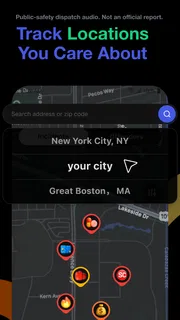
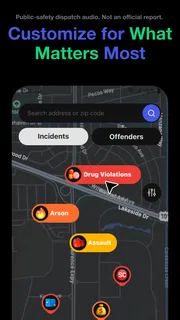
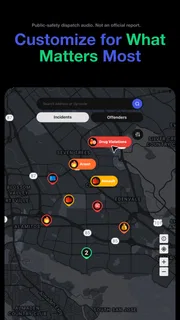
- Lets users set alerts for selected areas.
- Helps users stay aware of local safety issues.
- Offers a focused interface for crime-related updates.
- Can support planning safer routes and outings.
Cons
- Coverage may be limited in some locations.
- Alert accuracy depends on timely data updates.
- Frequent notifications may become distracting.
- Crime reports can be unsettling to view.
- Some features may require location access.


