


Our review
 Analysis by Lookingapps
I find ChatGPT most useful when I treat it as a capable assistant, not an authority. It can help me get unstuck, make a rough idea clearer, or explore a question through follow-up conversation. That flexibility is the appeal, but it also means I need to judge what I share and check important answers rather than accepting them on confidence alone.
A flexible assistant that still needs a careful user
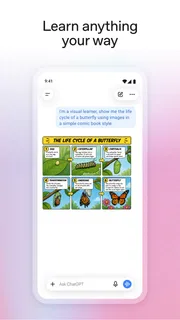
ChatGPT is a productivity app from OpenAI, and its usefulness comes less from one fixed tool than from the range of tasks I can bring to a conversation. I might ask for a draft, request a simpler explanation, or use a response as a starting point for research. The app is free to install, with in-app purchases listed from $8 to $500 per item, so the basic decision to try it does not require an upfront purchase.
Its scale is striking: it has more than a billion installs, an average rating of 4.8 from around 66 million ratings, and about 206,000 written reviews. Those figures suggest broad adoption, but they do not tell me whether a particular answer is accurate or appropriate. I judge it by how well it handles my specific task and how carefully I review the result.
Where the conversation format helps
Unlike a conventional search engine, ChatGPT can respond to a request in context and revise its answer when I clarify what I meant. Unlike a notes app, it can help shape material while I am still thinking. I find that especially useful for tasks with an obvious next step: turning scattered points into an outline, adjusting the tone of a message, or asking for a second explanation when the first one is too technical.
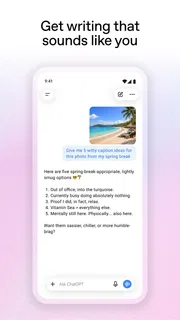
A practical workflow is to provide a small amount of relevant context, ask for a specific output, and then critique it. For example, rather than saying “write an email,” I can explain who the recipient is, what outcome I want, and what tone to avoid. Then I can ask for a shorter version or point out a sentence that sounds too formal. The quality often depends as much on that back-and-forth as on the first prompt.
Trust starts with what I choose to share
When an app can handle writing, search, image generation, and other requests, it is tempting to paste in everything that might be useful. I avoid that habit. If I need help polishing a work message, I can replace names and identifying details with placeholders. If I want a document summarized, I first consider whether it contains private information that does not need to be included for the task.
This is not a claim about a particular permission or data policy; it is a practical boundary I use whenever I put personal or workplace material into an assistant. I keep highly sensitive details out unless I have a clear reason to use them and have checked the choices available in the app. My simplest trust rule is to share only the context needed to get a useful answer.
More articles

Instagram Makes Everyday Moments Worth Sharing
A rare social app that can be a photo diary, a neighborhood window, and a lively conversation in the same session—though its best moments still require a little restraint.
Useful controls are only useful when you inspect them
Before relying on any conversational app for ongoing work, I recommend opening its settings and account area and reading the options that are actually presented there. Look for controls related to your account, conversation handling, and personalization, and take time to understand what each choice does before changing it. The available controls can change as the app is updated, so I would not assume that an old description or someone else’s screenshot matches the version on my device.
This is a more reliable approach than guessing from a general impression of the product. If a choice is unclear, I would pause before putting sensitive material into a conversation rather than treating an ambiguous setting as reassurance. The app’s current version is 1.2026.293, and its listed minimum operating-system requirement is 7.1; those practical details matter when deciding whether the installed app is compatible, but they do not replace reviewing its visible settings.
A realistic everyday use, with a sensible boundary
Imagine I have a busy afternoon and need to send a clear note about rescheduling an appointment. I can describe the situation without including unnecessary personal details, ask for a polite but direct draft, and then check that the suggested wording reflects what I actually intend. That saves time without handing over the final decision: I still verify the date, recipient, and tone before sending anything.
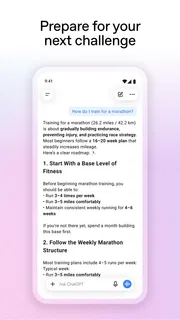
The same approach works for planning a meal from ingredients I already have or breaking a large task into smaller steps. For a factual question, I use the reply to identify what to investigate, then confirm consequential details with a dependable source. For health, legal, financial, or safety decisions, a fluent answer is not a substitute for qualified advice. The more serious the consequence of a mistake, the less I rely on the app alone.
Where it differs from familiar alternatives
Search engines are often better when I want to compare original sources, see where a claim came from, or browse current material directly. A word processor is better for maintaining a polished document and managing a long editing process. A calculator or specialist tool is the safer choice when a task depends on exact computation or a narrow professional workflow. ChatGPT’s strength is the conversational middle ground: I can explain what I need in ordinary language and refine the response without starting over.
That convenience has a trade-off. A neatly phrased answer can make uncertainty easy to miss, and a conversation can blur the line between brainstorming and verified information. I make the distinction explicit in my own workflow: use the app to generate options or explain a topic, then check important claims against sources suited to the subject. If I mainly need citations and direct source comparison, I would start with search instead.
Who is likely to get the most from it
I would recommend it to students who want a concept explained in a different way, people who write frequently and need help getting a first draft moving, and anyone who benefits from turning a vague task into a sequence of manageable steps. It can also help with creative brainstorming, provided I treat its suggestions as material to adapt rather than finished work that automatically reflects my own judgment.
I would be more cautious if I needed guaranteed accuracy, a strict record of where every answer came from, or a tool designed around a specialized professional process. People uncomfortable with conversational services should also think carefully about what they are willing to enter. The app has a Teen content rating, which is useful context for families, but I would still encourage younger users to discuss responsible use and personal information with a parent or guardian.
Free to start, but not a reason to skip the details
Because installation is free and the app has in-app purchases, I would begin by trying the tasks I actually expect to use rather than paying on assumption. The listed purchase range runs from $8 to $500 per item, a broad spread that makes it worth checking the exact offer and terms shown in the app store before approving a purchase. I would also consider whether the free experience already meets my needs; a paid option is not automatically worthwhile just because I use the app often.
For a first week, I would test a few low-risk jobs: rewrite a short message, explain a topic I already know, and organize a personal to-do list. Comparing the output with my own knowledge shows where it saves time and where it needs correction. I would avoid using private documents as test material. That gives me a realistic sense of value without making trust decisions before I understand the app.
My cautious verdict
ChatGPT is worth trying if you want a conversational tool for drafting, learning, and organizing ideas, and you are willing to stay involved in the result. I like its ability to adapt when I refine a request, but I do not mistake a smooth response for proof. I keep sensitive details out unless necessary, inspect the choices available in my account, and verify anything important before acting on it.
OpenAI released the app on July 21, 2023, and it continues to receive version updates, but the basic judgment remains personal: does it help with your real tasks, and are you comfortable with the way you use it? If you want a flexible assistant and can set sensible boundaries, I think it earns a place on your phone. If your priority is source-first research, exact specialist work, or avoiding conversational AI, a search tool or dedicated app will often be a better fit.
Pros
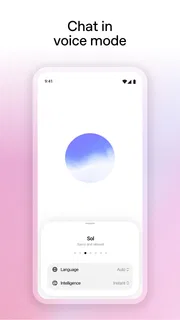
- Supports voice conversations for hands-free use.
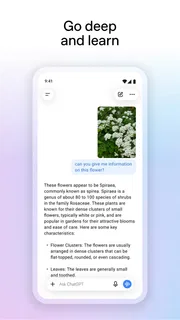
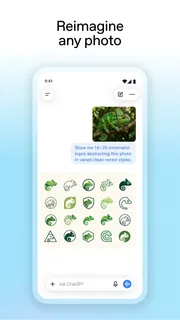
- Can analyze images shared in a chat.
- Offers custom GPTs for specialized tasks.
- Syncs chat history across supported devices.
- Temporary chats provide an option without saved history.
Cons
- Free access may have usage limits during busy periods.
- AI responses can sound convincing while being incorrect.
- Some features require a paid subscription.
- Voice and image tools need suitable device permissions.
- Chat history may contain sensitive information if shared or stored.


