



Our review
 Analysis by Lookingapps
When co-parenting is going smoothly, a shared calendar and a few messages may be enough. When plans change, details get forgotten, or conversations become tense, keeping everything scattered across texts and personal calendars can make a hard situation harder. AppClose is a parenting app built around that coordination problem. I see its main appeal as giving co-parents a dedicated place to organize family communication, rather than asking them to patch together general-purpose tools.
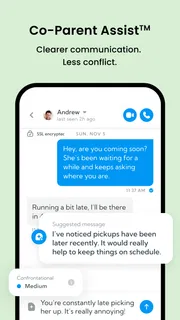
Keeping co-parenting communication in context
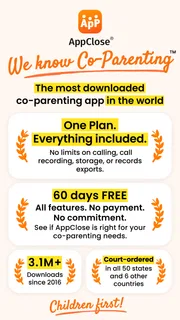
Made by AppClose, Inc, this free app is aimed at parents who need to coordinate across households. Its description emphasizes an all-in-one plan and a 60-day free period, but I would treat that as a starting point for checking the current terms, not as a reason to assume every feature or future cost is settled. The app includes in-app purchases, with listed items ranging from $8.99 to $98.99, so it is sensible to review what is included before committing to any paid option.
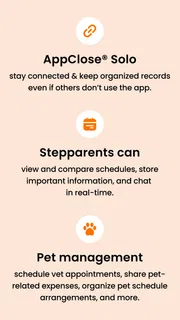
The basic question is whether both parents will actually use it. A dedicated co-parenting space is most useful when the adults agree to keep routine logistics there: pickup changes, school reminders, activity details, and the small decisions that otherwise get buried in personal chats. If one parent continues sending everything by text, the app may become one more inbox rather than a shared source of truth.
That makes AppClose a better fit for families who want more structure than a standard messaging app provides, but do not need a broad family organizer for every relative and household task. It is less compelling if communication is already calm, simple, and reliably recorded in a shared calendar both parents maintain.
Trust starts with realistic expectations
Co-parenting conversations can involve sensitive family details, so I would not choose an app on the basis of reassuring language alone. I look for practical clarity: what information the app asks for, what choices appear during setup, and how an account can be managed. AppClose is developed by a company focused on co-parenting, which makes the product’s purpose easy to understand, but that purpose by itself is not proof of a particular privacy practice.
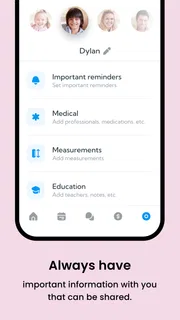
Before adding private notes or moving an entire family routine into any service, I recommend reading the app’s current privacy information and checking the permissions requested on your device. Those details can change with operating-system settings and app updates. The same caution applies when deciding whether to include a child’s school, schedule, or other identifying information in a message: share only what the other parent needs to act on.
For someone comparing options, the distinction is not simply “specialized app versus ordinary app.” It is whether a dedicated co-parenting workflow helps both adults communicate more clearly without creating a new source of confusion. If your main concern is sensitive recordkeeping, examine the actual account and data controls before relying on the app for that purpose.
More articles

Instagram Makes Everyday Moments Worth Sharing
A rare social app that can be a photo diary, a neighborhood window, and a lively conversation in the same session—though its best moments still require a little restraint.
Small routines that make the shared space useful
A practical way to start is to agree on what belongs in AppClose and what does not. For example, use it for schedule changes and child-related logistics, while keeping unrelated personal conversations elsewhere. That boundary can reduce the chance that important handoff information gets lost in a long thread, and it gives both parents a common habit to follow.
Another useful routine is to write messages as if you will need to understand them later: include the date, the requested change, and what response is needed. “Can you take the pickup?” is easy to misread when plans are busy. “Can you pick up Sam from school on Thursday instead of me? Please let me know today” is more actionable. This is not a special function of the app; it is a communication practice that makes any shared record more useful.
Consider a realistic school-week change. A child’s activity runs late, so one parent asks the other to adjust the pickup. If the parents use one agreed channel, the request and response stay together instead of being split between a text message, a phone call, and a calendar note. The benefit is less about technology doing the parenting and more about reducing the number of places each adult has to check.
There is a trade-off: centralizing communication only works if both parents can access and use the same system consistently. If a co-parent refuses to participate, or prefers phone calls for urgent changes, AppClose cannot solve that mismatch by itself. I would agree on a backup method for time-sensitive issues rather than assume an app message will always be noticed promptly.
Account choices and sensitive moments
Account setup is a good moment to pause and make deliberate choices. Confirm that the account details are accurate, use a password you do not reuse elsewhere, and check the device-level permission prompts rather than approving them automatically. If a permission does not seem necessary for the way you plan to use the app, review the explanation in the app or your device settings before granting it.
That is especially important when sharing a phone or tablet, or when a device displays message previews on its lock screen. A co-parenting message may reveal a schedule or family detail to someone nearby. Reviewing notification visibility and device access is a straightforward way to reduce accidental exposure without making assumptions about how the app itself handles data.
Also think carefully before using any written channel during a heated exchange. A dedicated record can make logistics easier to revisit, but it can also tempt people to send messages in the moment that they would not choose after cooling down. I find it more useful to keep messages short, factual, and focused on the child’s immediate needs. If an issue needs a longer discussion, agree on a calmer time and a suitable way to have it.
Families may also need to consider what happens when circumstances change: a parent changes phones, no longer wants to use the service, or needs to adjust account access. Check the available account controls inside the current version and keep any important family arrangements in a form both parents can access. Do not make a single app the only place where essential dates or agreements exist.
Who gets the most from AppClose
I would recommend trying AppClose if both co-parents are willing to use one shared space and the current mix of texts, calendars, and verbal reminders is causing avoidable confusion. It is particularly relevant when routine coordination spans two homes and each parent needs a clearer way to keep child-related communication in context.
It is not automatically the right choice for every family. If you need only a shared calendar, a familiar calendar app may be simpler and easier to get both adults to adopt. If one parent will not participate, a specialized platform may add friction without improving coordination. And if your priority is a specific privacy guarantee or a particular legal recordkeeping capability, verify that exact need directly before relying on the app; do not infer it from the product’s category or name.
It is rated for Everyone, has an average rating of 4.3 from around 30,000 ratings, and has been installed over a million times. Those figures suggest it is an established option, but they cannot tell you whether its workflow suits your family or whether the other parent will consistently use it. I would give more weight to a small, agreed trial of your everyday routine than to popularity alone.
A measured recommendation
The app is free to download, and its current version is 3.4.7.8, with support for Android 6.0 and later. That makes it accessible on many older Android devices, though I would still check compatibility in the relevant app store before installing. The paid items make it worth understanding the available plan and purchase terms before building your routine around features you may later need to pay for.
My practical recommendation is to begin with one narrow use case, such as recording pickup changes for a couple of weeks. Agree on what counts as confirmation, what to do when a message is urgent, and where recurring schedules will live. Then judge whether both parents find it easier to keep plans straight. This approach tests the real value of a shared co-parenting app without moving every family detail into it at once.
Overall, AppClose is worth considering when the problem is fragmented coordination and both adults are prepared to adopt a common channel. Its strongest case is not that an app can remove conflict, but that a consistent place for child-focused logistics may prevent avoidable misunderstandings. I would use it thoughtfully, verify the choices that matter to my family, and keep a backup for urgent communication. For parents who want structure and can agree on shared habits, that is a sensible balance; for families who already coordinate reliably or cannot get both sides on board, a simpler tool may be the better fit.
Pros
- Keeps co-parenting messages organized in one place.
- Shared calendars help coordinate parenting schedules.
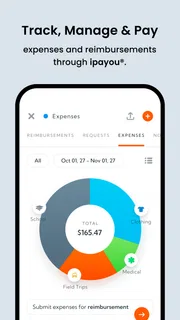
- Expense tracking can simplify reimbursement discussions.
- Document storage keeps important records easy to find.
- Designed for separated or divorced parents.
Cons
- Both parents may need to adopt the app for full value.
- Some features may require a paid subscription.
- Notifications can become distracting during busy periods.
- The app cannot resolve disagreements between co-parents.
- Sharing sensitive family information requires careful account security.


