
Our review
 Analysis by Lookingapps
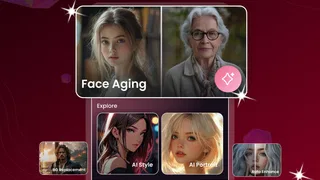
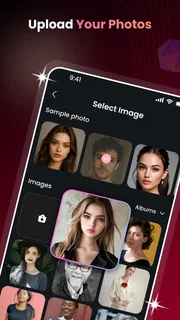
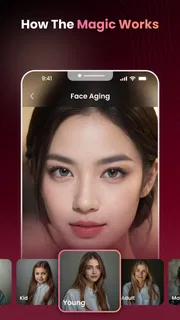
I would treat AI Face Aging - Photo Editor as a focused experiment rather than an all-purpose portrait editor. Its appeal is easy to understand: choose a face photo, try an age-related transformation, and see whether the result feels convincing enough to save or share. That makes it a fun option for a quick comparison with friends or a playful family picture, but it also means your experience depends heavily on the image you start with and how smoothly the app can process it.
Where the connection becomes part of the experience
Willson Studio’s photography app is built around an AI face-aging idea, so the key moment is not simply opening an editor; it is waiting for a transformation to appear. I would approach that step with a reliable connection, especially when I want to try several portraits in a row. A slow or interrupted network can turn a quick curiosity into a stop-and-start session, and the app’s central purpose leaves less to do while an image is being processed.
That matters most when you are comparing results. If I were deciding which of two pictures makes the better starting point, I would choose clear, front-facing portraits and process them one at a time. It is easier to tell whether a change comes from the source photo or the effect when I avoid switching images mid-session. A stable connection also makes it less frustrating to repeat a test after choosing a better crop.
I would not plan a session around having access to every function without connectivity. The app’s concept depends on AI processing, and a user should be prepared for that step to rely on an active connection. If you are heading somewhere with unreliable service, it is sensible to try the transformation beforehand rather than assume it will be available on demand. That is a practical distinction from a conventional photo editor, where basic local adjustments such as cropping or changing brightness may be the main task.
Why the source portrait matters
Face-aging effects are only as persuasive as the face they can interpret. A well-lit image with the subject looking toward the camera gives the tool a cleaner starting point than a dim group shot, a profile, or a face partly hidden by hair or accessories. I would also avoid a photo with several people if the goal is a specific person’s transformation: even when an app can identify a face, an unclear selection can make the outcome confusing.
Here is a realistic use case: a friend sends a portrait in a chat, and everyone wants to see an older-looking version before dinner. Rather than upload the first image at hand, I would pick a single, evenly lit selfie, keep the face unobstructed, and wait for one result before trying a second. That small bit of preparation can save time and makes it easier to judge the effect on its own merits.
Quick sessions on a phone
The app makes most sense in short mobile moments: a few minutes while waiting for someone, a casual conversation, or a family gathering where people can react to the result together. It is not the tool I would reach for when I need a carefully retouched portrait for a professional profile. The premise is playful, and a fast AI transformation is better judged as entertainment than as precise, editable photographic work.
More articles

Instagram Makes Everyday Moments Worth Sharing
A rare social app that can be a photo diary, a neighborhood window, and a lively conversation in the same session—though its best moments still require a little restraint.
For a shared phone or a group setting, I would ask before using another person’s face. A playful transformation can still involve a personal image, and showing the result to others is different from keeping it private. If the picture is intended for a public post, I would make sure the person pictured is comfortable with both the edit and the audience.
At the app-store level, it is free, carries an Everyone age rating, and has a 4.0 average from around 6,500 ratings. It has more than 5 million installs, which suggests that the simple face-aging premise has found a broad audience, though that does not tell me whether any particular result will suit my photo. The current version is 1.1.1, and the stated minimum operating-system requirement is version 8.0.
When something goes wrong
AI effects can disappoint for ordinary reasons: the chosen face may be too small, the light may be poor, or the expression and angle may make the transformation look less natural. If a result seems odd, I would first try a sharper portrait rather than immediately repeating the same image. A tighter crop can help make the face more prominent, but I would keep enough of the head in frame to avoid making the source look unnaturally cut off.
If a transformation stalls, my first response would be to check the connection and give the app another attempt when service is steadier. I would avoid repeatedly tapping the action or changing several settings at once, because that makes it harder to tell whether the delay came from the network, the image, or the app. If the same photo keeps failing, trying a different portrait is a more useful test than assuming every image will behave alike.
There is also a sensible stopping point. If the app repeatedly produces an unconvincing face from a clear, suitable portrait, I would not keep spending time on tiny changes. A general-purpose editor may be better for conventional touch-ups, while another dedicated aging tool may be worth comparing if the specific effect is the main reason you are looking. This app’s appeal is narrow by design, so it should be judged on whether its central transformation works well for the photos you actually want to use.
Keeping personal photos in mind
Before selecting an image, I would consider whether it is one I am comfortable using in an AI-based editing app. Portraits can be personal even when the intended result is a joke, and a photo of a child, relative, or friend deserves extra care. I would choose an image I have permission to use and avoid treating a casual experiment as a reason to upload someone else’s picture without asking.
I would also separate the editing decision from the sharing decision. A result that is funny on your phone may not be welcome in a group chat or social post. If you are only curious, there is no need to publish it; if you do share, a quick check with the person pictured is the considerate choice. That is particularly useful for aging effects, because an altered portrait can be mistaken for a serious image when it is detached from the original context.
For a more cautious workflow, I would start with a non-sensitive portrait, test one transformation, and decide afterward whether the result is worth keeping. That keeps the session focused and reduces the temptation to feed the app a whole camera roll just to find a usable image. It is a simple habit, but it makes a lightweight novelty app easier to use deliberately.
How it compares with other photo tools
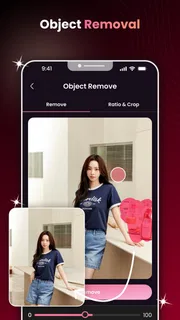
Compared with a standard photo editor, AI Face Aging is more specialized and less suited to detailed manual control. A traditional editor is the better choice when I want to crop, balance colors, remove a small distraction, or refine a portrait for a specific purpose. This app is more appealing when the question is simply, “What might this face look like with an age transformation?” That focus is convenient, but it also limits how much value it offers once the novelty wears off.
Compared with other AI portrait effects, the useful difference is the straightforward aging theme rather than a broad set of edits. I would choose it for a quick, single-purpose experiment, not as my main place to organize photos or finish a polished image. If you need fine control over facial details or want to compare many different visual styles, a fuller editor is likely a better fit. If you only want a fast age-themed result, a dedicated tool can be less distracting than a large suite of unrelated controls.
The app has 62 reviews alongside its broader rating count, and I would read user feedback with the same practical question in mind: do people describe results on portraits similar to yours? A comment about a group photo or a dark image may not predict how a clear selfie will turn out. The most useful test is still to try a suitable photo yourself and decide whether the transformation looks entertaining, believable, or simply too artificial for your taste.
Who I would recommend it to
I would recommend it to someone who enjoys playful photo experiments, wants a quick age-themed effect, and is comfortable choosing a portrait carefully. It may work particularly well at a family get-together, where people can compare reactions to a few individual images, or as a lighthearted way to make a private before-and-after comparison. The short-session format suits users who want a result without learning a complicated editing workflow.
I would skip it if you need a dependable professional portrait workflow, prefer to make every adjustment by hand, or often work where a connection is unreliable. I would also pass if the main goal is to edit other parts of a photo, because an aging-focused app is not a substitute for a general editor. In those situations, choosing a tool designed around broader image adjustments is more practical than expecting one focused effect to cover everything.
My verdict is that AI Face Aging - Photo Editor is worth trying as a small, focused bit of photo fun, provided you go in with a good portrait and realistic expectations. Its free access lowers the barrier to testing it, while the connection-sensitive nature of AI processing makes timing and image choice part of the experience. I would keep the session simple, use a photo I am comfortable working with, and judge the result as a novelty rather than a faithful prediction of anyone’s future appearance.
Pros
- Quickly creates aging effects from a portrait photo
- Simple controls make the editor easy to use
- Useful for playful before-and-after comparisons
- Works well for sharing amusing results with friends
- Offers a lightweight alternative to complex photo editors
Cons
- Results can look artificial on some faces
- Clear front-facing photos are needed for better results
- The aging effect may not reflect real future appearance
- Some features may require payment
- Photo uploads may raise privacy concerns


