



Our review
 Analysis by Lookingapps
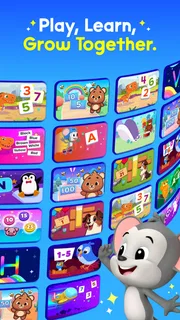
ABCmouse: Kids Learning Games is an educational app for young children, built around phonics, reading, and math activities. Its intended audience spans toddlers through children aged eight, so it aims to make early learning feel approachable rather than like another worksheet. I like the idea behind that balance: a child can explore bite-sized learning games while a parent helps keep the experience connected to everyday skills.
A friendly starting point for early learning
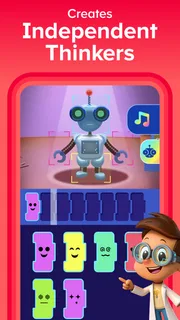
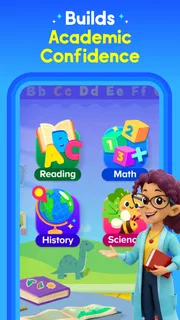
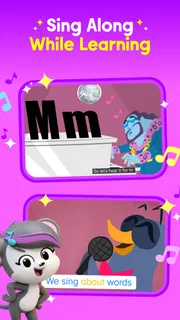
At its core, ABCmouse is a kids learning app that brings together activities for foundational reading and math. The focus is practical: children can spend time with letters and sounds, build confidence with early reading, and work on basic math through game-style learning. That combination makes it a natural fit for families looking for a single app to support more than one early-learning subject.
The app is aimed at children from age two to eight, which is a broad range. That matters when deciding how to use it: a toddler and a child approaching the end of that age range will not necessarily need the same kind of help or pace. I’d treat ABCmouse as a flexible learning companion, not as something a child should be expected to navigate in exactly the same way at every age.
Its store summary describes phonics, reading, and math games for toddlers and children ages two to eight. In other words, the central appeal is clear before you get started: playful activities are used to introduce and reinforce essential skills. The app is free to download, while in-app purchases are available. I’d keep that distinction in mind when deciding whether it suits your family, and review the purchase options in the app store before settling into a routine.
What a sensible first session looks like
For a first visit, I’d keep things simple. Sit with your child, explore the app together, and begin with an activity that matches what they are ready to practice. That gives you a chance to see how they respond to the learning style and whether they need help following along. It also avoids turning a new app into a test of patience; short, relaxed exploration is a better introduction for many young learners.
After that initial look, a repeatable routine can make the experience easier. For example, you might open the app at a regular time and let your child focus on one learning area during that session. The point is not to impose a strict schedule, but to make the app a familiar part of a broader learning day. A few calm minutes can be more useful than stretching screen time simply because there are more activities available.
I also recommend staying nearby, especially with younger children. An adult can help explain a word, encourage a child to try again, or connect an activity to something in the real world. If the app presents a reading idea, you can talk about letters or sounds afterward; if a math activity catches their attention, you can look for similar counting moments in daily life. That small amount of interaction helps make learning through games feel more meaningful than tapping through activities alone.
More articles

Instagram Makes Everyday Moments Worth Sharing
A rare social app that can be a photo diary, a neighborhood window, and a lively conversation in the same session—though its best moments still require a little restraint.
Settings and choices worth reviewing
Before making ABCmouse a regular part of your child’s routine, take a moment to look through the available settings and account choices. I would focus on options that affect how your family uses the app, including any purchase-related choices and the way the experience is set up for your child. Checking these details early is a simple habit that can prevent confusion later, particularly when a child uses a device independently.
It’s equally useful to think about the device and the circumstances in which your child will use the app. Choose a comfortable setting, keep the session within your family’s usual screen-time boundaries, and be ready to help if your child gets stuck. These are not special tricks; they are basic ways to make a digital learning activity work better for a young audience.
Because the app serves a wide age span, I would not assume that one approach fits every learner. Watch how your child handles the activities and adjust your involvement accordingly. A younger child may benefit from an adult sitting beside them, while an older child may be comfortable exploring more independently. That is a matter of observing your child, rather than expecting a single setup to suit everyone.
ABCmouse is free to download and offers in-app purchases ranging from $3.99 to $104.99 per item. Those figures describe a broad range, so it makes sense to inspect the purchase details shown in the app store and within the app before making a decision. I’d also establish a clear rule with your child about purchases, especially if they are able to use the device without an adult beside them.
Repeatable habits that save effort
The most useful shortcut here is not a hidden menu or an undocumented feature; it is a predictable routine. If your child knows when it is time to use the app and what kind of learning they are focusing on, getting started can become smoother. You can keep the choice straightforward: reading and phonics on one occasion, math on another, or whichever area seems most relevant to what your child is learning at the moment.
Another helpful pattern is to make each session feel complete. Start with a quick check-in, let your child work through an activity, and finish with a brief conversation about what they enjoyed or found tricky. This gives you a natural stopping point and helps you notice whether the app is holding their interest. It also makes it easier to avoid aimless browsing when the original goal was a short learning session.
I’d keep the adult’s role light but present. Rather than taking over, offer a prompt or encouragement and let your child make an attempt. When they need support, help them understand the task, then give them room to continue. That approach keeps the activity centered on the child while still giving them a reassuring guide.
Consistency matters more than trying to cover every subject in one sitting. A child who has just begun exploring an app may be more engaged by a small, familiar goal than by a long session with several changes of direction. Repeating a manageable pattern also gives parents a clearer sense of which types of activities their child enjoys. Over time, that makes it easier to choose a session that feels inviting rather than forced.
It can help to connect the app with offline moments, too. If your child is working on letter sounds, point out a familiar word during a story or a conversation. If they are practicing basic math, notice numbers in an everyday setting. These simple links do not require extra equipment or elaborate planning; they just make the learning feel connected to the child’s world.
Where the app’s usefulness has limits
ABCmouse is best viewed as a supplement to a child’s learning, not a replacement for shared reading, conversation, play, or guidance from adults. Game-style activities can make practice appealing, but children still benefit from variety and human interaction. I would use the app as one tool among many rather than expecting it to carry the whole job of teaching early literacy and math.
The broad age range is another reason to keep expectations realistic. An app designed for toddlers through eight-year-olds has to serve children at different stages, and a particular activity may not feel equally suitable or challenging for every child. Parents can help by observing their child’s engagement and choosing a pace that feels comfortable. If a session turns frustrating, a break or a different activity may be the better move.
There is also a practical limit to how much an adult can infer from a child simply using an educational app. Watching them interact gives you clues about interest and confidence, but it is still worth talking with them and noticing what they can do away from the screen. If your goal is to support a specific skill, connect app time to books, conversation, or everyday practice rather than treating a completed activity as the whole picture.
With a 4.5 average from around 34,000 ratings, ABCmouse has attracted substantial interest from families. It has also passed five million installs. Those figures offer a broad sense of its reach, but they do not decide whether it is right for an individual child; your own child’s response and your family’s preferences matter more.
Who may enjoy ABCmouse most
I can see ABCmouse working well for parents who want a child-friendly way to introduce phonics, early reading, and math in one educational app. It may also suit families who prefer having guided digital activities available for short learning sessions. The strongest results are likely to come when a parent takes an active interest in how the child uses it, even if that only means checking in and talking about an activity afterward.
It is also a reasonable option for caregivers who value a playful format. Some children are more willing to try a new skill when it is presented as an activity rather than a formal lesson. That does not mean every child will respond the same way, of course, but the game-based approach gives families another way to invite practice.
ABCmouse is rated for Everyone, and its educational focus is aimed at young learners. The app was released on February 14, 2025, and its current version is 1.73.0. It is developed by Age of Learning, Inc. and is available without an upfront download price, with optional in-app purchases. I’d still review the purchase choices and make sure the app fits your family’s device and routine before building it into regular use.
A considered verdict for parents
My overall impression is that ABCmouse offers a clear, appealing idea: bring phonics, reading, and math practice into a playful format for toddlers and children up to age eight. Its greatest strength is that it gives families a way to make early learning feel more approachable, especially when an adult helps set a comfortable pace and connects screen activities to everyday life.
The app is not a magic shortcut, and I would not treat it as a substitute for books, conversation, hands-on play, or a parent’s attention. It works better as a regular but modest part of a balanced routine. Check the settings and purchase options, choose a sensible session length for your household, and watch how your child responds rather than pushing through an activity that is no longer enjoyable.
If you want a playful education app for young children that brings together phonics, reading, and math games, ABCmouse is worth considering. I’d start with a shared session, keep the routine simple, and let your child’s interest guide what comes next. Used that way, it can be a helpful companion for early learning—one that supports practice while leaving plenty of room for the real-world experiences children need, too.
Pros
- Activities cover reading and math for a wide range of early learning levels.
- The structured learning path makes it easy to follow a sequence of lessons.
- Children can earn rewards that add motivation to completing activities.
- A child-friendly interface helps young learners navigate on their own.
- Progress tracking helps parents see which skills their child is practicing.
Cons
- A paid subscription is required to access the full learning library.
- Some activities may feel repetitive after frequent use.
- The large content library can take time to browse and choose from.
- Younger children may still need help with account setup and navigation.
- The app requires an internet connection for many learning activities.


