
Our review
 Analysis by Lookingapps
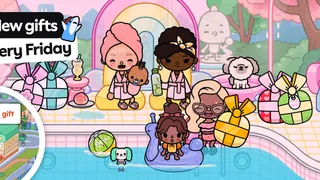
I find Toca Boca World most enjoyable when I treat it as a small creative play space rather than a game with a finish line. It is an educational game from Toca Boca, but its appeal is less about lessons or scores and more about making a world, changing details, and inventing stories with the characters and places available. That open-ended approach gives children room to play at their own pace, though it can also leave a new player wondering what to do first.
Getting oriented without a mission list
The first hurdle is understanding that there may be no single “right” task waiting to be completed. If a child expects levels, a tutorial path, or a clear objective after every action, the freedom can feel like a lack of direction. I’d introduce it with a small prompt—“Who lives here?” or “What happens next?”—then let the child decide how the story unfolds. That makes the open format easier to enter without turning play into a lesson.
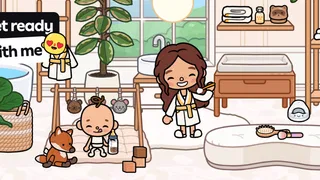
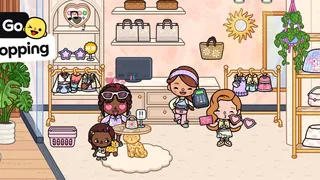
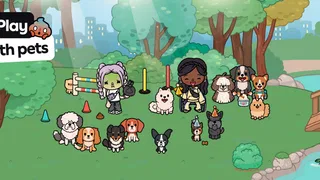
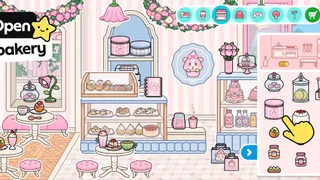
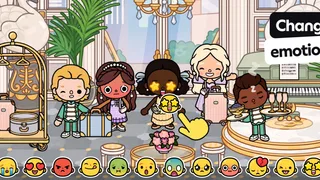
The game’s central pleasure is putting together a personal story from its world. A child can explore, customize, and make up scenes, while an adult can join in by asking questions rather than steering every choice. I like this for short stretches of imaginative play: a character can become the focus of a story, and the child can revise that story as ideas change. There is no need to preserve a perfect narrative or reach a particular ending.
That freedom is also a limitation. Players who want action, competition, explicit educational exercises, or a steady stream of goals may find the experience too loose. Compared with puzzle games that teach through a defined challenge, this is much more about self-directed pretend play. It suits children who enjoy arranging scenes and making up dialogue; it is less suitable when a parent needs a structured activity with a clear beginning and end.
A useful first-session routine
For a first session, I’d keep the scope small. Pick one place, choose a few characters, and make one simple scene instead of trying to inspect everything at once. This avoids the common feeling that the world is too broad to understand. Once the child has made a story they like, they can change one element—such as who is present or what is happening—and see how that changes the scene.
It also helps to agree on a stopping point before handing over the device. Open-ended play can make “one more minute” hard to judge, especially when a child is still building a story. A natural pause might be finishing the current scene or telling an adult what happened. I find that works better than expecting the app itself to provide a tidy endpoint.
What to check before play
The game is free to start, and its age rating is Everyone. It includes optional in-app purchases, with listed item prices ranging from $0.49 to $199.99, so I would check the purchase controls on the device before a child plays independently. The broad range makes it particularly sensible to discuss purchases in advance rather than assuming that “free” means every available item is included.
More articles

Instagram Makes Everyday Moments Worth Sharing
A rare social app that can be a photo diary, a neighborhood window, and a lively conversation in the same session—though its best moments still require a little restraint.
If a child asks why something they expected is unavailable, it is worth calmly checking what is currently accessible in the app and whether the request involves an optional purchase. I would avoid promising that every place or item is included at no cost. This is a practical distinction for families: the basic download costs nothing, but the experience can present paid choices, so an adult should make the decision about those choices.
Compatibility is another simple check. The current version is 1.141 and the minimum operating-system requirement is 7.0. Before troubleshooting a launch or update issue, I’d confirm that the device has a compatible system and that the app is up to date through its app store. The game was released on November 21, 2018, and has continued to receive version updates; a mismatch between an older device and a newer release can be a more useful thing to check than repeatedly reopening the app.
For a shared family device, I’d also establish who is allowed to change settings or make purchase decisions. That is not a special gameplay trick; it is a straightforward way to avoid a child tapping through a choice they do not understand. A quick adult check before play can prevent a frustrating interruption later, especially if the child is absorbed in a story and does not want to stop to ask for help.
Recovering a play session when something goes wrong
If the game seems stuck, I would work through the ordinary checks in order rather than immediately assuming the child has lost their progress. Close and reopen the app, check for an available update, and make sure the device itself is responding normally. If the trouble occurs during a download or update, a stable connection and enough available device storage are sensible general checks. These steps can separate an app issue from a device or connection problem.
For a child who has lost track of a story, a simple verbal recap is often more helpful than trying to reconstruct every action. Ask which character they were playing and what they wanted to happen next, then restart from that idea. Because the play is built around imagination rather than a scored run, a story can be continued in a new direction without treating a change as failure. That flexibility is one of the strongest ways to recover from an interrupted session.
I would be cautious about deleting or reinstalling the app as an early fix. Before making a change that could affect local content or saved activity, check the device’s app information and the app store’s support guidance. I would not advise a child to make those changes alone. The safer approach is to note what is happening, try reversible checks first, and involve the adult who manages the device if the problem persists.
When the problem may be elsewhere
Not every frustrating moment points to a fault in the game. If the device is low on space, several apps are competing for attention, or the connection is unreliable, downloads and updates can be affected even when the app itself is functioning normally. If other apps are also slow or failing, I’d look at the device or network before blaming this one. If only this game is affected, restarting it and checking for an update are reasonable first steps.
There can also be a mismatch between what a child expects and what this kind of play offers. A child who keeps asking “What do I do now?” may need a more guided game, not a technical fix. Conversely, a child who enjoys making up scenes but gets frustrated by too many choices may benefit from an adult helping them choose a starting character and place. The distinction matters: setup trouble calls for practical checks, while a format mismatch calls for a different activity.
Compared with conventional educational games, which often use questions, targets, or rewards to keep play moving, this one asks more of the child’s imagination. Compared with a blank drawing app, it gives the player a world to explore and customize rather than a single empty canvas. That middle ground is useful for children who want prompts and characters but still prefer to decide what happens. It is not the best choice for parents seeking a curriculum or a tightly supervised sequence of learning tasks.
Who is likely to enjoy it
I’d recommend it to children who like role-play, making up conversations, and changing a scene until it feels right. It can also work well when an adult wants to play alongside a child without needing to explain complex rules. A realistic everyday use is a quiet stretch at home: the child chooses a character and place, invents a small story, and later tells a family member what happened. That gives the activity a natural social follow-up without requiring a long play session.
It may be a weaker fit for families who want a fully goal-driven game, a clear educational syllabus, or a purchase-free experience with no decisions to manage. The large range of optional item prices makes adult oversight worthwhile, and the open format may not hold the attention of children who prefer fast feedback. If those needs matter more than creative freedom, a puzzle game or a more structured learning app may be a better match.
The scale of its audience is notable: the game has an average rating of 4.4 from around 6.9 million ratings, about 219,000 written reviews, and over 100 million installs. I take that as a sign that its style has broad appeal, not as proof that every child will enjoy it. Its strength is specific: it gives players space to create their own play, and that same lack of direction is exactly what some families may find frustrating.
My practical verdict
My overall impression is positive, with a clear caveat: this is best when the player wants to invent, not when they need the game to set the agenda. I’d start with a short, guided introduction, check purchase controls, and let the child take over once they understand the basic idea. If an issue appears, I’d first check the device, connection, and version, then decide whether the problem is technical or simply a sign that a more structured game would suit them better.
Toca Boca is a well-established developer, and this educational game has grown into a familiar choice for creative play. I would recommend it to families who value imaginative storytelling and are comfortable setting boundaries around optional purchases. I would skip it for a child who needs constant goals or for an adult who wants a lesson plan disguised as a game. For the right player, though, the freedom to shape a story is not an unfinished feature—it is the point.
Pros
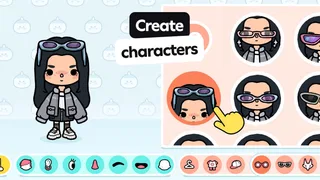
- Create characters with a broad range of outfits and accessories.
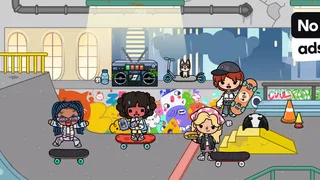
- Explore locations inspired by everyday places and imaginative settings.
- Play at your own pace without timed challenges.
- Use built-in tools to create and save story scenes.
- Regular updates can add fresh content to discover.
Cons
- Many locations and items require separate in-app purchases.
- Some activities may feel repetitive after extended play.
- The open-ended format offers little structured guidance.
- A large download can take up storage space.
- Online features and purchases may require adult supervision.


