
Our review
 Analysis by Lookingapps
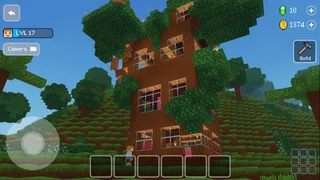
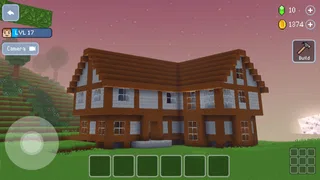
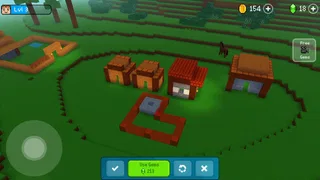
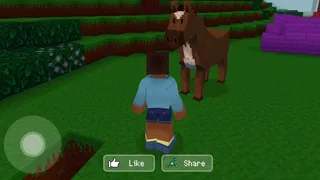
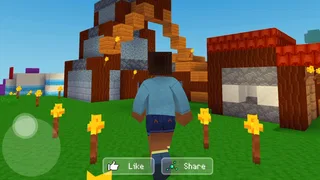
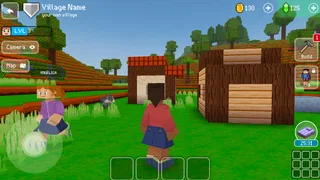
I would pick Block Craft 3D when I want a relaxed building game rather than an arcade challenge built around quick reflexes. Its appeal is the pleasure of making a place your own, one block at a time. That sounds simple, and it is: the fun depends less on chasing a finish line and more on deciding what to build next. If that kind of open-ended project sounds satisfying, Block Craft 3D is easy to understand and approachable; if you need a tightly guided campaign or constant action, it may feel too loose.
Decide what kind of play you want
The first useful question is whether you enjoy inventing your own goals. In a city-building game, there is a difference between following a sequence of missions and making a plan because you want a particular street, home, or skyline. Block Craft 3D leans into the latter. I find that makes it a good fit for short creative sessions, but it also means players who rely on explicit objectives may need to supply their own sense of progress.
It is listed as an arcade game, though the hands-on experience is closer to a casual 3D construction sandbox than to a traditional arcade game of scores and split-second decisions. That distinction matters when you compare it with the usual alternatives. A fast arcade title is better for a few intense minutes; a structured management game is better if you want to optimize a system. This one is for people who like shaping a visible space and returning to it with another idea.
For an everyday example, I would treat it as a low-pressure break after school or work: choose one small project, such as reworking a corner of your settlement, and stop when it looks better than before. That self-set limit is useful because a freeform building game can otherwise turn “I’ll play for a minute” into a much longer session. It also gives a new player a manageable first task instead of the vague instruction to build an entire city.
Start with one clear project
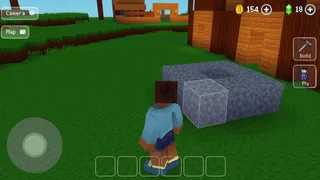
My practical advice is to decide on the purpose of a build before placing blocks. A compact home, a recognizable landmark, and a street scene each call for different priorities. Starting with a small outline helps avoid the common sandbox trap of expanding in every direction before the first area feels finished. It is a simple workflow, but it makes the result easier to judge and gives you a natural stopping point.
Think in layers rather than trying to perfect every detail immediately. Establish the overall shape first, then refine the parts that will make the construction readable from a distance. This approach is especially helpful on a phone screen, where tiny decorative decisions can be hard to assess while you are still changing the larger layout. I would rather see a clear, finished structure than a sprawling project with no obvious focal point.
What the building loop does well
The strongest reason to try Block Craft 3D is that the core idea is immediately legible: build in three dimensions and watch a personal space take shape. You do not need to be an experienced city planner to enjoy choosing a form and seeing it appear. Wildlife Studios developed the game, and its approachable construction premise helps explain why it has reached over 500 million installs. That scale is a sign of broad reach, not a guarantee that every player will enjoy its pace.
More articles

Instagram Makes Everyday Moments Worth Sharing
A rare social app that can be a photo diary, a neighborhood window, and a lively conversation in the same session—though its best moments still require a little restraint.
What I appreciate about this style of play is the way a modest project can still feel personal. A small build gives you room to experiment without requiring a grand plan, while a larger city gives you a reason to revisit earlier choices. If you are playing with a younger family member, the open creative focus can also make it easier to share the screen and talk through what to make next. The age rating is Everyone, but I would still choose a game based on the child’s own preferences and comfort with in-app purchases.
There is a useful creative trade-off here: freedom is motivating when you have an idea, but it can feel like a blank page when you do not. I recommend setting a theme before opening the game, even a simple one such as “make this area feel welcoming” or “build something tall beside something low.” A theme gives your decisions a thread, and it reduces the temptation to keep adding unrelated pieces just because there is room.
Another practical habit is to leave yourself a clear next step when you finish a session. You might decide that the next visit will focus on the entrance, the surrounding space, or one unfinished structure. That turns returning to the game into continuing a project rather than starting from scratch mentally. It is a small advantage of a persistent creative routine, particularly for people who enjoy gradual progress more than a single long session.
Who gets the most from it
I would recommend it to casual players who like making things, children and adults who enjoy visual experimentation, and anyone who wants a game that does not demand constant high-pressure reactions. It can also suit someone who likes the idea of a city builder but finds dense resource screens and complicated management decisions off-putting. The appeal is the building itself, not mastering a deep economic simulation.
On the other hand, I would steer away from it if you need a strong story to pull you through, competitive matches, or a clear checklist of increasingly difficult stages. It is also a weaker match for a player who dislikes placing objects carefully on a small touchscreen or who feels dissatisfied unless every session produces a measurable win. The best reason to play is enjoying the creative process, not expecting the game to supply a perfect objective for every moment.
The game is free to download, but it includes in-app purchases ranging from $0.99 to $119.99 per item. I would go in treating optional spending as something to consider deliberately, not as a necessary part of the building loop. If a child will play, it is sensible to review purchase settings together before handing over the device. The price range is wide enough that checking what a purchase does in the app before confirming it is a worthwhile habit.
When another kind of game is a better fit
Compared with puzzle games, Block Craft 3D gives you more room to make aesthetic choices but less of the satisfaction that comes from solving a defined challenge. Compared with action-oriented arcade games, it offers a calmer tempo, but not the same instant test of timing or reflexes. And compared with more systems-heavy city builders, it places the emphasis on constructing a place rather than managing a complicated chain of needs. These are category differences, not flaws; they help clarify what you are choosing.
If you already enjoy a different building sandbox, ask yourself what you are hoping to change. If you want a fresh place to express ideas, this game’s accessible premise may be enough. If you want deeper planning, elaborate economic decisions, or a more demanding toolset, a more specialized simulation may suit you better. Likewise, players seeking short, self-contained puzzle rounds may find a puzzle title easier to pick up and put down.
The main friction in open-ended building is that creative freedom can turn into indecision. When I hit that point, I would avoid expanding the whole city and instead choose one visible improvement. Replacing a vague goal like “make everything better” with “finish this one section” makes progress easier to notice. If that still feels like work rather than play, that is a good sign that a more structured game would be a better use of your time.
Another trade-off is the difference between a build that looks impressive in your imagination and one that reads clearly on a phone display. Small details can be satisfying to place, but they should support the overall shape rather than distract from it. I would build at a scale that remains easy to understand at a glance, then add detail where it has a clear purpose. That is more rewarding than spending a long time on tiny touches that are difficult to appreciate during ordinary play.
Starting, returning, and changing devices
Block Craft 3D is a relatively easy choice if you want to try creative building without paying an upfront price. It was released on August 24, 2016, and version 4.9.1 is the current version. The minimum operating-system requirement is 7.0, so check your device’s system version before installing rather than assuming an older phone will run it. Its average rating is 4.5 from around 3.1 million ratings, with about 77,000 reviews; those figures suggest substantial interest, but your own enjoyment will still depend on whether freeform building suits you.
If you are switching from another game, the main adjustment is not learning a complicated strategy; it is learning to make your own agenda. Before moving away from a title with missions or daily objectives, decide whether that structure is what you value most. If it is, you may miss the external direction. If you have been wanting a quieter creative outlet, begin with a small build and give yourself time to see whether the process feels absorbing.
I would also avoid treating a fresh installation as a promise of a particular account or save-transfer experience. Before making a device change, check the in-game options available to you and make sure you understand how your progress is handled. That is sensible preparation for any project-based game: the more attached you become to a city, the more important it is to know how you can continue it before replacing a device.
My recommendation
Block Craft 3D is worth trying if you want a free, approachable 3D building game where the main reward is seeing your own ideas take shape. I would recommend it most confidently to creative players who are comfortable setting their own goals and who enjoy returning to a project in small steps. Its Everyone content rating and broad audience make it approachable, while the purchase range is a reason to keep spending intentional, especially on a shared device.
I would skip it in favor of a mission-led arcade game if you want clear challenges and brisk rounds, or a deeper city simulator if planning and management are the point. For me, the deciding factor is whether placing blocks and shaping a personal space sounds relaxing rather than aimless. If it does, start with one compact project, build around a theme, and see whether you want to come back to refine it. That is the fairest way to judge whether this particular sandbox fits your idea of fun.
Pros
- Free building mode lets players create without resource limits.
- Simple controls make it easy for younger players to get started.
- A range of block styles supports varied building designs.
- Players can visit creations shared by other users.
- Offline play is available for core building activities.
Cons
- Optional purchases can speed up progress.
- Frequent ads may interrupt play.
- Large builds can take time to complete.
- Some designs require patience to collect materials.
- Online features may need an internet connection.


