

Our review
 Analysis by Lookingapps
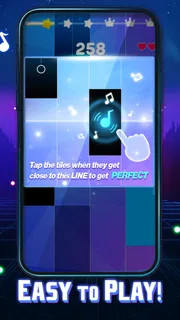
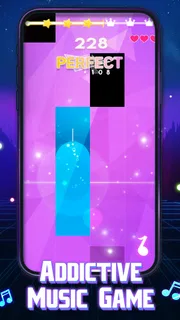
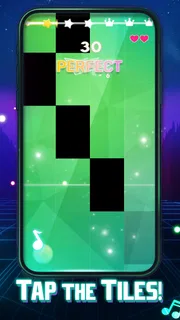
I like rhythm games most when they make a short break feel absorbing without demanding a long setup. Magic Dancing Tiles aims for that quick, hands-on appeal: you follow the beat and tap the piano tiles as the music moves along. It is a music game from PHY STUDIO, and its focus is straightforward enough to understand before you play. The catch is that a simple premise still depends on timing, attention and a phone that responds reliably—so the experience can feel satisfying one moment and frustrating the next.
Why a simple rhythm game can still trip you up
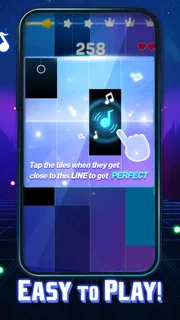
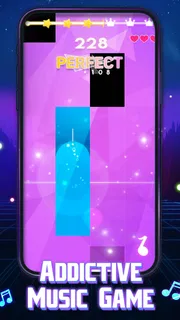
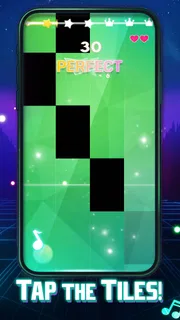
The basic appeal is immediate: listen, watch the tiles, and tap in time. That makes this a natural choice when I want a game I can pick up for a brief session rather than learn through a long tutorial. It also means there is little room to hide a missed beat. If my touch lands late, or I lose focus as the rhythm shifts, the mistake is visible right away.
That directness is part of the fun, but it is also the first place a new player may get stuck. A player who expects a relaxed piano toy may be surprised by how much attention a rhythm challenge asks for. This is not the same as freely playing notes on a keyboard: the point is to respond to the moving tiles in time with the music. I would approach it as a game of coordination, not as piano practice or a music-learning tool.
The store describes an EDM-oriented rhythm experience, which gives a useful sense of its musical direction. If you enjoy energetic electronic tracks and tapping along, that framing should suit you better than someone seeking acoustic repertoire or a calm, open-ended instrument app. The music is not just background; it sets the pace your hands need to follow.
It is also worth setting expectations around the presentation. The short description calls it “Magic Dancing Tiles,” while the full title is Magic Dancing Tiles. Either way, the central activity is tile tapping rather than a broad collection of music tools. I find that clarity helpful: you can decide quickly whether a focused rhythm game is what you want, without expecting composing, instrument lessons or a social music platform.
Check the basics before blaming your timing
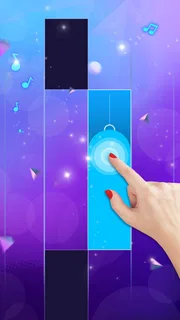
When a tap seems to miss, I would first separate a genuine timing mistake from a basic setup problem. Make sure the screen is clean and dry, keep the phone steady, and tap with a consistent part of your fingertip rather than changing technique mid-session. These simple checks cannot improve the game’s timing response, but they can remove avoidable touchscreen uncertainty.
Sound matters too. If you are playing in a noisy place, the beat may be harder to follow; if you are using headphones, check that they are connected and that the volume is comfortable before starting. I would not turn the volume up to an uncomfortable level just to compensate. A quiet environment and a clear, steady audio setup are more useful than trying to force concentration in a distracting setting.
More articles

Instagram Makes Everyday Moments Worth Sharing
A rare social app that can be a photo diary, a neighborhood window, and a lively conversation in the same session—though its best moments still require a little restraint.
For a first session, I recommend sitting down and holding the device in a position that lets your tapping hand move naturally. Playing while walking, balancing the phone one-handed or switching between hands can make a timing game needlessly awkward. This is a practical trade-off: the game’s quick-session format sounds portable, but accurate tapping still benefits from a stable grip and a moment of attention.
Before installing, check that your device meets the listed minimum operating-system requirement of 7.1. The current version is 0.5.69. If an older phone struggles with other apps or has an unresponsive screen, those issues may affect any tile-tapping game; it is sensible to test ordinary touch input elsewhere before concluding that this particular game is at fault.
A calmer way to recover after a rough run
My best advice for improving is to treat a failed attempt as information, not a reason to tap faster. Rushing often compounds a small timing slip into several more. Pause, reset your grip, and listen for the beat before trying again. The useful skill here is keeping a steady response, not reacting with more force or trying to hit every tile early.
If a run suddenly feels less consistent, take a short break and return with your attention reset. Fatigue and distraction are easy to mistake for a game problem, especially when the task looks simple enough that you expect to perform automatically. I find rhythm games expose that gap: watching the screen, hearing the music and tapping together is more demanding than any one of those actions alone.
It can also help to change the circumstances rather than the tapping style. Move away from a conversation, lower background noise, or put the phone on a more stable surface if your grip is causing unwanted movement. These are small workflow adjustments, but they give you a fairer test of whether you enjoy the challenge itself. They are especially useful for a quick evening session when you are tired and likely to misread a missed tap as poor responsiveness.
If the game appears to stop responding, avoid repeatedly tapping in frustration. Let the current moment settle, then check whether the rest of the screen responds normally. If other apps also miss touches, the device or screen may be the cause. If only this game behaves oddly, closing and reopening it is a reasonable basic recovery step; I would also make sure the app is up to date through the app store before trying again.
When the phone, setting or expectations are the real issue
Not every disappointing session is evidence of a game defect. A screen protector that interferes with touch, a phone being held at an awkward angle, or a noisy room can all make precise tapping harder. I would test in a quiet place with a clean screen and a comfortable grip before judging responsiveness. If the same trouble appears during ordinary navigation, looking at the device’s touch performance makes more sense than repeatedly reinstalling a rhythm game.
Audio and touch can also feel out of sync for reasons outside the game. Bluetooth playback, background interruptions or simply playing in a distracting environment can make it harder to coordinate what you hear with what you see. As a practical check, try a short session with a stable audio arrangement and no other activity competing for attention. If the challenge then feels manageable, the original setup was likely part of the problem.
There is a broader expectation issue as well. Players used to piano-learning apps may want note names, lessons or feedback on musical technique; players coming from free-play rhythm games may want looser timing and room to experiment. This game’s tile-tapping premise points in a more focused direction. For learning an instrument, I would choose a dedicated teaching app. For casual beat-matching with a clear visual task, this is a more fitting option.
Who will enjoy it—and who may prefer another kind of music game
I would recommend it to someone who likes quick challenges, electronic music and the small satisfaction of matching a sequence of taps to a beat. It can fit a short break between tasks or a relaxed session at home, provided you can give it your attention. The game is also an easy way to test whether you enjoy rhythm-game coordination without committing to a more complicated music title.
I would steer away from it if you want a quiet, forgiving experience, a piano simulator, or a structured path for learning songs. People who become irritated by precise timing may find the core loop repetitive rather than rewarding. Likewise, if you mainly want to listen to music passively, a streaming app is a better fit; this asks you to participate rather than simply enjoy a track.
Compared with rhythm games that emphasize instrument controls or elaborate song arrangements, the tile format keeps the task easy to grasp and centered on touch. That simplicity is an advantage for quick play, but it narrows the appeal. It is a focused game, not a substitute for a full music-learning experience or a deep composition tool.
There is useful context in its audience figures, too: it has passed 50 million installs, with an average rating of 4.8 from 50 thousand ratings and 226 written reviews. Those figures suggest broad interest, but they do not guarantee that its particular tapping style will suit you. I would use them as reassurance that it has found an audience, not as a promise that every session will feel smooth on every device.
Cost, age suitability and the practical verdict
The game is free to install, with in-app purchases ranging from $3.99 to $29.99 per item. I would treat the free download as a chance to see whether the rhythm and tile interaction suit you before spending anything. Purchases are a personal choice, not a requirement I would assume you need in order to enjoy the basic idea. If you are managing spending on a shared device, check purchase settings before handing the phone to a child.
Its content rating is Mature 17+, so it is not a title I would casually recommend for younger children. Parents should check the age guidance in the app store and decide whether it fits their household. The game is published by PHY STUDIO, and its listed release date is October 30, 2023; its current version is 0.5.69. Those details help identify the app, while the more important question for a player is whether energetic, touch-based rhythm play sounds enjoyable.
My practical verdict is positive, with a clear qualification: this is worth trying if you want an accessible EDM rhythm challenge and are willing to focus on timing. Start with a stable grip, a clean screen and an audio setup you can follow. If taps still seem inconsistent, test the phone’s touch response in another app and retry in a quieter setting before deciding what is responsible. If you want lessons, free-form piano playing or a more relaxed listening experience, choose something designed for those needs instead.
Pros
- Simple one-touch controls are easy to learn.
- A wide range of songs keeps play sessions varied.
- Short rounds work well for quick breaks.
- Increasing difficulty offers a satisfying challenge.
- Bright visuals make notes easy to follow.
Cons
- Accurate timing can be difficult on smaller screens.
- Fast sections may frustrate new players.
- Some songs or features may require in-app purchases.
- Ads can interrupt the flow of play.
- The game may need an internet connection for some content.


