

Our review
 Analysis by Lookingapps
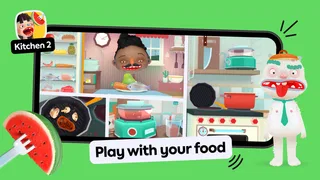
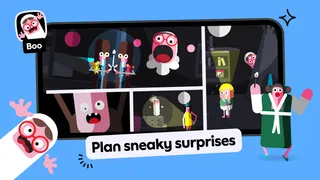
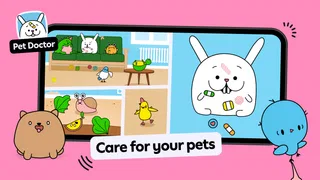
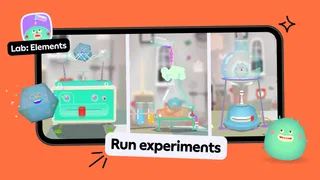
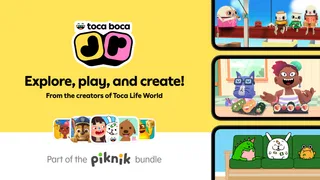
On a shared tablet, the hardest part of finding a game for a young child is often not keeping them busy; it is finding something they can explore without needing an adult to explain every move. Toca Boca Jr: Fun Kids Games is aimed at that kind of play. It is an educational game from Play Piknik for children aged two to eight, built around making things, exploring, and playing at their own pace. I see its appeal less as a structured lesson and more as a collection of playful activities that can fit into short stretches of family life.
How it fits into a shared-device routine
Imagine waiting for dinner to finish or sitting through a quiet moment at home while an adult handles another task. A young child can open the game and explore without needing to follow a long sequence of instructions. That open-ended feel is useful when the tablet is shared: a child can have a turn, put it down, and let someone else use the device without having to remember a complicated game plan.
The trade-off is that open-ended play does not automatically create a natural stopping point. A child who enjoys exploring may want to keep going, so I would treat the game as an activity to offer for an agreed stretch of time rather than a tool that manages screen time by itself. A simple routine—play after a meal, then hand the device back—works better than expecting the app to signal when the session should end.
This is also a better fit for children who like to try things than for those who want a clear goal every few minutes. If your child asks for levels, scores, or a definite finish line, an educational game with a more guided structure may hold their attention more reliably. Here, the value is in letting a child investigate and make choices rather than directing them through a lesson.
Set expectations before handing over the device
Because the game is free to download but includes in-app purchases priced from $7.99 to $79.99 per item, I would check the purchase settings on a shared device before a child starts playing. That is a practical boundary, not a criticism of the play itself: young children may tap around with curiosity, while an adult is more focused on keeping the household’s spending rules consistent. Make the boundary clear to older children too, so they know that browsing or playing does not mean they can make a purchase.
On a family tablet, it also helps to agree whose turn it is and who is responsible for returning the device. Those arrangements are separate from the game, but they make a real difference when siblings share one screen. I would avoid assuming the app will handle household turn-taking or enforce a child’s stopping time; those are decisions for the adults using the device.
If you are choosing an activity for a child who is just beginning to use a touchscreen, sit nearby for the first session. You can see whether the child understands how to explore and whether the pace suits them, then decide how much independence makes sense. With an older child who already uses games comfortably, a quick check-in may be enough. The useful point is to judge the experience by the child in front of you, not just by the age range on the label.
More articles

Instagram Makes Everyday Moments Worth Sharing
A rare social app that can be a photo diary, a neighborhood window, and a lively conversation in the same session—though its best moments still require a little restraint.
Coordinate turns without turning play into a lesson
Shared use works best when siblings have different expectations. One child might want to explore freely while another wants to take over and make decisions. I would set a short, simple rule before starting—one person chooses for a turn, then the other gets a turn—rather than trying to negotiate while both children are reaching for the screen. That keeps the activity from becoming a contest over control.
For a parent or caregiver, the game can also be a useful prompt for conversation. Instead of asking whether a child has completed something, ask what they are trying or what they want to explore next. This respects the game’s less lesson-like character and gives an adult a way to be involved without steering every action. If a child prefers to play independently, there is no need to turn every session into a teaching exercise.
One practical trade-off with a shared device is that children may not experience the game in the same way. A younger child may need an adult close by; an older one may want room to explore without interruption. I would schedule turns around those different needs rather than assuming that every child in the household will enjoy one identical session. When the age gap is large, a different activity for each child may be the more peaceful option.
Age guidance and what the rating tells you
The game is rated Everyone and is designed for children from two to eight. That makes it an obvious candidate for families looking for something broadly child-oriented, but an age label cannot tell you whether a particular child will enjoy its style. A toddler’s ability to navigate a screen, an early-school-age child’s appetite for challenge, and a family’s comfort with in-app purchases are all worth considering separately.
I would also distinguish between a game that feels educational and one that teaches a specific skill in a measurable sequence. This is in the educational category, but the appeal described by its play style is creative exploration. If your main goal is practice with a particular school subject or a structured progression, you may prefer a dedicated learning app that makes that purpose explicit. If you want a child to experiment and occupy themselves with playful activities, this is a more natural match.
The game has an average rating of 3.3 from around 1.7 million ratings, alongside roughly 64,000 written reviews. I take that as a reminder to approach it with realistic expectations rather than assume it will work perfectly for every household. Its reach is substantial, with over 100 million installs, but popularity does not settle the personal question that matters most: whether its kind of play suits your child and your family’s device habits.
What to expect from the app over time
The game was released on May 25, 2015, and its current version is 4.6.0. It requires operating system version 9 or later, so that is worth checking before downloading it to an older device. It is free to start, which makes trying it relatively straightforward, but the in-app purchase range is important enough that I would make the purchase boundary part of setup rather than leave it for a surprise later.
For a parent deciding whether to keep it installed, I would focus on how the child uses it after the novelty of the first session. Do they return to explore, or do they quickly ask for something more directed? Do they pass the device back calmly, or does the open-ended nature make stopping difficult? Those observations are more useful than expecting the game to suit every child simply because it spans a broad age range.
Compared with common alternatives in the educational-game category, this one is a stronger choice for free exploration than for drills, quizzes, or a clear curriculum path. A puzzle game may be better if your child likes solving one defined problem at a time. A subject-focused learning app may be better if you want practice tied to a particular academic goal. I would choose Toca Boca Jr when the priority is playful discovery, not when I need a tightly guided learning session.
My household verdict
I would recommend Toca Boca Jr: Fun Kids Games to families with young children who enjoy exploring on a touchscreen and have an adult ready to set sensible boundaries around shared use and purchases. Its strongest point is that play does not have to feel like homework. Its main limitation is the same open-ended quality: children who need clear goals or a built-in stopping cue may be better served by a more structured alternative.
For a household with one shared tablet, I would introduce it during a calm, supervised first session, check the device’s purchase arrangements, and agree on turns before siblings begin. Then I would let the child’s response guide how often it earns a place in the routine. That approach keeps the game in its proper role: an option for creative, child-led play, not a substitute for household rules or a guarantee of a particular learning outcome.
At no cost to download, it is easy to consider, though purchases can add a meaningful expense if allowed. I would try it when the child’s age and temperament match its exploratory style, and skip it if your priority is a step-by-step teaching tool or a game with a firm end to each session. For the right family, it can make a shared tablet feel like a place to experiment rather than just another screen to pass around.
Pros
- Designed for young children with simple touch-based controls.
- Offers imaginative play without demanding precise reading skills.
- Bright visuals make activities easy for children to explore.
- Suitable for short play sessions and casual discovery.
- A familiar Toca Boca style may appeal to fans of the series.
Cons
- Some activities or content may require a paid subscription.
- The range of available games can depend on the subscription plan.
- Young children may need help navigating menus and settings.
- Screen time may increase without parental limits.
- Game availability and features can vary by region or device.


