
Our review
 Analysis by Lookingapps
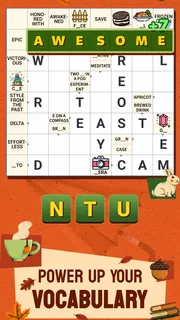
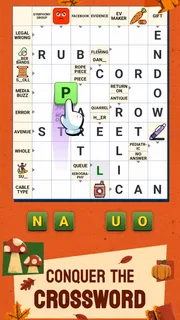
I like word games that can fit around ordinary life instead of demanding a long, uninterrupted session. Crossword Go! is built for that kind of stop-and-start play: it turns crossword solving into a light activity that can be shared, while still giving me a reason to think through each clue rather than simply swipe through a word list. PlaySimple Games keeps the premise approachable, and my overall impression is that it works best as a casual puzzle to dip into together, not as a replacement for a more demanding newspaper-style crossword.
How it fits into a shared routine
The clearest use case is a small pause with someone nearby: during breakfast, while waiting for food, or when a household has a few minutes free in the evening. One person can read a clue aloud while another suggests possible answers, then you can swap roles. That makes the game feel more conversational than a solitary crossword app, without requiring everyone to sit down for a formal game night.
That shared quality is also useful when players have different strengths. One person may spot a familiar phrase quickly; another may be better at checking how the letters fit across the grid. I find that this gives even a short session a nice rhythm: guess, test, revise, and move on. The game is categorized as a word game, but the crossword format gives it more structure than a free-form word search.
There is a practical trade-off, though. Shared play works most naturally when everyone is looking at the same device and can follow the puzzle together. If people want separate progress, private competition, or a clearly divided turn-taking system, they should check that the way they plan to use it suits the game rather than assuming it handles household accounts or family coordination for them.
One device, several players
For a shared screen, I would keep the session informal. Let one person handle the device while the others contribute ideas, and pause before entering an answer if the group is split. That simple habit prevents the quickest player from taking over every clue. It also makes the game more welcoming for a child or a less confident solver who may need a moment to think.
A useful non-obvious approach is to treat the grid as a conversation prompt, not a race. Ask what part of a clue seems important, or whether a candidate answer fits the letters already in place. This keeps a group involved even when only one person is tapping. It can also make the experience less frustrating for players who enjoy reasoning but do not want to compete for control of the screen.
On the other hand, if your household often passes one device between people who each expect their own saved progress, this may not be the cleanest arrangement. A shared session and a shared account are not the same thing, so I would avoid treating one person’s device as an automatic family profile. For individual play, separate devices are the safer assumption unless you have checked how the app behaves on your setup.
More articles

Instagram Makes Everyday Moments Worth Sharing
A rare social app that can be a photo diary, a neighborhood window, and a lively conversation in the same session—though its best moments still require a little restraint.
What to settle before handing over the device
Crossword Go! is free to download, which makes it easy to try without asking everyone to commit to a purchase. It does include in-app purchases, with items ranging from $0.99 to $49.99. In a household, I would make that conversation part of the setup: decide who may approve purchases and whether the device’s own purchase protections are in place. That is more reliable than assuming a game itself supplies family spending controls.
For children using a shared phone or tablet, it is also worth making the boundary clear before a puzzle begins: the game is free to start, but optional paid items exist. A younger player may not distinguish a free game from every purchase prompt, so an adult should manage the device settings and payment access. I would not hand over a payment-enabled device and rely on the child to infer what is optional.
The game’s audience rating is Everyone, which makes its general content suitable for a broad age range. That rating is helpful when choosing a casual puzzle for mixed ages, but it does not answer every household question. It does not replace parental judgment about screen time, purchases, or whether a child is ready to use a device independently. I see the rating as a reassuring starting point, not a complete family policy.
Keeping the group involved without turning it into a contest
One advantage of a crossword over many quick word games is that people can contribute at different speeds. A player can think carefully about a clue while someone else scans the existing letters. If a younger solver is joining in, I would let them offer a guess before the experienced player explains the answer. That gives them a real role instead of making them a spectator to someone else’s solving.
For a more relaxed routine, agree on a natural stopping point before starting. A household can solve for a few minutes and leave the rest for later, rather than letting a casual break stretch longer than intended. This is especially useful when the device is shared for other tasks. The game suits short pockets of attention better than a family activity that requires a fixed start time and everyone’s full focus.
Coordination matters most when multiple people want to play independently. I would not assume that a shared device will preserve separate identities or keep each person’s activity distinct. If individual ownership of progress is important, use separate devices where possible and check the account arrangement before investing time. That is a simple precaution, but it avoids the common disappointment of discovering that “we all play” does not necessarily mean “we each have our own place.”
How it compares with other word puzzles
Compared with a word search, this asks more of your clue-reading and vocabulary: spotting letters is only part of the task, and the clue has to make sense with the answer. Compared with a traditional newspaper crossword, the easy-to-play framing makes it more approachable for casual sessions, though dedicated solvers may prefer a tougher puzzle source with more demanding clues and a familiar print-style challenge.
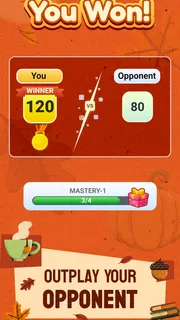
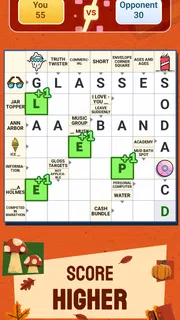
It is also a different mood from competitive word games where players race to make words from a shared set of letters. Here, the crossword structure encourages checking how answers relate within a grid. That makes it a better fit when you want to collaborate or think aloud, and a weaker fit if your main goal is a fast head-to-head match or an open-ended vocabulary workout.
My practical tip is to use the game when the group wants a common puzzle but not a complicated plan. It is easy to start discussing a clue, and there is no need to prepare a board or gather supplies. But if your friends want strict turns, a winner, or a conversation-free solo challenge, a dedicated competitive word game or a more advanced crossword app may serve them better.
Who should give it a try
I would recommend it to people who enjoy crosswords but want a more casual way to bring them into everyday downtime. It can suit a mixed-age household, a couple sharing a quiet moment, or someone who likes to solve a few clues while waiting. The most important condition is that the group is comfortable with one person operating the device while others contribute, or that each player has a suitable device for individual sessions.
It is less appealing for solvers who want dense, highly challenging puzzles, fine-grained personal profiles, or a clear competitive structure. It may also disappoint anyone who dislikes optional in-app purchases on principle. The broad age rating and free entry make it accessible, but they do not change those preferences; a serious crossword enthusiast may still be happier with a specialist puzzle app, while a player seeking competition should look for a game designed around direct matches.
The game has a 4.9 average from around 75,000 ratings, and it has been installed over a million times. Those figures suggest that its accessible style has found an audience, but I would still choose based on the way your household likes to play. A popular casual crossword is not automatically the right fit for someone who wants a difficult solo test or carefully separated profiles.
My household verdict
Crossword Go! succeeds when the goal is to make word solving easy to share. I like that the crossword format gives casual play a little more substance than simply finding hidden words, and the short-session feel makes it realistic to bring out during an ordinary pause. Its biggest strength for a household is not a complicated social system; it is that a clue can spark a useful bit of teamwork without much setup.
Before installing, I would decide whether the game will be played together on one device or separately, and set purchase boundaries on any device a child might use. That small bit of planning matters more than expecting built-in family coordination. The game is rated for Everyone, and the current version is 1.84.0, with a minimum operating-system requirement of 8.0; it was released on April 16, 2025. Those details make it straightforward to check basic device and age suitability before trying it.
For households that want a low-pressure puzzle to discuss, I think it is worth a try. Crossword Go! is a sensible choice for shared clue-solving and everyday breaks, especially when players enjoy helping each other reach an answer. I would skip it in favor of a specialist crossword or a competitive word game if challenge, personal progress boundaries, or head-to-head play matters more than an approachable puzzle everyone can talk through.
Pros
- Quick puzzles are easy to fit into short breaks.
- Hints help when a clue proves difficult.
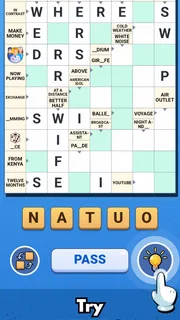
- A clean layout keeps the grid easy to read.
- Wordplay offers a pleasant change from action games.
- Progress saves make it simple to return later.
Cons
- Some clues may feel vague or depend on specific knowledge.
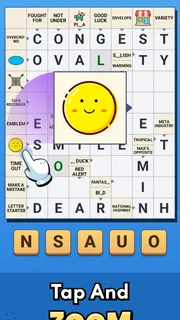
- Small grid squares can be tricky on compact screens.
- Ads may interrupt the flow between puzzles.
- Players who prefer large crosswords may find the grids brief.
- A hint system can reduce the challenge for experienced solvers.


