

Our review
 Analysis by Lookingapps
The most useful way to think about Coloring Games: Color & Paint is as a child-friendly creative activity with an educational edge, rather than as a full drawing studio. I like that distinction: a child can spend a few minutes choosing colors and making pictures without needing to learn complicated tools first. The game is from RV AppStudios, is free to play, and is rated for everyone, which makes it an easy one for parents to consider when looking for a simple screen-time option.
Coloring first, learning through doing
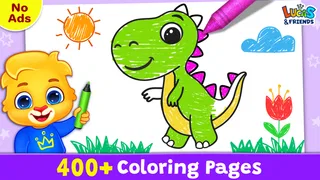
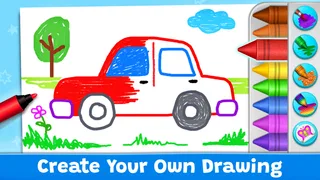
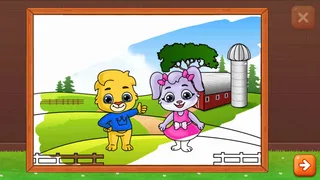
The central appeal is the act of coloring itself. Kids get a picture to work on, make choices about color, and see those choices turn into a finished image. That sounds basic, but for younger children, the low-pressure loop is the point: there is room to experiment without the expectation that every mark must look polished. The educational value comes through practice and exploration, not through a formal lesson that interrupts the activity.
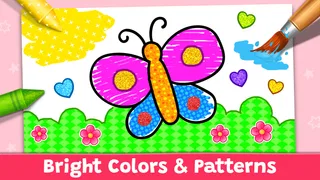
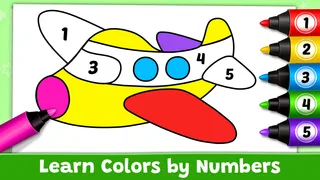
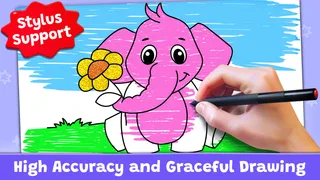
The game is described as combining coloring with painting, neon drawing, and educational games. I would treat those as different kinds of creative play rather than assume every child will use them in the same way. Coloring suits a child who enjoys filling in a picture; free-form drawing is more appealing to one who wants to make marks without following an outline. That variety can help keep the activity approachable when a child’s mood or attention changes.
Its scale suggests it has found a broad audience: it has been installed over 100 million times and holds an average rating of 4.4 from around 122,000 ratings. Those figures are useful context, but they do not tell me whether a particular child will enjoy the artwork or interface. I would still let the child try a short session and see whether choosing colors feels fun or frustrating.
What the simple format does well
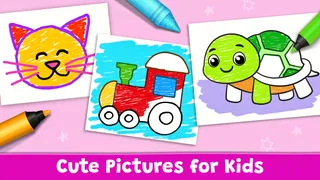
Compared with a blank-canvas drawing app, a coloring game gives a young player a clearer starting point. A picture provides structure, so a child who is unsure what to draw can begin immediately. Compared with a traditional coloring book, the digital format is easier to restart and can offer more than one style of mark-making. The trade-off is that a screen cannot replace the feel of crayons, paper, or the fine-motor practice of handling physical tools.
I also appreciate that a creative game can make color choice the main decision instead of asking a beginner to manage layers, brushes, and a large tool palette. For a preschooler or early primary-school child, that reduced decision load may be the difference between settling into the activity and asking an adult to operate it. The best use is not to expect a finished artwork worth displaying, but to give a child a safe-feeling space to try ideas.
How a session can fit into an ordinary day
A realistic use is a short quiet activity while dinner is being prepared or during a wait at home. I would hand over the device, let the child choose a picture or drawing style, and stay nearby rather than turning the session into a lesson. If the child asks what color to use, I would ask what they want the picture to feel like instead of supplying the answer. That keeps the choice theirs and turns the screen time into a small conversation.
More articles

Instagram Makes Everyday Moments Worth Sharing
A rare social app that can be a photo diary, a neighborhood window, and a lively conversation in the same session—though its best moments still require a little restraint.
For a child who tends to rush, a useful approach is to suggest working on one area at a time: pick a color, finish a small part, then decide what to do next. That gives the activity a natural stopping point and makes it easier to pause when the family needs to move on. If the child is more interested in making energetic marks than completing a picture, neon drawing may be a better fit than coloring within a shape. The point is to follow the child’s interest, not insist on one “correct” way to use it.
Parents may reasonably wonder whether it works for a very young child. Its everyone age rating makes it broadly suitable, but age ratings are not a substitute for watching how a particular child handles a touchscreen. A child who can tap deliberately is more likely to enjoy choosing colors independently; a younger child may need an adult to help get started and keep the device steady. I would begin with a supervised session and judge by the child’s comfort rather than age alone.
Another practical question is whether it can keep an older child interested. It may, especially if that child likes quick creative breaks or enjoys trying a bright, playful style. But a child who wants precise drawing controls, detailed illustration tools, or a project they can develop over many sessions will probably outgrow this format. A more capable art app—or ordinary paper and pencils—would be a better choice for building deliberate drawing technique.
Small choices that improve the experience
One useful tip is to separate “make something” time from “finish the picture” time. Some children enjoy exploring colors more than completing an image, and that is still a worthwhile creative activity. If finishing matters to your child, invite them to choose a small goal before starting, such as deciding on colors for one part. This avoids turning an open-ended game into a long task that may outlast their attention.
It can also help to let the child choose between coloring and free drawing based on what they want to do right now. A structured picture gives direction; an open drawing activity leaves more room for invention. Switching the type of activity can be more effective than pushing a reluctant child to finish the same page. This is a small but practical advantage of having different creative modes within one game.
For parents comparing it with video clips or simple tap-to-match games, the meaningful difference is that the child makes visible creative decisions. That does not automatically make every session educational, and I would not use it as a substitute for hands-on crafts or play. Still, choosing colors and seeing an image change gives a child more active involvement than passively watching a screen. I see it as a useful option in a mix of activities, not a reason to extend screen time indefinitely.
Where the trade-offs matter
The simplicity that helps beginners can also limit the experience. Children who want detailed control may find a coloring-focused game too guided, while confident artists may prefer a drawing app with more precise tools. A physical coloring book is also better when the goal is to practice pencil grip, share supplies at a table, or take a break from screens. The right alternative depends on the child’s goal, not on which format is universally better.
Parents should also think about the conditions around any free mobile game. “Free” describes the price, but it does not tell a parent what the in-app experience will feel like in every situation. I would check the app’s current store details and settings before handing over a device, and supervise younger children as needed. This is especially sensible when a child is likely to tap quickly through screens or move from one activity to another without asking.
The game’s educational label should be kept in perspective. Coloring and drawing can encourage experimentation, attention, and color recognition, but I would not expect a structured curriculum or measurable progress from an informal creative activity. If a parent needs a lesson plan, guided instruction, or a tool for tracking learning, a dedicated educational app or an adult-led activity will be more suitable.
There is also a difference between digital freedom and unrestricted creativity. A child can try colors without worrying about wasting paper, which can make experimentation less intimidating. But touchscreens provide less tactile feedback than markers and crayons, and tapping or swiping is not the same as controlling a physical drawing tool. I would alternate the game with paper activities when the aim is to develop hand control or simply enjoy making something away from a screen.
Who is likely to enjoy it most
I would recommend Coloring Games: Color & Paint most to parents of younger children who want a straightforward creative activity that can be started without much explanation. It is particularly well suited to children who enjoy filling in pictures, experimenting with color, or making bright digital marks but are not ready for a complex art program. Its educational-game framing may also appeal to families looking for a playful activity rather than a conventional game focused on competition.
It is less likely to satisfy a child who wants realistic drawing tools, long-term art projects, or careful instruction in technique. It is also not the strongest choice when the family’s priority is screen-free fine-motor practice. In those cases, a physical coloring book, craft materials, or a more advanced art app can do a better job. Knowing that boundary helps set expectations: this is an accessible activity, not a replacement for every kind of creative play.
RV AppStudios released the game on November 6, 2019, and its large audience is reflected in more than a thousand written reviews as well as its broad install base. I would read that popularity as a sign that the simple premise has wide appeal, not as a guarantee that every child will connect with it. A short trial is the best test: watch whether the child makes choices independently, stays engaged, and is comfortable stopping when the activity ends.
My overall view is that the game’s strength is its low barrier to creative play. It gives children a clear way to start, while offering enough difference between coloring and drawing to suit more than one kind of mood. Keep the session short, let the child lead, and balance it with paper-and-pencil activities. With those expectations, it is a practical option for a quiet creative break; if you need detailed art tools or structured teaching, another choice will serve you better.
Pros
- Offers a relaxing way to unwind through casual coloring.
- Includes a variety of pictures to suit different moods.
- Simple controls make coloring easy to pick up.
- Lets players experiment with color combinations.
- Works well for short sessions whenever you have free time.
Cons
- Some artwork and features may require in-app purchases.
- Ads can interrupt the coloring experience.
- Small details may be tricky to fill on a phone screen.
- Color choices may feel limited in some pictures.
- The game offers little challenge for players seeking complex gameplay.


