

Our review
 Analysis by Lookingapps
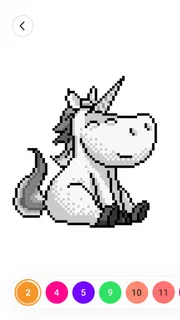
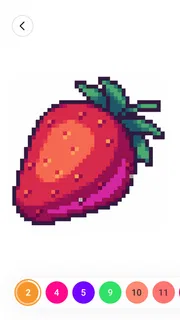
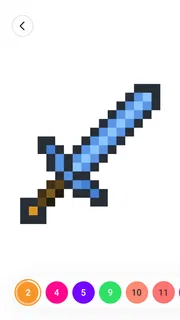
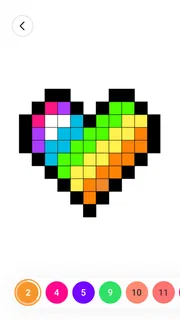
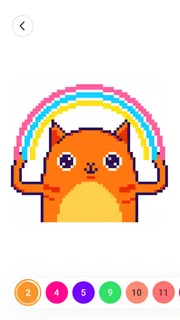
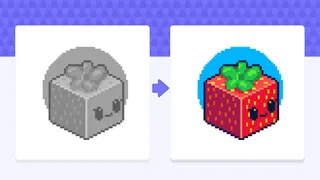
I find Color by Number: Coloring Games easiest to enjoy when I treat it as a quiet, repeatable drawing ritual rather than a game to rush through. I choose an image, work through its numbered areas, and watch a pixel-style picture take shape. That simple loop is the appeal: there is no need to plan a palette or draw clean outlines, so I can start coloring even when I only have a few spare minutes.
From first tap to finished picture
The basic routine is straightforward. I open a picture, match a number to its color, then fill the corresponding spaces. The structure gives each image a clear sequence of small tasks. Instead of facing a blank page, I can focus on one color at a time, which makes the activity approachable for people who enjoy making something but do not feel confident drawing from scratch.
That numbered approach also shapes the pace. A picture with many small sections can ask for patience, while larger areas are more immediately satisfying. I recommend beginning with an image that looks manageable rather than choosing the most intricate design first. Completing an easier picture helps you learn the rhythm and decide whether the detailed pixel-art look suits you.
On a typical break, I might finish a few sections and leave the rest for later. This works better than expecting every session to end with a completed image. The game’s appeal is in the steady progress: a small patch of color changes the picture, and the next numbered area gives me an obvious place to continue. If you like calm, low-pressure activities, that sense of forward motion can be more rewarding than a score or timer.
The experience is different from freehand sketching. Here, the challenge is less about inventing a composition and more about following a visual pattern accurately. That makes it a friendly choice for someone who wants a creative-feeling pastime without the demands of drawing, but a poor substitute for a proper sketchbook if your goal is to practice line work, perspective, or color mixing.
Make the routine fit your day
I get the most out of it when I use it in short, deliberate sessions: a commute while seated, a waiting room, or a quiet moment after dinner. Pixel-sized sections can invite close attention, so I would not choose it when I need to watch the road, move around, or divide my focus between several tasks. It is relaxing, but it still asks you to look carefully at the screen.
A useful habit is to stop at a natural point, such as after completing one color across the image, rather than tapping aimlessly until you lose interest. That gives the next session a clear starting point. It also helps with detailed pictures, where the satisfaction comes from seeing scattered areas gradually connect into a recognizable image.
More articles

Instagram Makes Everyday Moments Worth Sharing
A rare social app that can be a photo diary, a neighborhood window, and a lively conversation in the same session—though its best moments still require a little restraint.
Settings and practical comfort
Before settling into a longer coloring session, I check the controls and display options available on my device and in the game. Small numbered cells are easier to work with when the screen is comfortable to view and taps feel deliberate. If a particular picture makes me squint or repeatedly miss tiny spaces, I switch to a less intricate one instead of turning the activity into a test of patience.
I also keep the phone in a steady position and use one finger to work through a chosen color. It sounds basic, but a stable grip matters when the image contains compact pixel sections. If you find yourself making accidental taps, slowing down is often more effective than trying to race through the board. The game rewards careful repetition, not frantic input.
There is no need to approach it like a traditional painting app with a custom palette to manage. The number-and-color structure removes that decision-making, which is helpful when I want to relax rather than make artistic choices. The trade-off is that it offers less creative freedom: you follow the image’s intended coloring pattern instead of deciding how the finished work should look.
Build a faster, steadier rhythm
Experienced players can make the routine feel smoother by working systematically. I pick a color and scan the picture for its matching spaces, then move on once I have dealt with the areas I can readily see. This is more controlled than jumping between colors whenever my eye catches a different number. It also makes progress easier to judge because each pass has a simple purpose.
When a color appears in many small patches, I focus on one region of the image at a time rather than searching the whole canvas repeatedly. That reduces the mental back-and-forth and helps me notice nearby cells that belong to the same part of the design. For scattered details, I take a moment to inspect the remaining numbered areas before changing colors; a quick visual check can prevent unnecessary revisiting.
Another useful approach is to alternate between broad, easy sections and fiddly details. If I have already handled the larger patches, I do not force myself to finish every tiny cell in one sitting. I can leave the most demanding details until I am in the mood for close attention. This keeps a relaxing activity from turning into a chore, especially on pictures where the pixel pattern becomes dense.
These are habits, not secret shortcuts. The game’s central mechanic remains matching numbers and filling spaces, so speed comes from being organized and patient rather than unlocking a different way to paint. Anyone hoping for automatic completion, freehand tools, or a deep set of professional editing controls should look to another kind of art app.
Where the format reaches its limits
The strongest limitation is also the source of the game’s simplicity: the image determines the work. I can enjoy following a design, but I cannot use the same process to invent a new subject or freely choose how each area should be colored. If you want a sandbox where every mark is your own, a drawing app or a blank-page coloring tool will be a better fit.
Repetition is another consideration. Numbered coloring is naturally structured, and that can become monotonous if you prefer changing goals or solving varied challenges. I would recommend it to someone who likes predictable, soothing progress, not to a player who needs competition, complex strategy, or a strong sense of changing game mechanics to stay engaged.
The small sections can also make some pictures less comfortable on a compact screen. A detailed design may demand repeated close looking, and that can make a quick session feel slower than expected. My practical advice is to test a simpler image first and see how the controls feel on your device. If you consistently struggle to identify or tap the right cells, the format may not suit your screen or eyesight as well as a larger-format coloring activity.
It is worth keeping purchases in mind, too. The game is free to download, while optional in-app purchases range from $7.99 to $99.99 per item. I would decide in advance whether the free experience gives you enough to enjoy before spending. Those higher-priced items are a meaningful commitment, so I would not buy anything just because I am impatient to continue; first consider whether this particular style of coloring is something you will return to regularly.
Who should give it a try?
Wildlife Studios’ board game is a good match for people who like pixel art, number-based activities, or low-pressure screen time. Its broad audience is reflected in its Everyone age rating, and I can see it working for a family member who wants a simple activity as well as for an adult looking for a quiet break. It has a 4.6 average from around 530,000 ratings, and more than 100 million installs suggest that this straightforward format has found a large audience.
The scale is reassuring, but it does not mean every player will enjoy the same thing. The game suits people who are happy to follow a template and appreciate gradual visual completion. It is less suitable for anyone seeking a drawing lesson, creative control, or varied strategic play. If you want to paint freely, a conventional art app is the better choice; if you want something tactile and offline, a paper coloring book may be more comfortable than a phone.
For someone deciding whether to try it, I would start with the free download and a short session rather than treating it as a major commitment. The game is listed as version 4.51.0 and requires Android 6.0 or later. It was released on January 4, 2018, so it is an established title rather than a new experiment, but what matters most is whether its deliberate, cell-by-cell pace feels calming to you.
A measured recommendation
Color by Number: Coloring Games does one thing clearly: it turns pixel-style pictures into manageable coloring tasks. I like that I can begin without artistic experience, make visible progress in a short session, and return to a picture without having to invent a plan. The most satisfying way to use it is to work color by color, choose images that match the time and attention I have, and leave dense details for when I am ready to focus.
I would recommend it to a friend who wants a gentle, structured pastime and does not mind repeating the same basic action. I would steer a more ambitious artist toward a freeform drawing tool, and a player looking for competitive depth toward a different kind of board game. As a focused coloring experience, it is easy to understand and potentially absorbing; its success depends on whether you enjoy following a pattern more than making one yourself.
Pros
- Simple tap-to-fill controls make coloring easy to pick up.
- Numbered palettes help guide color choices.
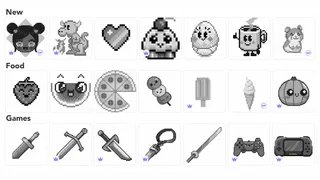
- A wide range of pictures offers variety.
- Completed images can be saved and shared.
- Short sessions suit casual play.
Cons
- Some pictures may require watching ads to unlock.
- The numbered areas can be tiny on phone screens.
- Color choices may feel limited in some images.
- The experience depends on having a steady internet connection.
- Frequent prompts can interrupt coloring.


