


Our review
 Analysis by Lookingapps
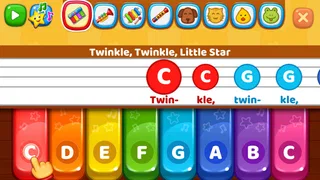
I like children’s games that give a little one something to do without turning every quiet moment into a test of patience. Baby Games: Piano & Baby Phone is best approached in that spirit: it offers playful, sound-led activities rather than a long campaign or a formal lesson plan. I found its appeal easy to understand for a parent who wants a young child to explore simple musical play, though it helps to set expectations. This is a casual educational game, not a structured piano course, and its value comes from short bursts of curiosity rather than a deep progression system.
Small goals that make sense to a young child
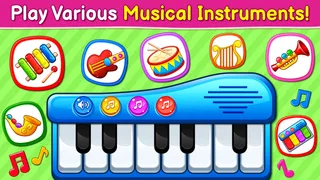
The first useful goal here is wonderfully modest: tap, listen, and see what happens. A child can explore a piano-like activity and musical sounds without needing to read instructions or understand a score. That makes the game easier to introduce than many children’s apps built around menus, missions, or written prompts. For a toddler, simply choosing a sound and repeating it can be a satisfying activity in itself.
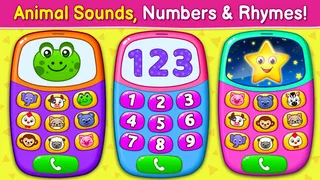
The baby-phone framing also gives the play a familiar pretend-play flavour. A young child who likes copying grown-ups may be drawn to the idea of tapping at a phone and hearing a response. I would use that interest as a starting point, not assume the game replaces a toy phone or an adult joining in. Sitting beside the child and naming what they hear—“that one sounds low” or “let’s tap a slower beat”—can turn otherwise random touches into a small shared activity.
There is no reason to rush toward a target or treat each session as a lesson. I’d let a child choose a sound, repeat it, then invite them to try a different one. That gives the play a gentle beginning, middle, and end without imposing a scoreboard or a performance goal. If they lose interest after a few minutes, that is a perfectly reasonable stopping point; the game works better as an occasional activity than as something a child must complete.
What counts as progress here
In a game like this, progress is less about collecting achievements and more about what the child begins to notice. A child may start by tapping every available sound, then settle on one they enjoy, imitate a rhythm, or remember where to go for a familiar activity. Those are useful signs of engagement, even if the game itself does not ask them to follow a sequence of increasingly difficult tasks.
That distinction matters for parents choosing an educational app. Musical exploration is not the same as music instruction: a child can enjoy sounds and experiment with timing without learning note names, reading music, or practising a song in a formal way. I would not pick this as the only tool for a child who is asking to learn piano. For that purpose, a lesson-based app or a real keyboard with an adult’s guidance is a better fit.
One practical way to get more from the play is to make a simple turn-taking routine. Let the child choose a sound, copy it yourself, and then invite them to answer with another. This adds listening and imitation without requiring the app to provide a lesson structure. It also makes the activity more social, which can be especially helpful when a child is too young to stay focused on a screen alone.
More articles

Instagram Makes Everyday Moments Worth Sharing
A rare social app that can be a photo diary, a neighborhood window, and a lively conversation in the same session—though its best moments still require a little restraint.
A gentle curve, with a ceiling
The low-pressure style is one of the game’s strengths for very young users. A child can experiment without needing to master controls or overcome a demanding challenge. That can make it less frustrating than games that depend on timing, reading, or remembering several instructions at once. It is also a sensible choice for a short waiting-room distraction or a quiet stretch at home, provided an adult is comfortable with the child using a phone or tablet.
The trade-off is that gentle play may not give an older or more focused child much to work toward. If your child wants levels, increasingly complex tasks, a clear sense of unlocking new abilities, or a measurable skill path, this is unlikely to satisfy them for long. I would not infer a substantial campaign from the musical theme. The core appeal is immediate interaction, not a challenge that steadily ramps up.
For parents, that means the difficulty curve is largely set by the child’s own curiosity and by how you frame the activity. You can make it more engaging by asking them to repeat a sound, alternate between two choices, or copy a short rhythm you tap yourself. These are adult-created prompts rather than a reason to expect the game to behave like a tutor. If a child becomes irritated when asked to repeat or wait, drop the prompt and let them explore freely.
Keeping play from becoming screen-time pressure
Because the game is easy to dip into, it can be tempting to use it whenever a child needs calming or a parent needs a moment. I’d treat it as one option in a rotation, alongside books, toys, conversation, and music played away from the screen. Short sessions are a good fit for the simple exploratory premise, and ending while the child is still content can make it easier to put the device away without turning the game into a bargaining tool.
I also recommend an adult taking the first turn and checking how the child responds to the sounds and touch controls. Some children enjoy making noise; others quickly tap without paying attention or move on once the novelty fades. If that happens, there is no need to keep prompting them. The game is not a measure of musical ability, attention span, or developmental progress. It is a casual activity, and a child’s lack of interest is a useful sign that another kind of play may suit them better.
On the other hand, the straightforward premise can be handy when a child wants to imitate a grown-up using a phone. Rather than handing over an adult’s device or opening unrelated apps, a parent can offer a dedicated playful option. I would still supervise, especially with a very young child, and decide in advance when the session is over. That simple boundary helps keep a quick distraction from becoming an open-ended screen habit.
Where it fits among children’s games
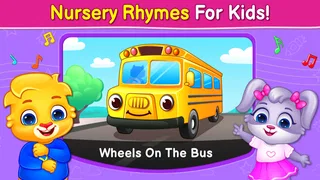
Compared with puzzle games for children, this is a looser, more sound-focused choice. A puzzle typically gives a visible problem to solve and a clear completion point; here, the child’s reward is hearing and exploring the response to their actions. Compared with video or nursery-rhyme apps, the attraction is more hands-on: the child is tapping and making choices rather than only watching. Neither approach is universally better. If your child wants a story or a song to follow, a dedicated rhyme app may hold attention more reliably. If they like cause and effect, musical play may be the more inviting starting point.
Parents looking for a highly guided educational experience should also compare it with apps that explicitly teach letters, counting, or music skills. Baby Games: Piano & Baby Phone is not the option I’d choose for a planned daily curriculum. Its better use is flexible: a few minutes of exploratory play, a chance to imitate sounds, or a shared activity while an adult sits nearby. That narrower role is not a flaw, but it is important to recognise before downloading.
The game is free, which makes it easy to try without making it a commitment. It is made by RV AppStudios and is rated for Everyone. Its audience is broad in the store, but in practice I think the simplest interaction will make the most sense for toddlers and preschool-age children who enjoy sound and imitation. Older kids who expect goals, story progression, or a strong challenge may find the experience too slight.
What its popularity does—and does not—tell me
Baby Games: Piano & Baby Phone has an average rating of 4.4 from around 62,000 ratings, with about 1,600 written reviews and over 50 million installs. That kind of reach suggests many families have at least been willing to give it a try, but popularity alone does not tell me whether it suits a particular child. The more useful question is whether your child enjoys simple sound exploration and whether you want a light activity rather than a lesson or a game with a long-term goal.
RV AppStudios released it on April 1, 2019. I see that as context for an established children’s game, not a reason to expect a constantly unfolding progression experience. The central decision for a parent remains practical: does the child respond to this style of play, and can you use it in short, supervised sessions? If yes, it may earn a place among a few low-effort activities. If the child quickly taps away or asks for a more purposeful challenge, it is better to move on than to try to make the app fit.
My progression verdict
I would recommend Baby Games: Piano & Baby Phone to a parent who wants a simple, musical distraction that can also prompt a little imitation and conversation. Its early goals are easy for a young child to grasp, and the lack of pressure can be a genuine advantage when complicated rules would only frustrate them. The best progress comes from a child becoming more curious about sounds, not from racing through a ladder of challenges.
Its limitation is the same quality that makes it approachable: the experience is light. Children who need clear unlocks, escalating difficulty, or a strong reason to return may outgrow it quickly, and families seeking proper piano teaching should choose a more structured alternative. I’d keep it as a short, shared play option, watch whether the child remains interested, and put it away when the novelty runs out. Used that way, Baby Games: Piano & Baby Phone feels like a modest but useful addition to a young child’s play choices, rather than an app expected to do the work of a teacher, toy box, and babysitter all at once.
Pros
- Simple touch controls make it easy for toddlers to play independently.
- Bright visuals and playful sounds can help hold a young child's attention.
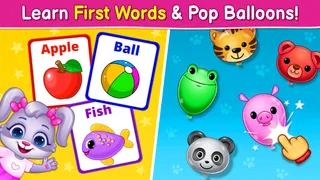
- Mini-games offer variety beyond the piano and phone activities.
- Short activities suit brief play sessions.
- Can provide a convenient screen-time activity while traveling.
Cons
- Some activities may feel repetitive after frequent use.
- Young children may need supervision to avoid accidental purchases.
- Sound effects can be loud in a quiet setting.
- The interface may include ads depending on the version.
- A screen-based game offers limited hands-on play.


